Balance System SD (with v4.X software) 15
accommodate any patient: Support Handle Position, Display Height, and Display Tilt. All other
test and exercise functions are software controlled.
To Adjust the Support Handle:
1. To position the Support Handle for patient use, hold the Support Handle while pulling out
on the Support Handle Release Pin. Rotate the handle to the desired position. Release the
pin to lock the Support Handle in place.
2. To release the Support Handle ensuring that it cannot be used by the patient, hold the
handle while pulling out on the Support Handle Release Pin. Fully lower the handle and
release the pin.
To Adjust the Display Height:
1. Loosen the Display Height Locking Knob.
2. Pull up or push down on the display until the desired height is achieved.
3. Tighten the locking knob to secure the display in the desired position.
NOTE: Position the display enabling the patient to look straight at it. This will help ensure
good posture during the test or exercise session.
To Adjust the Display Tilt:
Tilt the Display as required by patient or testing/exercise protocol.
Power-up
When the unit is plugged in, the display will automatically power up.
Power-down
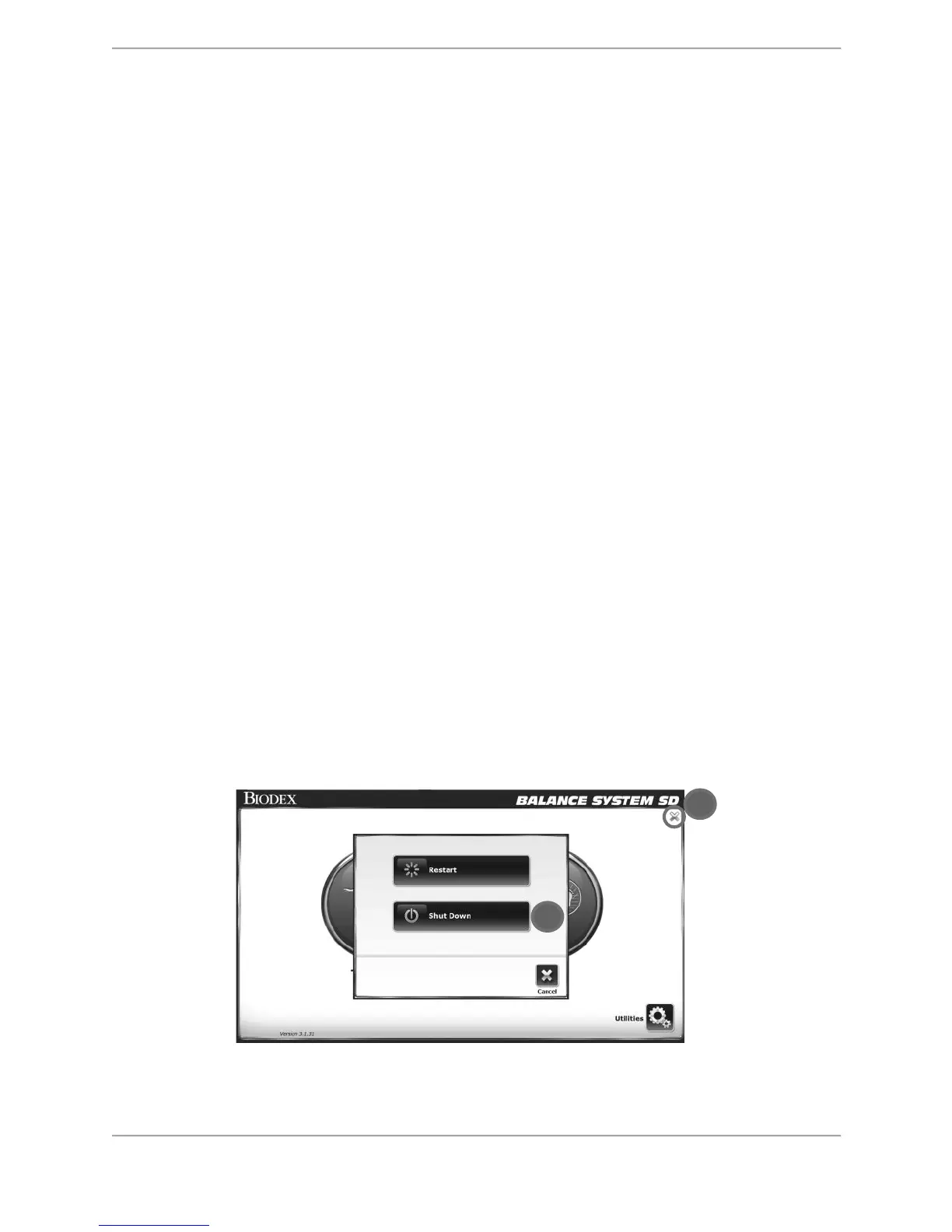
In order to prevent the device’s database from becoming corrupted, it is essential that the
correct power-down sequence is performed. Always turn off the display, by touching the X in
the upper right corner of the home screen, followed by Shut Down.
Figure 2.2. Power-down sequence.



 To Next Page