100 Biodex Medical Systems, Inc. © 2017
G-Codes
G-Codes are a method of recording and tracking a patient’s functional limitation at the
outset of therapy, during the course of therapy, and at the time of discharge. G-Codes
are now required by Medicare for outpatient therapy services billed under Medicare
Part B in order to collect data on beneficiaries’ functional outcomes from therapy
services.
Functional tests are used to report a functional limitation category (G-Code) and a
percentage of impairment (Severity Code Modifier). The G-Codes will be used by those
who provide outpatient therapy services such as physical therapists, occupational
therapists, speech language pathologists, physicians, physician assistants, nurse
practitioners, and clinical nurse specialists.
G-Codes are only used for two functions: Percent Weight Bearing Training and the
CTSIB/m-CTSIB test type.
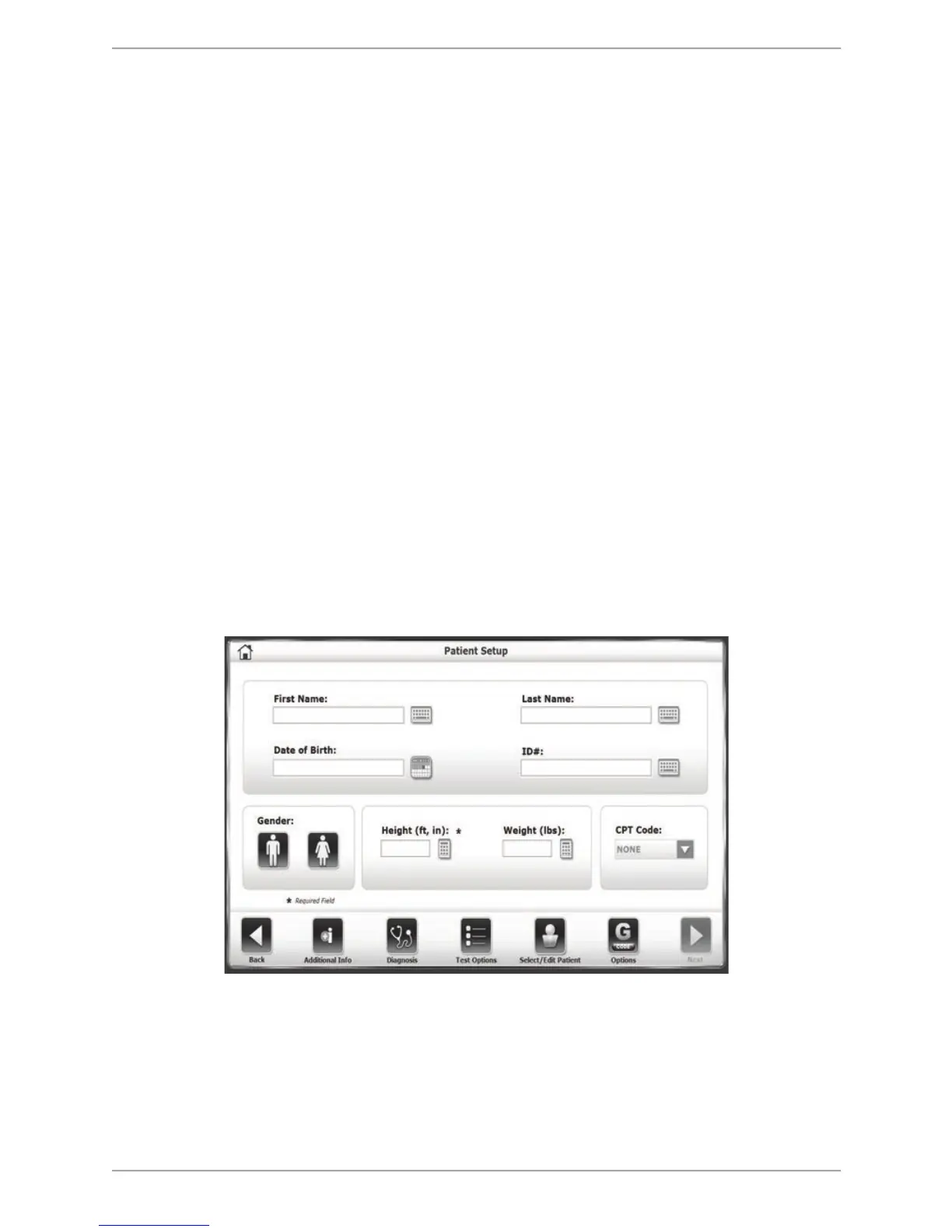
Before using G-Code, it must be activated from Utilities> Configuration> Balance SD
Configuration> Clinical Codes. Once it has been activated, an icon is displayed on the
Patient Setup screen where the user has the option to associate the G-Code with the
test.
To Use the G-Code Functionality With the Percent Weight Bearing Mode:
1. Touch the <Training> button on the Home screen.
2. Touch the <% Weight Bearing> button.
3. On the Patient Setup screen, touch the <G-CODE> button.
Figure 10.1. Patient Setup screen. The G-CODE button is present but red in color, meaning it has not
been configured.



 To Next Page