Balance System SD (with v4.X software) 35
the display while the platform setting is illustrated by the stack of numbered icons. Note
that the platform setting can be changed at any time during the exercise session.
NOTE: If the screen was enlarged by touching the <Magnifying Glass>, it must be returned
to the normal viewing screen format before any changes to the platform setting can be
made.
13. To stop the training session at any time, press <Stop> on the display. The system will stop
gathering data and the platform will return to the locked position.
14. When the training screen has been reviewed, touch <Print Results> to print the results of the
session, or <Save Results> to save the training session. If a patient identifier was not
entered at the start of the session (i.e., a name or an ID number), it must be entered now in
order to save the results of the session.
15. After printing or reviewing the screen, press <Start> to immediately begin another training
session using the same parameters, or press <Back> to return to the Patient Setup screen.
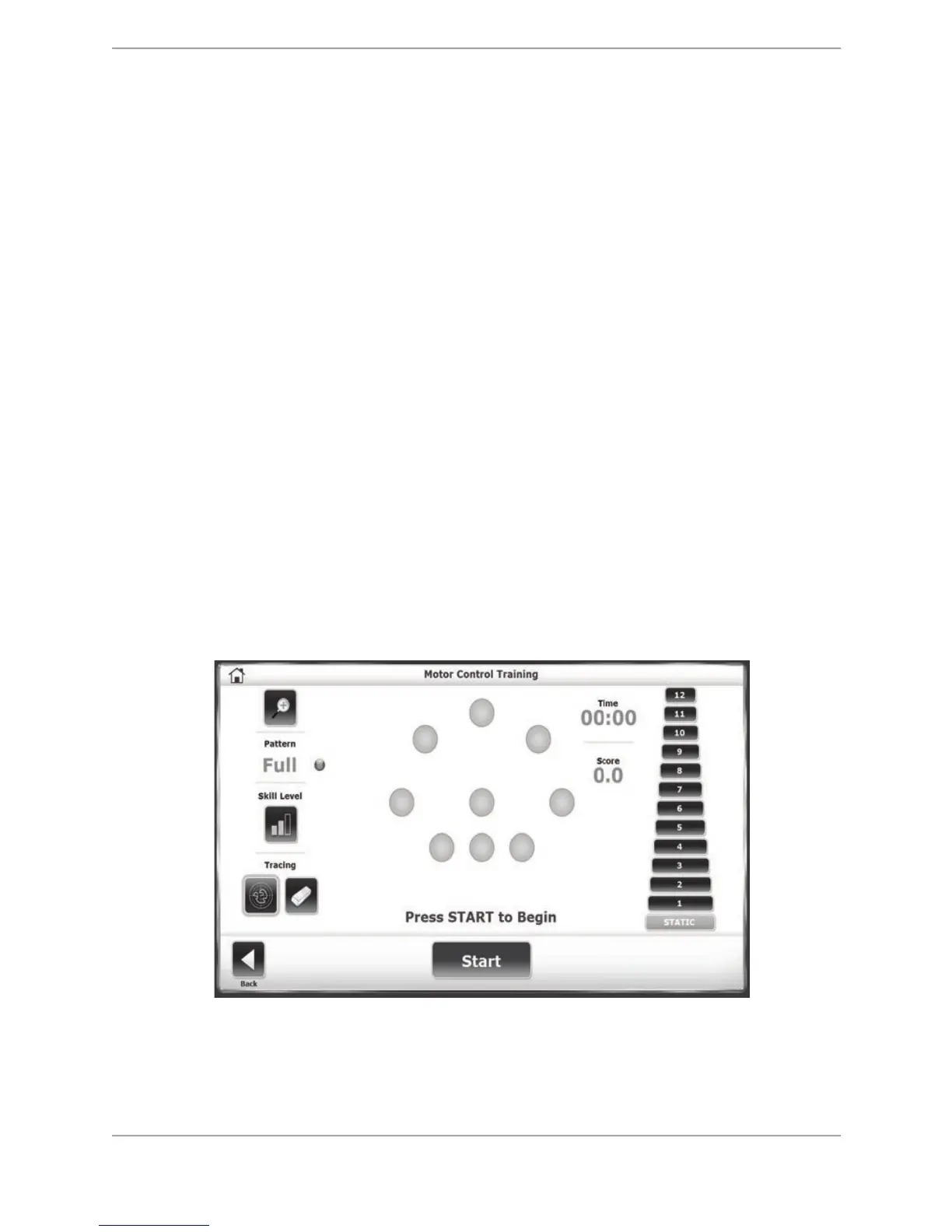
Motor Control Training
The Motor Control Training screen is designed to challenge the user to move through a
movement pattern consistent with one’s ‘sway envelope.’ The sway envelope is the area a
person can move their Center of Gravity (COG) within their base of support. It is approximated
as 8 degrees to one side, 8 degrees to the other (total of 16 degrees of sway,) and 8 degrees
forward and 4 degrees back (12 degrees total). Both the Motor Control training and testing
modes are based on challenging patients within their sway envelopes.
Scoring is percentage-based and reflects the patient’s directional accuracy of his or her
movement to the blinking targets. (The more straight-lined the movements, the better it is.)
Figure 6.7. The Motor Control Training Screen.
To Access the Motor Control Training Mode:
1. Position the support handles and the display height and tilt for patient comfort.



 To Next Page