Balance System SD (with v4.X software) 33
13. To reposition the target zone hit lines, touch the desired line (it will temporarily change
from blue to green) and re-touch the screen where the line is to be relocated.
14. Scoring is percentage-based and equals net good hits divided by the total target hits. If a
red boundary line is crossed, that counts against the good hit total. All outside boundary
hits are subtracted from the total amount of target hits. This value equals the net good hits.
For example: if a patient achieved ten target hits, but there were four times the cursor went
outside the boundary, 10-4 = 6 good hits. The score = 6/10 or 60%.
15. To stop the training session at any time, press <Stop> on the display. The system will stop
gathering data and the platform will return to the locked position.
16. When the training screen has been reviewed, touch <Print Results> to print the results of the
session, or <Save Results> to save the training session. If a patient identifier was not
entered at the start of the session (i.e., a name or an ID number), it must be entered now in
order to save the results of the session.
17. After printing or reviewing the screen, press <Start> to immediately begin another training
session using the same parameters, or press <Back> to return to the Patient Setup screen.
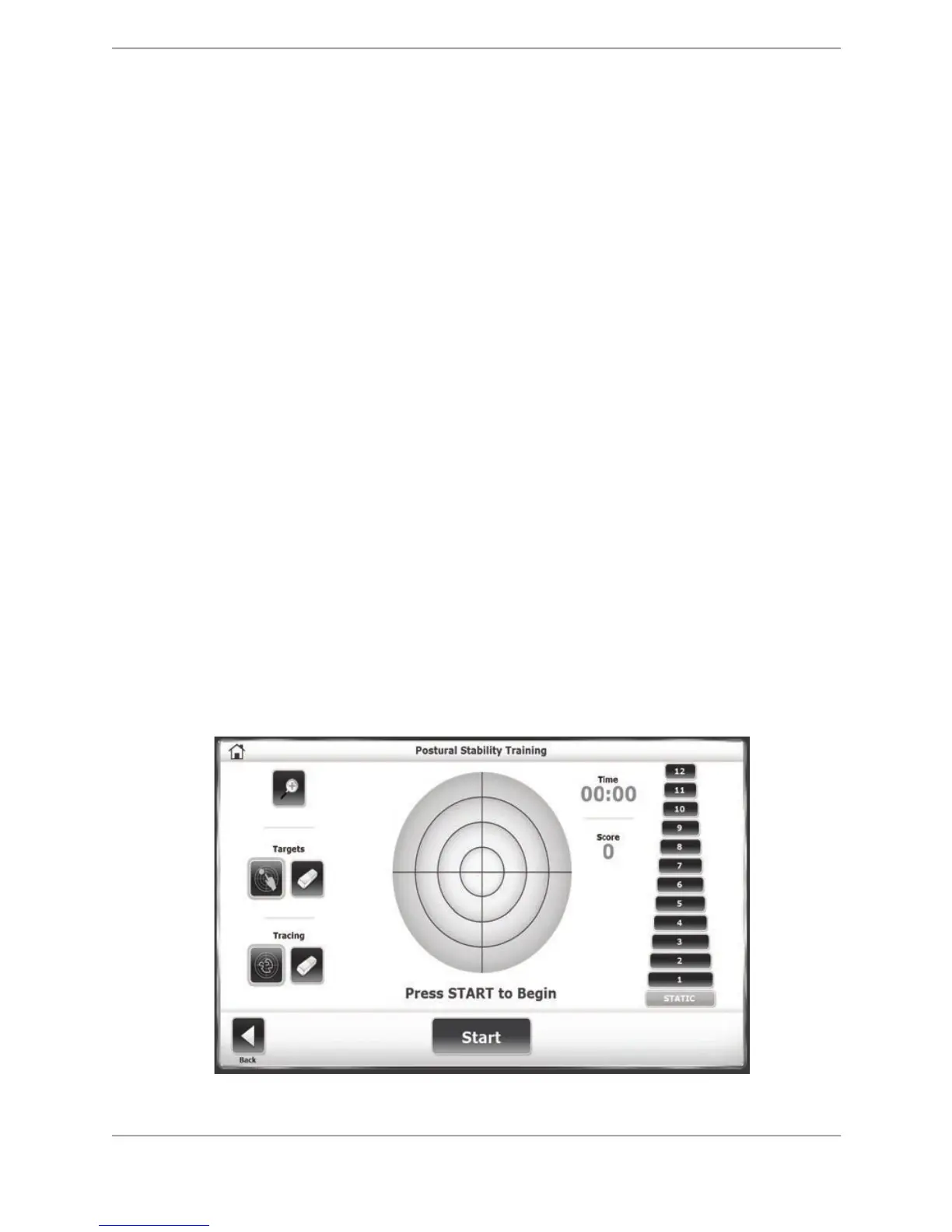
Postural Stability Training
The Postural Stability Training mode is designed to emphasize specific movement patterns or
strategies by placing targets anywhere on the screen grid or keeping balance within a fixed
ring/boundary. Using the target approach, patient’s score is a tally of how many times the
patient can touch the targets (by leaning and shifting the postural stance) during that session.
For the boundary selection option, the patient will practice balancing to be within the targeted
boundary. The Target and Ring/Boundary methods are mutually exclusive; only one approach
may be selected at any given time. As the patient moves the on-screen cursor during the
training session, a tracing feature records the route of the cursor on the grid. This feature can
be used to visually illustrate a patient’s positioning throughout the routine. Time counts up or
down as set.
Figure 6.6. The Postural Stability Training screen.



 To Next Page