38 Biodex Medical Systems, Inc. © 2017
5. Use the <"> or <#> keys to set the total time in ten-second increments. During the
routine, the system will count down from the time setting selected. If no time is set, the
timer will count up from 00:00 to a maximum of 12:00 minutes.
NOTE: Total time must be set before the beginning and ending platform stability can be set.
6. To set initial platform stability, touch the appropriate key and enter the setting from the
displayed keypad (static, 1 is most stable, 12 is least stable). Touch <OK> to return to the
Maze Control Training Options screen and set the ending platform stability in the same
manner.
7. Touch <OK> to confirm the selections or <Cancel> to return to the Patient Setup Information
screen without making changes. Touch <NEXT> to advance to the Maze Control Training
screen.
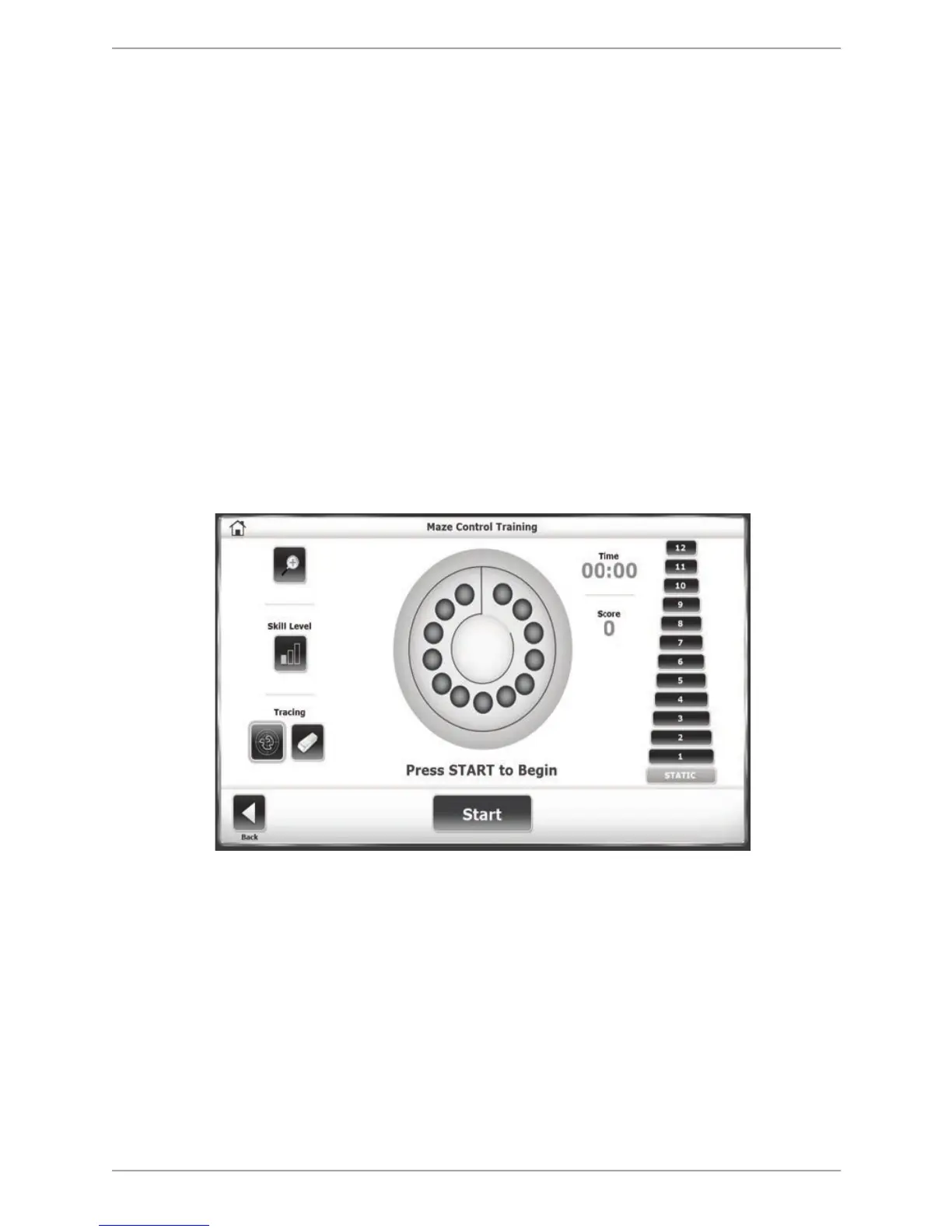
8. On the Maze Control Training screen, touch the <Skill Level> button to increase or decrease
the difficulty level for the patient to move the cursor through the maze. Three skill levels
are available:
• Easiest maze has 26 total targets or 13 in each direction.
• Moderate has 52 targets or 26 in each direction.
• Most difficult has 74 targets or 37 in each direction.
Figure 6.9. The Maze Control Training Screen.
9. At any time during the training session, the tracing biofeedback can be turned on or off by
touching the <Show Tracing> icon (the left-most icon under Tracing). Press the <Clear
Tracing> eraser icon (the right-most icon under Tracing) to remove any tracing that is left
from a previous training session. The cursor will still be displayed.
10. Touch the numbered icon on the right of the screen to select the desired platform stability if
it was not already selected in the Test Options (static, 1 is most stable, 12 is least stable).
11. Explain the training protocol to the patient (i.e., that the patient should move the cursor
through the maze clearing each blue ball target while not touching the maze wall
boundaries). Touch the <Magnifying Glass> icon to enlarge the screen if desired. Press
<Start> to begin the training session. The elapsed time from the start of the training session



 To Next Page