46 Biodex Medical Systems, Inc. © 2017
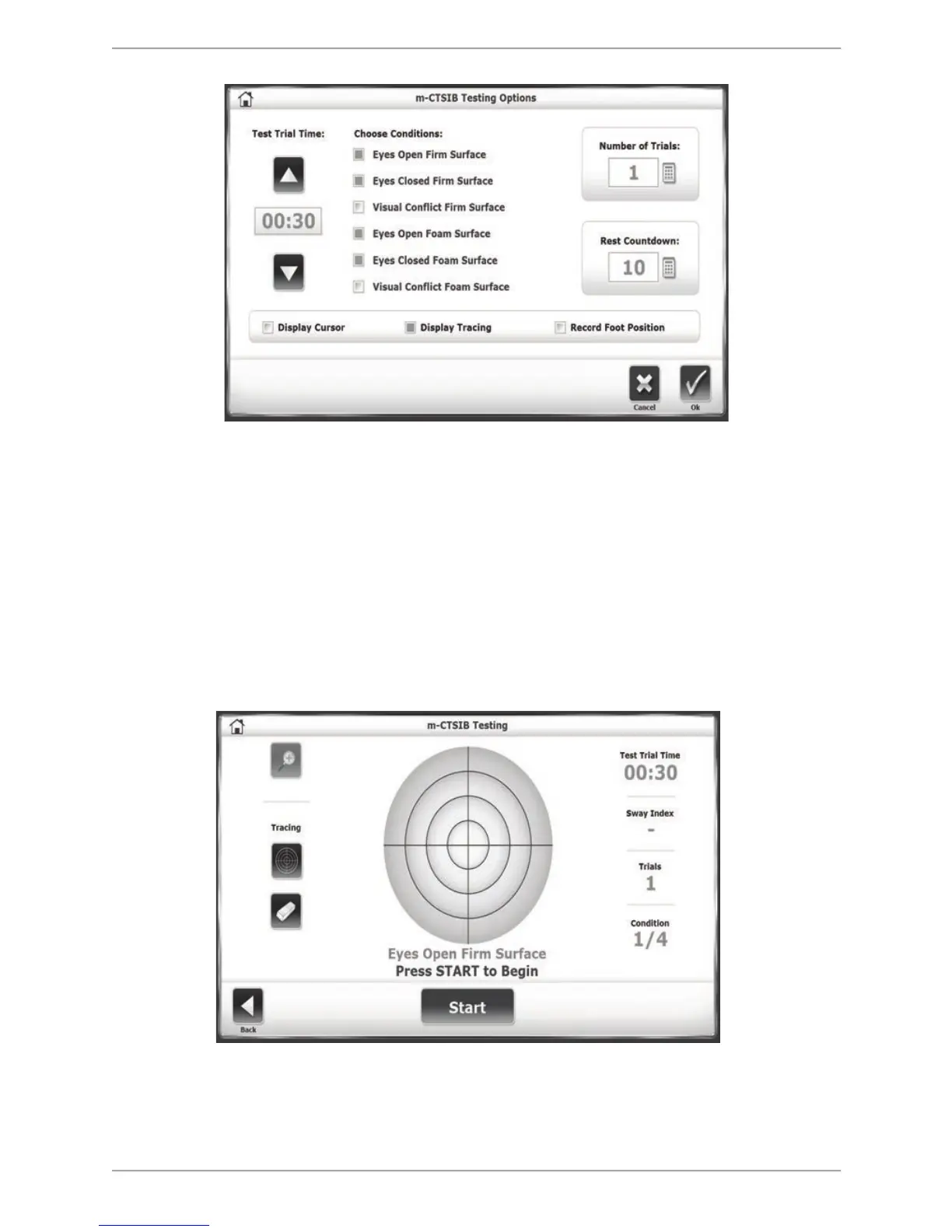
Figure 7.3 m-CTSIB Testing Options screen.
5. Touch <OK> to confirm the selections and return to the Patient Setup screen.
6. Press <Next> to advance to the m-CTSIB Testing screen. Or, if the Record Foot Position
checkbox was checked, it will advance to the Position Patient screen.
7. On Position Patient screen, the dot on the Position Patient screen represents the patient’s
Center of Gravity. Have the patient stand in a natural stance, slightly adjusting foot
placement until the dot is on or close to the center axis. Using the four keypads, enter the
patient’s left foot, left heel, right foot, and right heel positions using the midline of the
foot and the platform grid as reference points. As a reference, use Table 6.1 in the
Percent Weight Bearing Training Mode section.
8. Touch <Next> to advance to the m-CTSIB Testing screen.
Figure 7.4. m-CTSIB Testing screen.
9. With the patient ready to begin the test, touch <Start> and <Collect Data>. The screen
will provide a three-second countdown before beginning each test trial. The display
screen will include Test Trial Time, the Score (Sway Index), what number Trial is



 To Next Page