Balance System SD (with v4.X software) 85
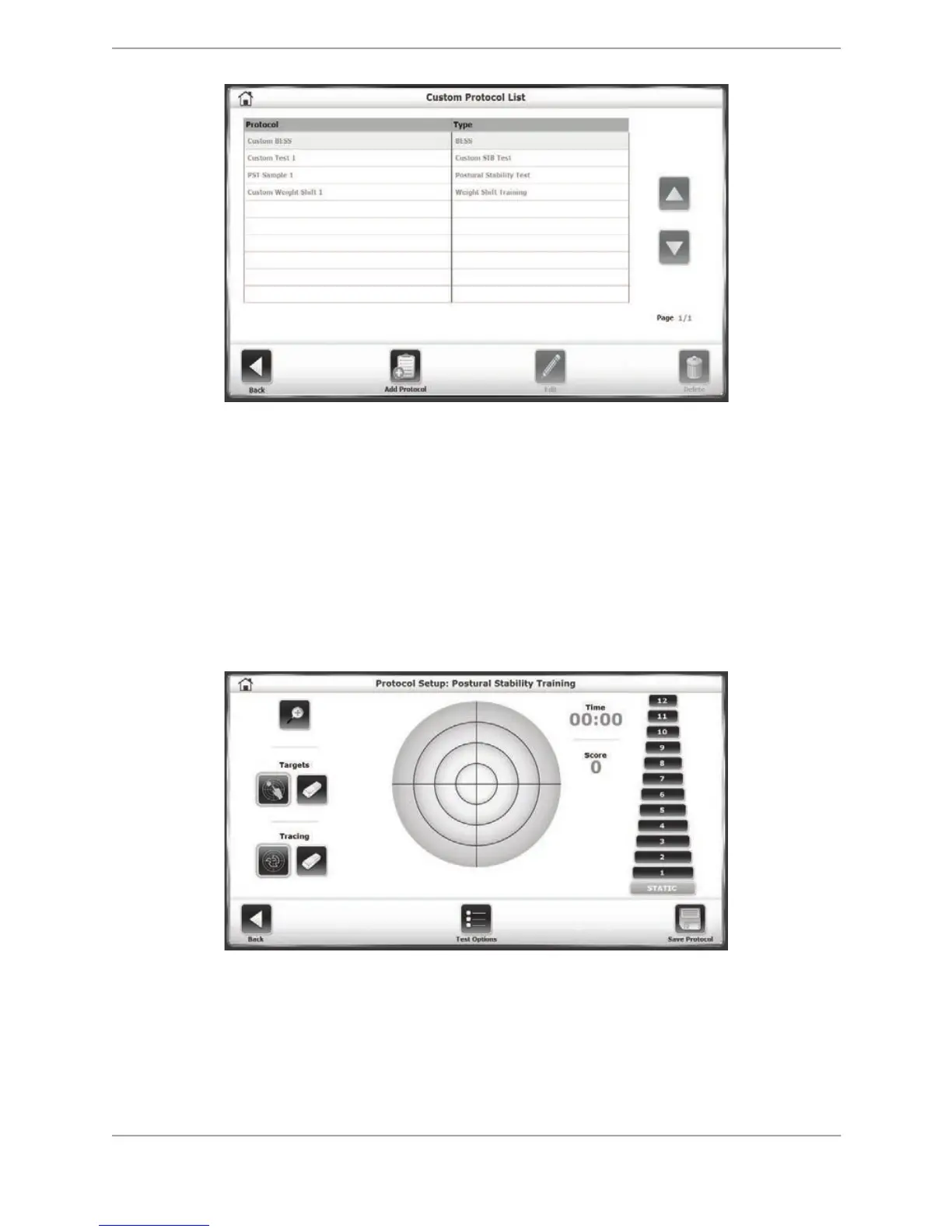
Figure 8.21. Custom Protocol List screen.
7. Depending on whether a training protocol or testing protocol is to be added, select either
the <Training> or <Testing> button on the resulting screen. Protocol creation is same for
both.
8. Proceed with configuring the training or testing session for the normal Training or Testing
mode selected. One of the differences that will be noticed is that Protocol Setup mode is
displayed at the top of the screen. Likewise, at the bottom of the screen, the <Test Options>
button is displayed where the <Start> button would be displayed in the actual training or
testing mode.
Figure 8.22. Protocol Setup screen for Postural Stability Training.
9. When finished configuring the test or training session, touch <Save Protocol>. At this point
the protocol can be saved with a specific name that will be displayed in the Custom Protocol
List.



 To Next Page