BCS-8xx series installation manual
7
Once the techniques have been loaded and started from the PC, the experiments are entirely
under the control of the BCS-8xx’s on-board computer. The BCS-COM temporarily buffers
data and regularly transfers them to the PC, which is used for data storage, on-line visualiza-
tion, on-line and off-line data processing and display.
This architecture ensures the fewest possible experimental interruptions since a shutdown of
the monitoring PC does not affect the experiments in progress on the instrument.
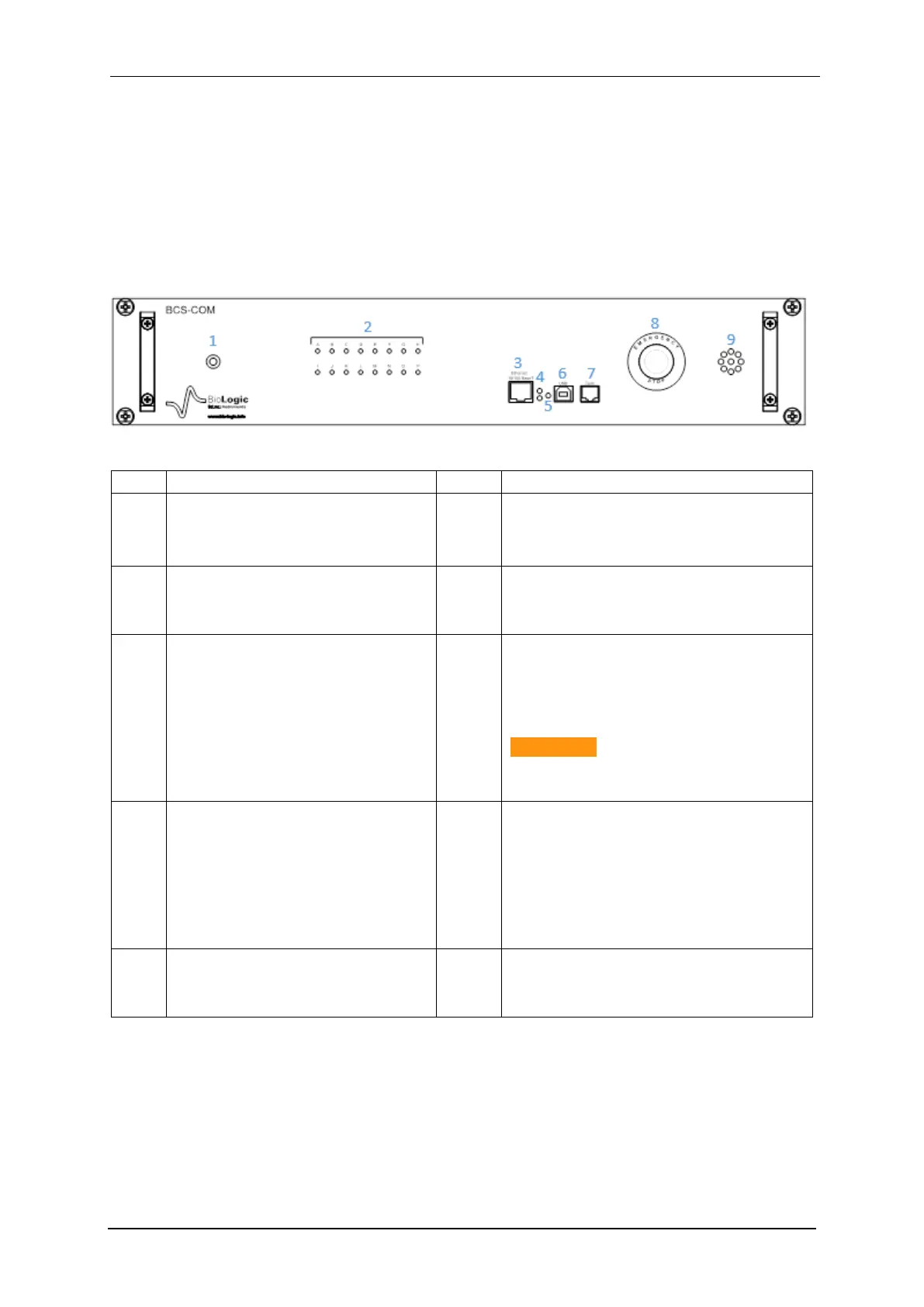
1.2.1.1 BCS-COM front panel detailed description
The figure below gives a description of the front panel of the communication module.
Table 1: Detailed BCS-COM front panel description
Power ON/OFF LED indicator
USB:
USB2.0 communication port (for facto-
ry service)
A to H & I to P LEDs:
Module connection LED indica-
tors.
Term :
serial port connector
(for only maintenance service)
Ethernet 10/100BaseT:
LAN communication connection
Emergency Stop Operation:
Shut down the three phases power
line breaker (stop only operations on
batteries under test ) or Open-in on
each module if no PDU unit used.
CAUTION :
This button should be release before
re-arm the three phases breaker
A & B LED indicators:
On the top: LED "B" blinks when
boot performed. LED “A” on the
bottom.
LED "A" & "B" alternate blink
when connected to an user via
the software & network
Buzzer:
Alarm Buzzer (user programmable)
Reset button:
Press to re-boot the communica-
tion module.



 To Next Page