5) The instrument selected appears in
the list displayed in the “Device”
frame. Then, the connection is estab-
lished automatically.
6) Note if the instrument is already in the list, the user has to select the instrument in the
“Device” frame and then click on the “connect” button .
It is possible to remove a device by clicking on the button .
When the connection is established “Connected” is displayed in the connection status of the
“Connection” window. One can see the “Connection status” with the device type and the in-
strument’s IP Address.
4.2.1 Modification of the instrument IP address
If the IP address of the instrument is not valid i.e. there are two identical IP addresses or not
in the appropriate network, the IP address has to be changed.
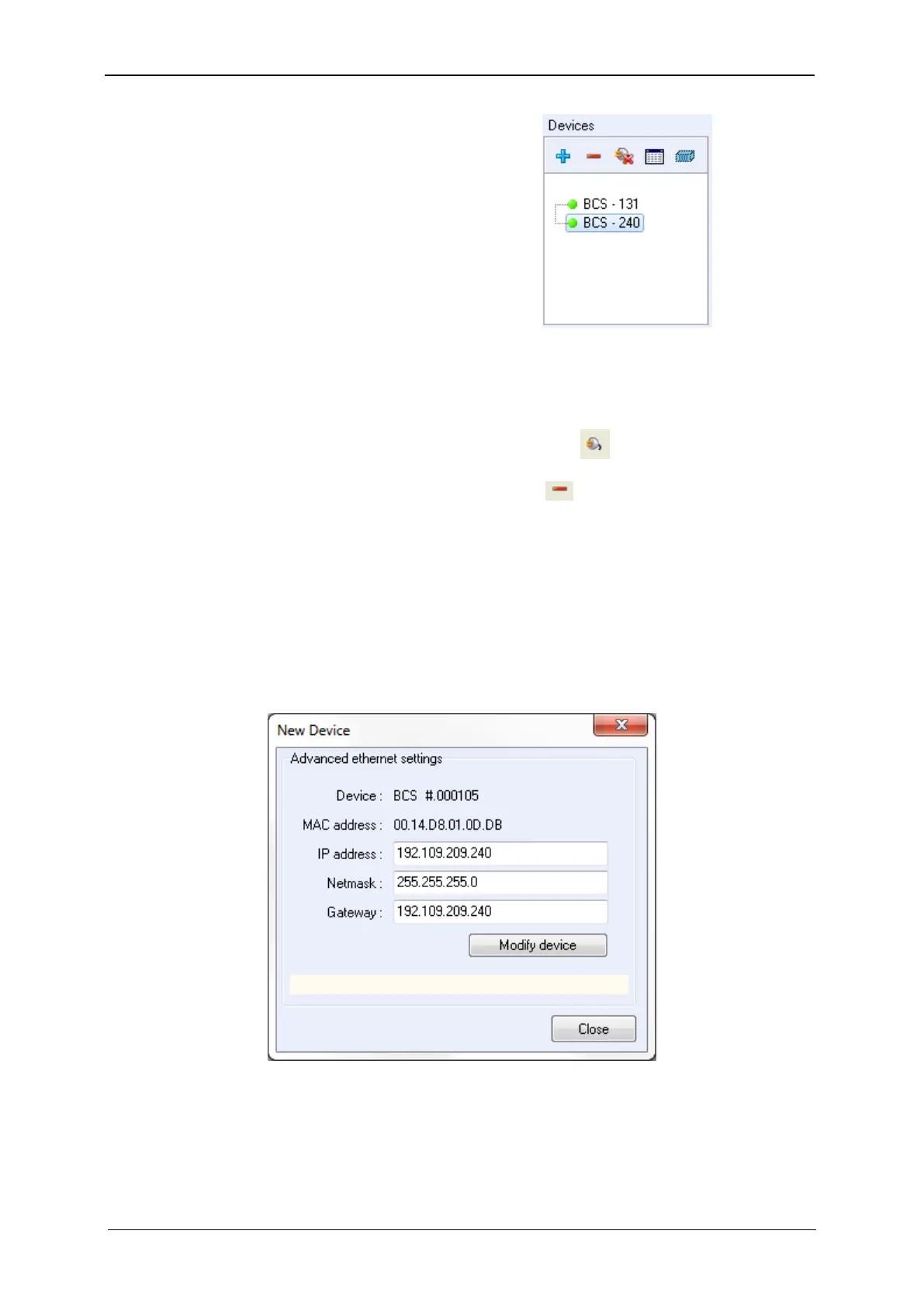
On the “New device” window select the desired instrument and click on “Modify”. The follow-
ing window then appears:
Fig. 45: “Advanced Ethernet settings” of the “New Device” window used to change the instru-
ment IP Address.
Modify the IP Address to have a valid address in your network. Repeat this procedure with
the Gateway and click on “Modify device”. A “configuration changed” message is displayed
in green when the instrument receives the new IP address. Several “Bip” sounds are emitted



 To Next Page