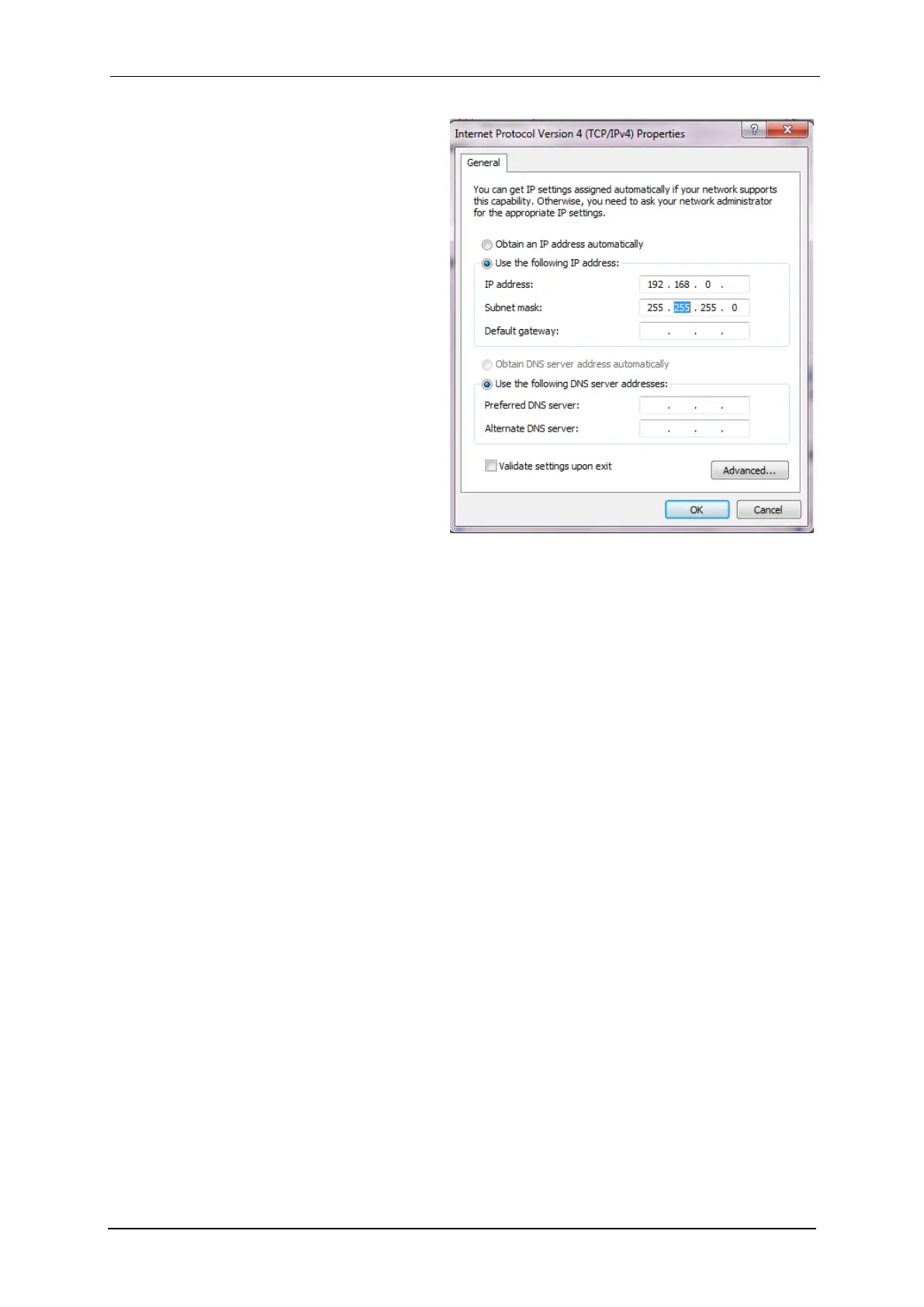
4- At this point of the installation, the user
has to activate the “Use the following
IP address” box.
WARNING: THERE MIGHT BE ANOTHER TCP/IP
PROTOCOL INSTALLED CALLED "TCP/IP DIS-
TANT ACCESS", DO NOT CLICK ON THIS LINE!
5- Enter the PC IP address, DO NOT EN-
TER A NETWORK MASK (it will automati-
cally be added) and click on the OK
button.
WARNING: IP ADDRESSES MUST BE UNIQUE
IN A NETWORK
6- Restart the PC. Now the PC and the
INSTRUMENT are in the same net-
work.



 To Next Page