6 Description of module and commissioning
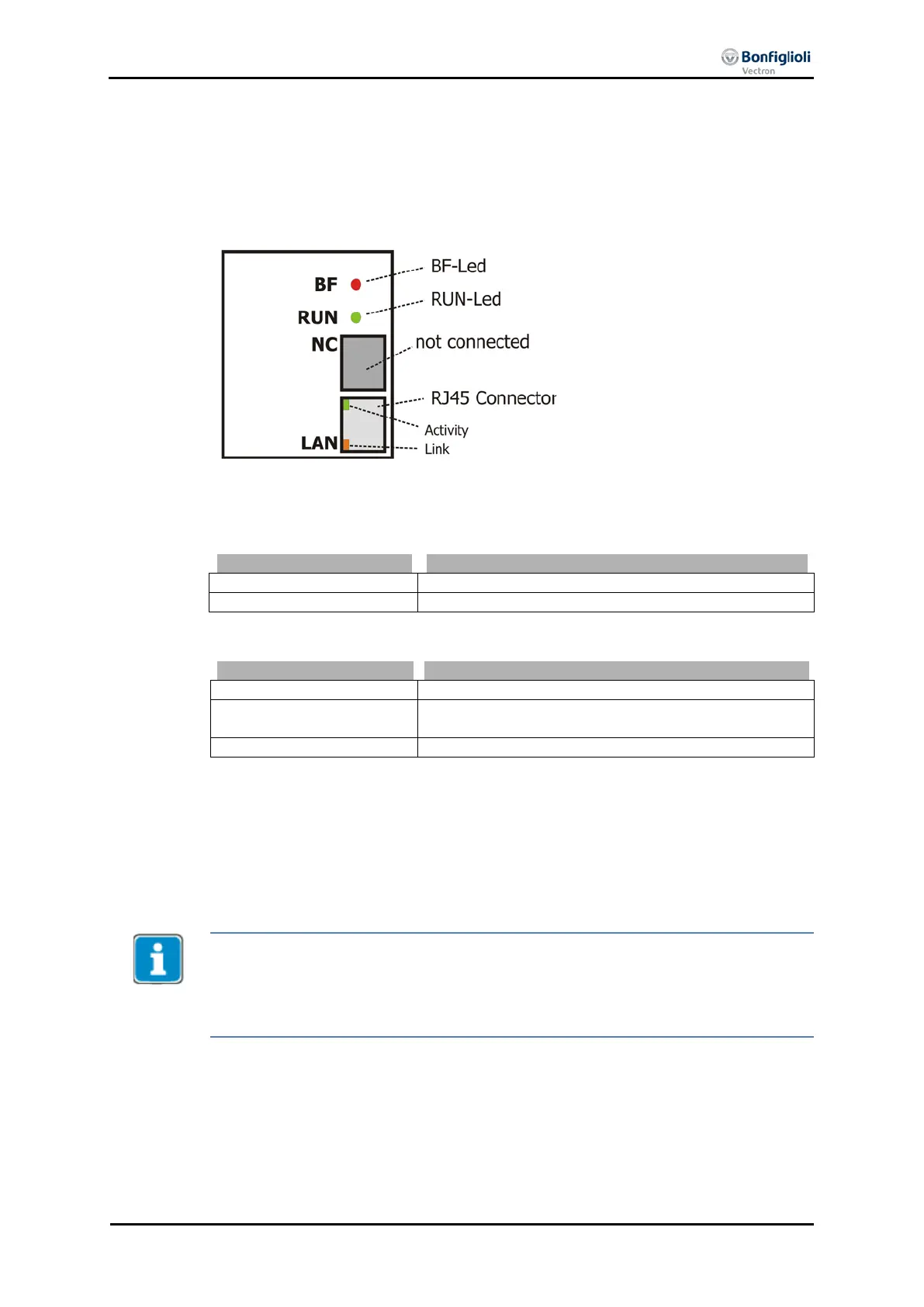
6.1 Connector assignment
The CM-PROFINET module is connected to the PLC or switch using RJ45 connectors
(LAN).
6.2 LED status indicators
The green RUN LED indicates the current status of the module.
Module is on and running.
The red BF-LED indicates the current status of the connection.
Module has no Ethernet connection.
Module has Ethernet connection, no cyclic exchange of
data is taking place.
Exchange of Cyclic data is taking place.
6.3 Setting the station address
A PROFINET IO controller accesses IO devices based on unique device names. The
device name is assigned during system configuration using a PROFINET hardware
configurator. The PROFINET IO controller can also assign the IP settings. During the
hardware configuration, it is set for each IO device if the local IP settings are used or
the IP settings of the PROFINET IO controller are applied.
When the IP settings of the PROFINET IO controller are applied, the local IP settings
on the frequency inverter are blocked. In this case, the VPlus configuration software
shows “Zero” for IP address, Net mask and Gateway. The IP settings cannot be edit-
ed via VPlus. If you enter the “Apply” command, the settings entered before are
reset to “Zero”.
In the case of replacement of a module, a special function of the CM-PROFINET
module enables assignment of a device name without the PROFINET configurator.
The TCP/IP configuration of VPlus shows the IP settings and, as the “Host name”,
the device name saved in the module.
If a CM-PROFINET module must be replaced, the device name assigned before
without PROFINET configurator can be assigned again.
10/13 CM-PROFINET 23



 To Next Page