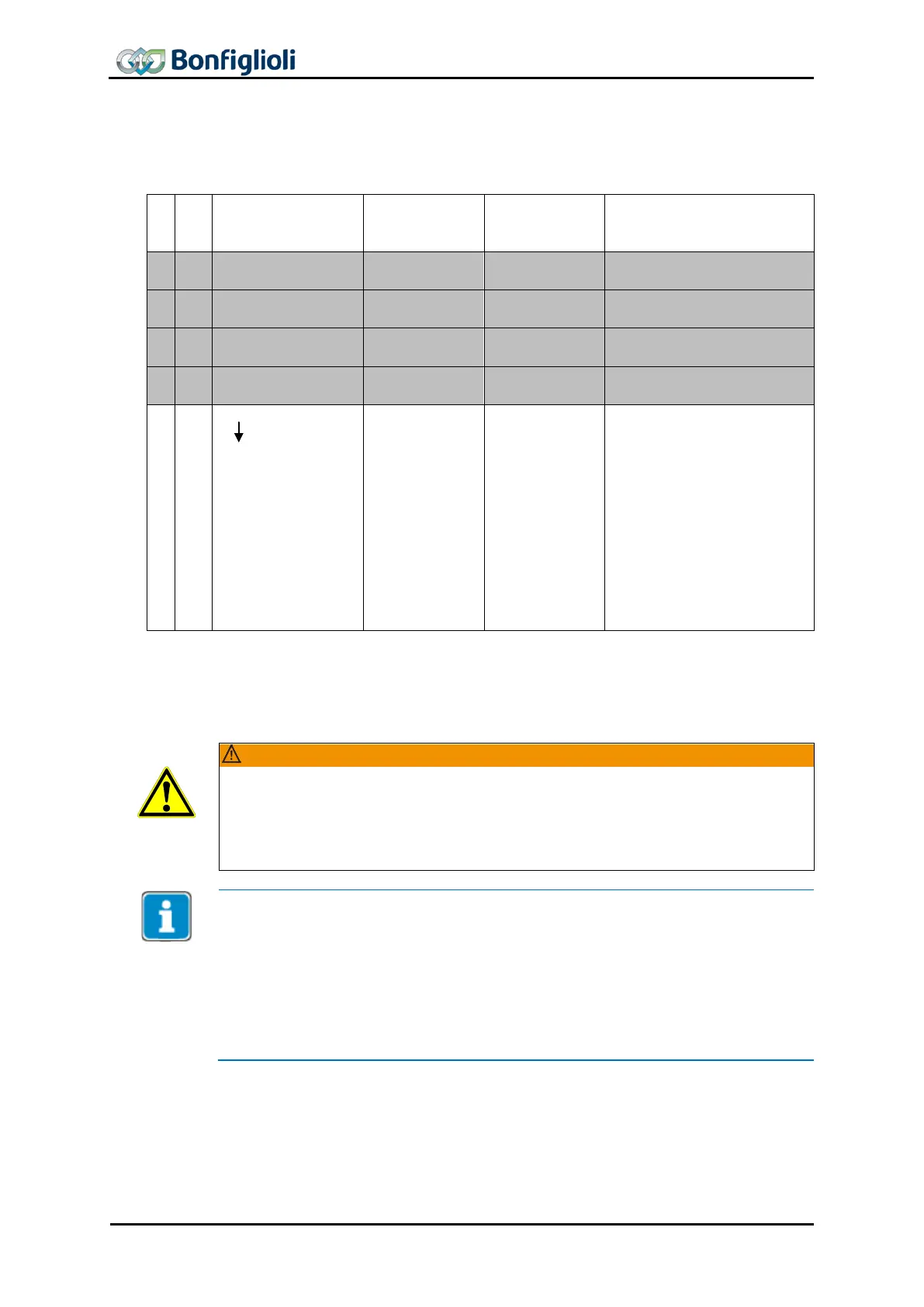
11.4.2.1 Example Sequence
To start the Profile Velocity mode, the correct sequence has to be sent from the PLC.
OUT
Control word
Modes of Op.
Profile velocity
Remark
0x000F
Enable Operation, no change
to previous state if already
enabled. The Profile Velocity
mode is started with refer-
ence PZD5/6
r)
Profile velocity
and Ramp profile PZD7/8
r)
and
PZD9/10
r)
Profile decelera-
. Changes to Target Ve-
locity and Ramps are taken
*) In addition to the Profile speed PZD5/6, Acceleration PZD7/8 and Deceleration 9/10
must be assigned appropriate values > 0. These PZDs are not shown in the table for
reasons of clarity. Generally, it is recommended that all specified PZDs be changed at
Dangerous state due to new mode!
If the mode of operation ‘modes of operation’ is changed during operation (control
word = 0xnnnF), a dangerous state may occur in the new mode.
•
BONFIGLIOLI VECTRON recommends checking the status word before changing
the mode of operation (e.g. for status 0xnn33).
Once the sequence of the first four status words has been processed correctly, the
ACU is ready for operation (dark table area).
In state “operation enabled” (0xnnnF), the state of the Motion Control can be
changed (white table area).
With control word transition from 0xnnnF to 0x0007, “Profile position mode” will be
stopped. Then, the mode can be restarted via 0xnnnF.
As long as 0x0007 is active, the mode of operation can also be changed safely. Once
modes of operation
has been set to another value, operation can be started with a
corresponding sequence.
86 CM-PROFINET 10/13



 To Next Page