11.3 Configurations without Motion Control
In configurations without Motion Control (Configuration 30 ≠ x40)
Modes of opera-
tion
is set permanently to “2 -
velocity mode
” (velocity mode vl).
display
will also be “2 -
velocity mode
” (velocity mode vl). These settings cannot be
changed.
The ramp times are specified via parameters 430…433.
11.3.1 Behavior in the case of a quick stop
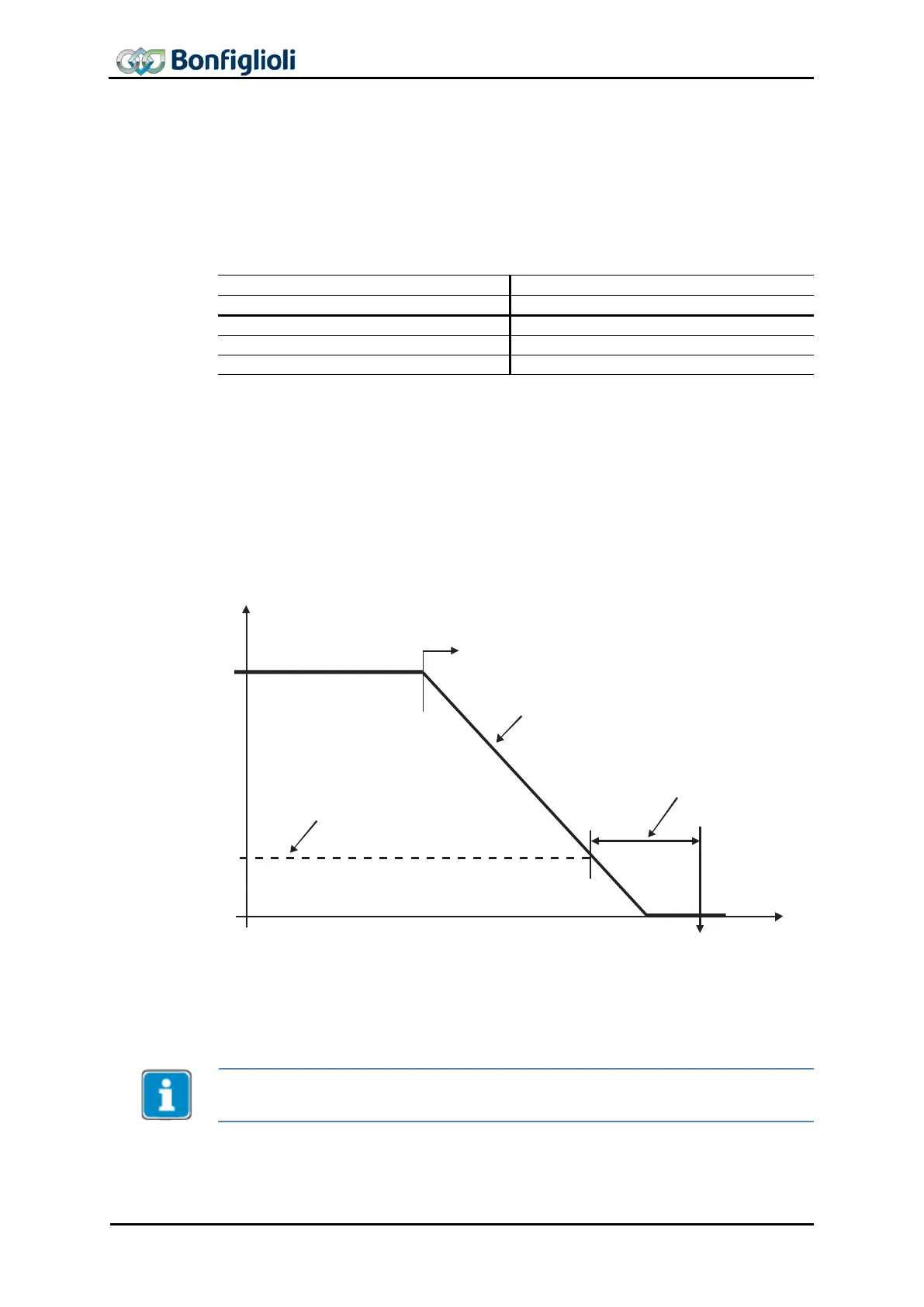
In quick stop, the parameters Switch-off threshold
637 (percent of parameter Maxi-
mum Frequency 419) and Holding time 638
(holding time after falling short of the
switch-off threshold) are relevant. Maximum Frequency.
In the case of a quick stop,
the drive is stopped via emergency stop ramps.
The emergency stop ramps are set via parameters Emergency Stop Clockwise 424
and
Emergency Stop Anticlockwise
425 .
f
s
Start Quick Stop
OFF
change of state
t
Switch-off Threshold Stop Fct. 637
Emergency Stop Clockwise 424
425Emergency Stop Anticlockwise
Holdig Time Stop Function 638
If frequency/speed reaches the value zero during the switch-off time, the drive con-
tinues to be supplied with current until the switch-
off time has elapsed. This ensures
that the drive is at a standstill when the state changes.
The quick stop behavior is only relevant for configurations without Motion Control
(parameter Configuration 30 ≠ x40).
72 CM-PROFINET 10/13



 To Next Page