128
Section 6. Appendices
Selecting Patches from the
FC-200
Here’s how to select VF-1 Patches from the FC-200. Start the
procedure from the following state.
VF-1: the Play mode
FC-200: Program Change mode
* Set the MIDI channel of the VF-1 and FC-200 to the same
setting. At the factory defaults, the MIDI channel are set at “1.”
* If the VF-1 is not in Play mode (p. 17), press [EXIT] several
times (once or twice) to return to Play mode.
Correspondence between VF-1 patch
numbers and FC-200 program
numbers
FC-200 program numbers correspond to the same program
numbers that are specified in the VF-1’s MIDI program
change map (p. 124). In other words, when you switch
program numbers on the FC-200, the VF-1 will switch to the
patch of the same program number.
* At the factory settings, the VF-1’s program change map is set as
follows.
fig.5-01a
About FC-200 Program Change
numbers
FC-200 Program change numbers (1–128) are formed by
adding the program change number corresponding to the
Number (1–10) to the program change number for the Bank
(0–12).
Banks 0–12 correspond to Program change numbers as
follows.
Bank 0 1 2.... 9 10 11 12
Program number 0 10 20.... 90 100 110 120
Numbers 1–10 correspond to Program change numbers as
follows.
Number 1 2 3.... 9 10
Program number 1 2 3.... 9 10
For example, if Bank = 1 and Number = 2, the Program
number would be 10+2=12.
If Bank=2 and Number = 10, the Program number would be
20+10=30.
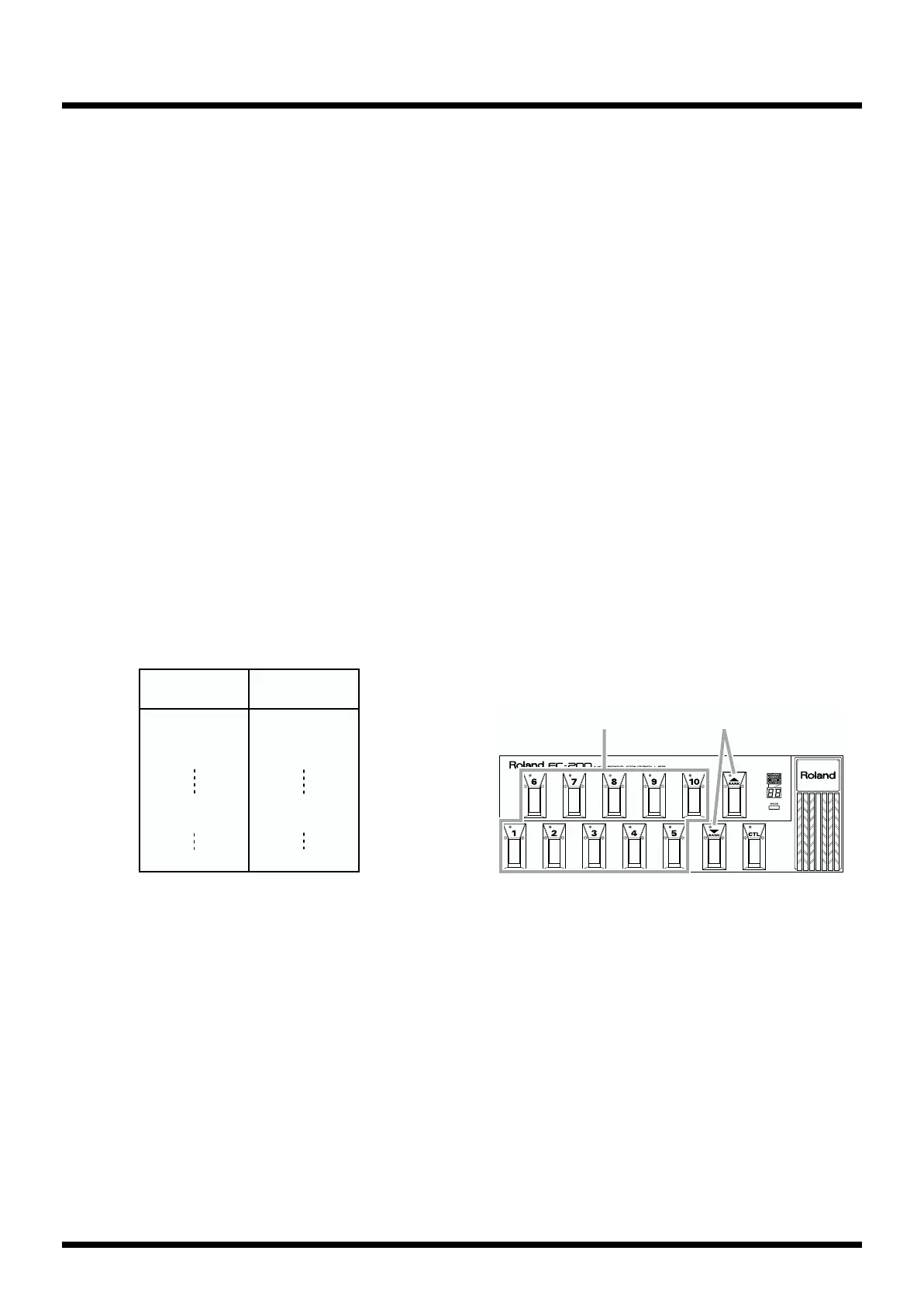
FC-200 operations
Here’s how to use the Bank and Number pedals of the FC-
200 to select VF-1 Patches.
fig.6-03
(1) Selecting the bank.
Each time you press a Bank pedal (UP/DOWN) the bank will
change, and will be shown in the display. Pressing “UP”
takes you to the next higher bank, and pressing “DOWN”
takes you to the next lower bank.
* Simply changing the Bank number will not make FC-200’s
Program numbers change. The Program number will change
when you next select a number.
Program
number
VF-1
Patch number
1
2
3
100
101
128
UA1
UA2
UA3
UA100
UB1
UB28
(1)(2)



 To Next Page