31
Section 2. Creating Sounds
Section 2
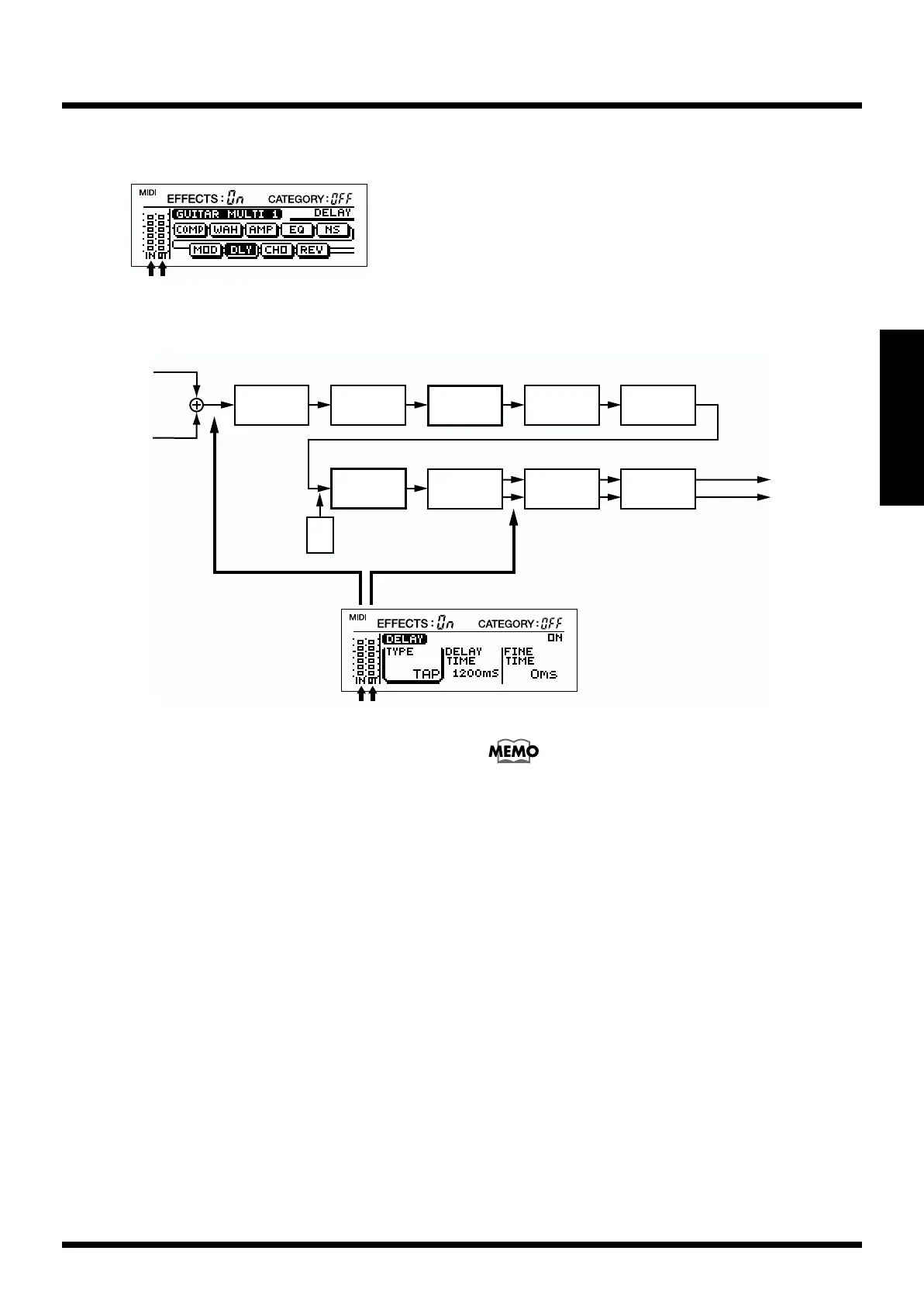
Checking the input/output levels of each effect
fig.2-21
The algorithm screen of each effect and the parameter setting
screen provide a meter function. The meter lets you see the
input level at the beginning of the algorithm, and the output
level of each effect.
e.x.: When you have made the DELAY parameter appear in the display
fig.2-49
* If the input and/or output levels are excessive, the desired result
will not be obtained. Check the input and output levels of each
effect, and adjust the output level appropriately. Adjust the
input level with [INPUT L/R] and check the output level of each
effect with the level meter to adjust it to an appropriate level.
The final output of the patch can be checked with the level
meter in the “MASTER” parameter setting screen.
Input L
Input R
Compressor/
Limiter
Preamp/
Speaker Simulator
Modulation
WAH
Delay
FV
Chorus Reverb
4Band
Equalizer
Noise
Suppressor
Output L
Output R
OUTIN



 To Next Page