27
Section 2. Creating Sounds
Section 2
Editing a patch
About display selection
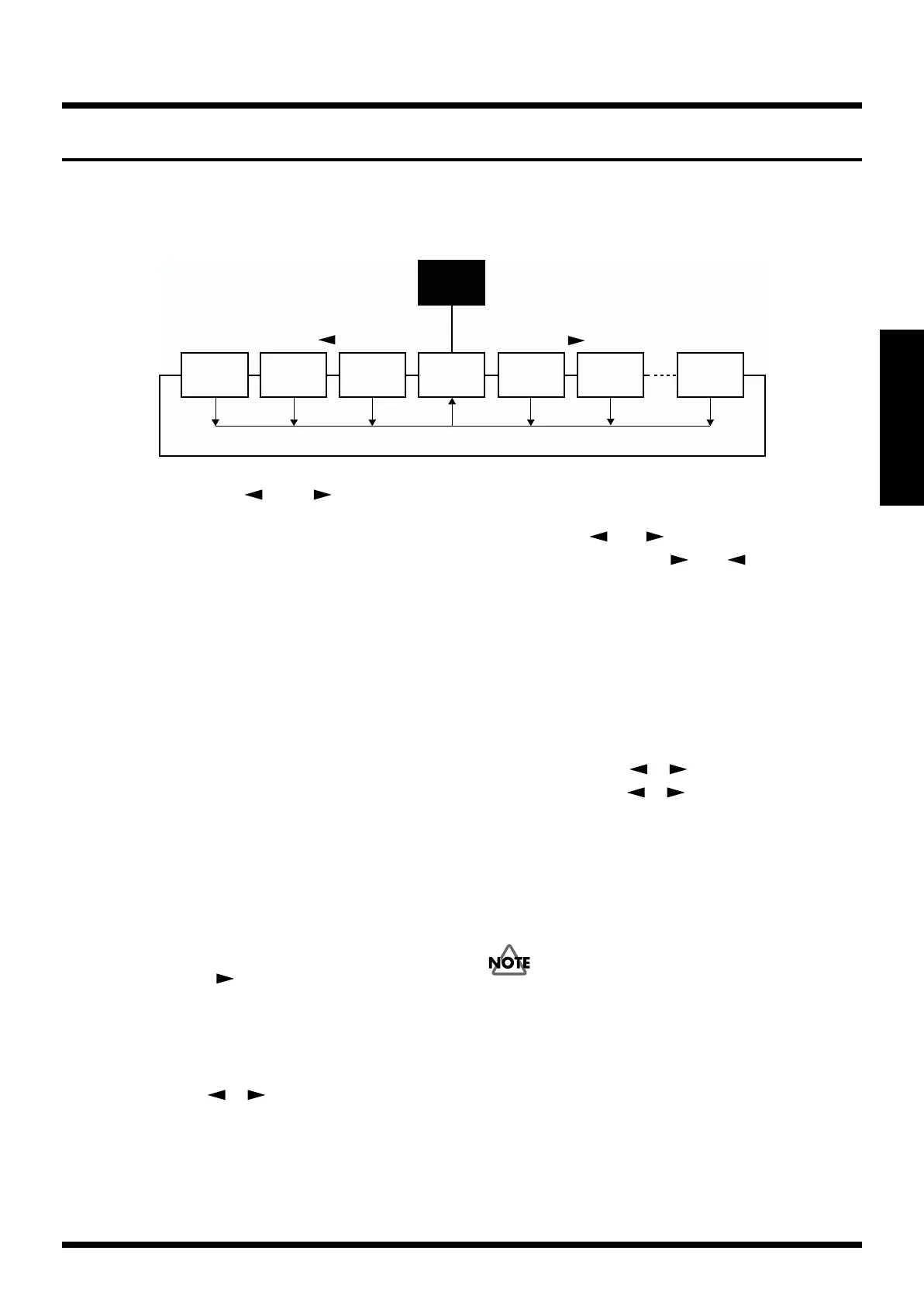
The display will response as follows in patch creation:
fig.2-200
• Pressing PARAMETER [ ] and [ ] will change
displays.
• Pressing [EXIT] in the selected display (except the
Algorithm display) will retrieve the Algorithm display.
• Rotating [NUMBER] in the Algorithm display will allow
you to move between the effects which are being
shown in the display.
The Skip function (SKIP)
If you wish to change displays rapidly, press the
PARAMETER ([ ] or [ ]) which you wish to move to
then press the opposite one ([ ] or [ ]) at the same
time.
Procedure
Here’s the basic procedure for creating a patch.
1. From the user bank or preset bank, select a patch that is
similar to the effect sound that you wish to create.
* You cannot alter the Algorithm that is used in the patch
currently selected.
2. Copy the contents of the selected Patch to an unneeded
Patch number. (p. 28)
• In Play mode, press [WRITE] to copy the patch.
3. Edit (modify) the patch that you copied.
• Turn each effect on/off. (p. 28)
Press PARAMETER [ ] to display the algorithm, use
[VALUE] to select the effect that you wish to turn on/off,
and use [ENTER] to turn it on/off.
• Edit the settings of each effect. (p. 29)
• Change the order of the effects. (p. 30)
• Use PARAMETER [ ] [ ] to select the parameter
that you wish to edit, and use [VALUE] to modify the
value.
4. Assign a name to the new patch. (p. 37)
• Use PARAMETER [ ] [ ] to select “NAME,” and
use PARAMETER [ ] [ ] and [VALUE] to assign
the name.
5. Save the new patch in a user bank. (p. 38)
• In the Edit screen, press [WRITE], use [VALUE] to select
the patch number into which the currently-edited patch
will be stored, and press [WRITE].
The modified settings of the new effect sound are temporary,
and will be lost if you select another Patch. If you want to
save your new Patch, use “the Write operation” (P.38) to
store it.
* If you turn off the power while effect settings are being stored,
the VF-1 may malfunction.
[
EXIT
]
Master
Algorithm
Assign
1–4
Category
Patch
name
Effect
parameter
Effect
parameter
[
EXIT
]
[
EXIT
][
EXIT
][
EXIT
][
EXIT
]
Play
mode
[
]
PARAMETER
PARAMETER
[
]
[
EXIT
]



 To Next Page