24
Section 1. Producing Sound
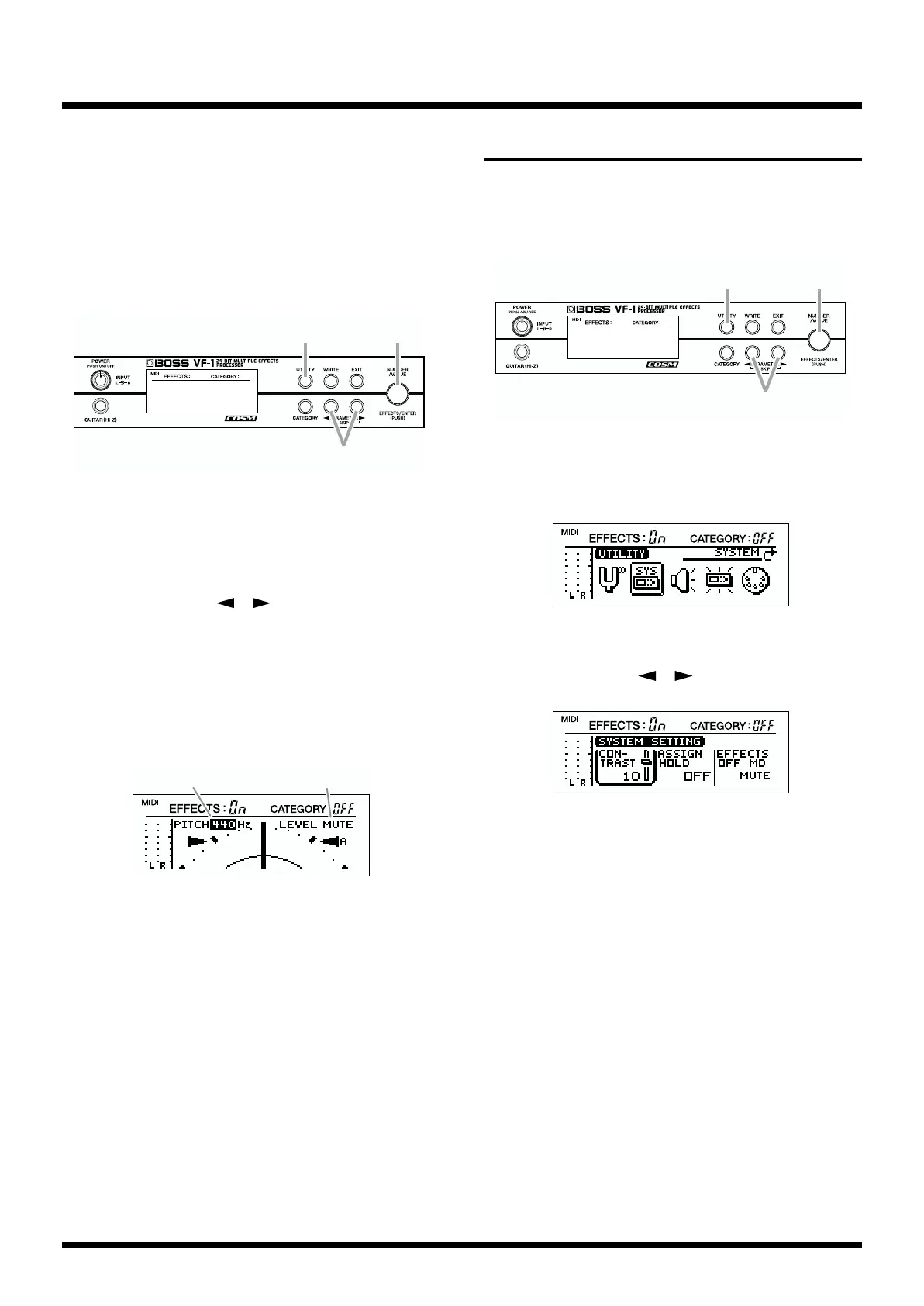
Modifying the tuner settings
(Standard pitch/Volume)
Here you can make tuner settings. Make settings as
appropriate for the way that you wish to use this function.
The following items can be set.
• Standard pitch setting
• Volume setting during tuning
fig.1-37
1. Press [UTILITY].
2. Rotate [NUMBER] to select “TUNER.”
3. Press [ENTER].
4. Use PARAMETER [ ][ ] to move the cursor to
“PITCH” if you wish to change the standard pitch, or to
“LEVEL” if you wish to change the volume.
5. Rotate [VALUE] to modify the setting.
If you hold down [CATEGORY] as you rotate [VALUE], the
setting will change more rapidly.
fig.1-38
TUNER PITCH: 435–445 (Hz)
“Standard pitch” is the frequency of the A4 note (middle A
on a piano) that is used as a standard to which all other notes
are tuned. The VF-1 allows you to set the standard pitch over
the range of 435–455 Hz.
* At the factory settings, this is set to 440 Hz.
TUNER LEVEL: MUTE, 1–100
Adjust the volume while tuning.
* With the factory settings, “MUTE” is selected.
6. Press [UTILITY] to return to Play mode.
Adjusting the display contrast
Depending on the location where you place the VF-1, the
display may be difficult to read. In this case, adjust the
display contrast.
fig.1-39
1. Press [UTILITY].
2. Rotate [VALUE] to select “SYSTEM.”
fig.1-40
3. Press [ENTER].
4. Use PARAMETER [ ][ ] to select “CONTRAST.”
fig.1-41
5. Rotate [VALUE] to adjust the contrast (1–16).
If you hold down [CATEGORY] while you rotate [VALUE],
the setting will change more rapidly.
6. Press [UTILITY] to return to Play mode.
* If you press [EXIT] in step 6, you will return to step 2. If you
press [EXIT] once again, you will return to Play mode.
1,6
4
2,3,5
TUNER PITCH
TUNER LEVEL



 To Next Page