41
Section 2. Creating Sounds
Section 2
Using an expression pedal
(example)
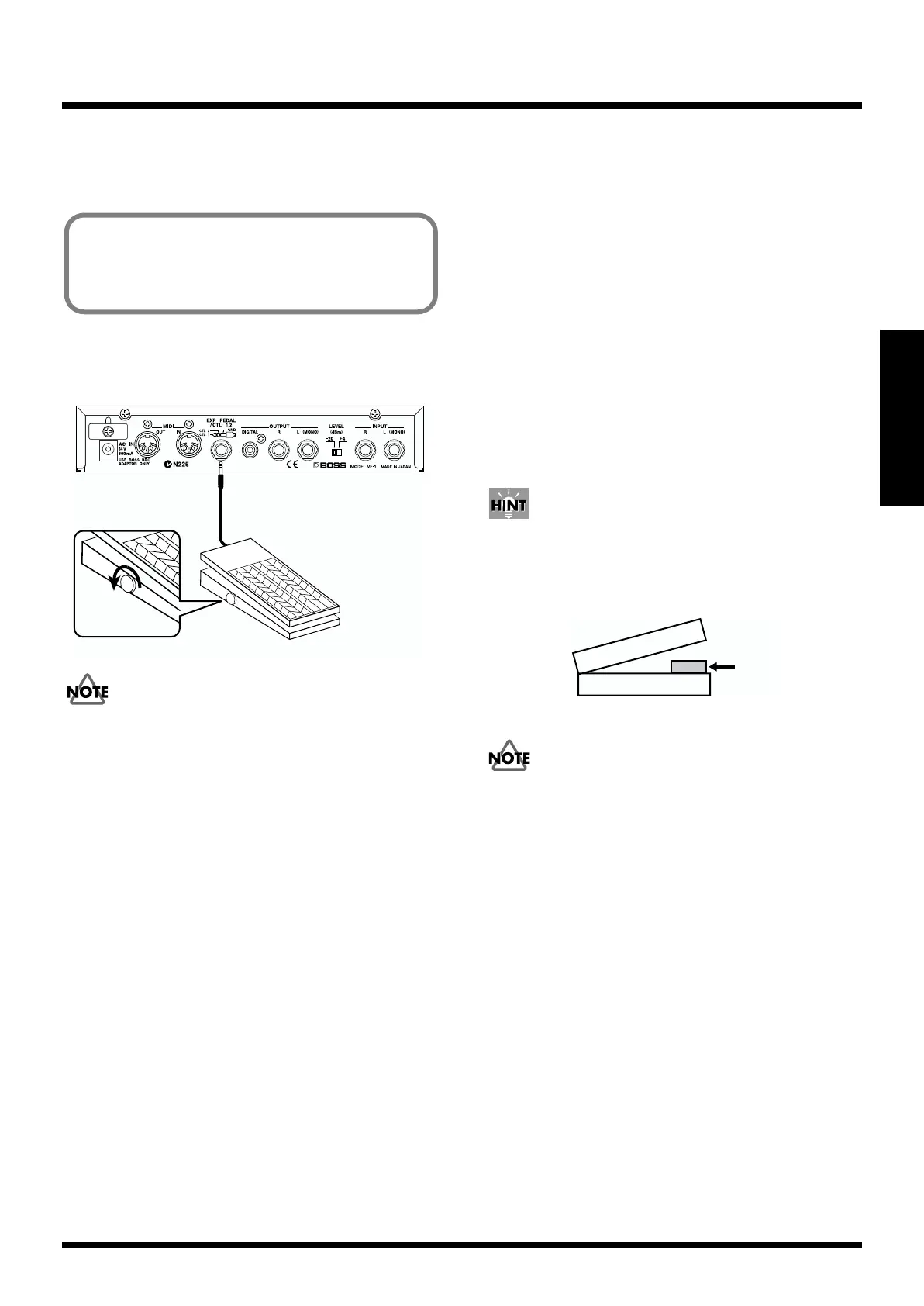
Connections
Make connections as shown in the diagram.
fig.2-44
Use only the specified expression pedal (BOSS FV-300 + PCS-
33 (Roland) or EV-5 (Roland); sold separately). By connecting
any other expression pedals, you risk causing malfunction
and/or damage to the unit.
Settings
Use the following procedure to make settings.
1. Set the WAH “EFFECT” to “On.” (refer to p.28)
2. Set the SELECT to “WAH.” (refer to p.29)
3. Make patch settings for “ASSIGN 1” and “ASSIGN 2.”
(refer to p.33)
ASSIGN 1: ON
TARGET: WAH (PEDAL WAH): PEDAL
TARGET MIN: 0
TARGET MAX: 100
SOURCE TYPE: ExpPEDAL
SOURCE MODE: NORMAL
SOURCE MIN: 0
SOURCE MAX: 50
ASSIGN 2: ON
TARGET: WAH: ON/OFF
TARGET MIN: ON
TARGET MAX: OFF
SOURCE TYPE: ExpPEDAL
SOURCE MODE: TOGGLE
SOURCE MIN: 80
SOURCE MAX: 120
With these settings, moving the expression pedal in the range
of 0–99 will turn the wah on, producing a wah effect.
Advancing the pedal to 100 or beyond will turn the wah off.
In this way, you can use the pedal to turn the effect on/off.
4. Turn the “ASSIGN 3” and “ASSIGN 4” parameters
“OFF.” (refer to p.33)
The pedal will be easier to operate if you insert a rubber
eraser etc. into the expression pedal where it is positioned at
a source value of approximately 99.
fig.2-48
If you wish to keep your settings, perform the Write
operation (p. 38).
Using a pedal to operate the wah of the
“GUITAR MULTI 1” algorithm, and turning
the wah on/off without changing the patch
(Use as a wah pedal)
Roland
Minimum
volume
Expression pedal
rubber



 To Next Page