26
Section 2. Creating Sounds
Rapidly editing a patch
(Quick Setting)
Each effect of the VF-1 provides various preset settings
(effect settings). You can easily create new effect sounds
simply by selecting these settings and combining them. This
is called the Quick Setting function.
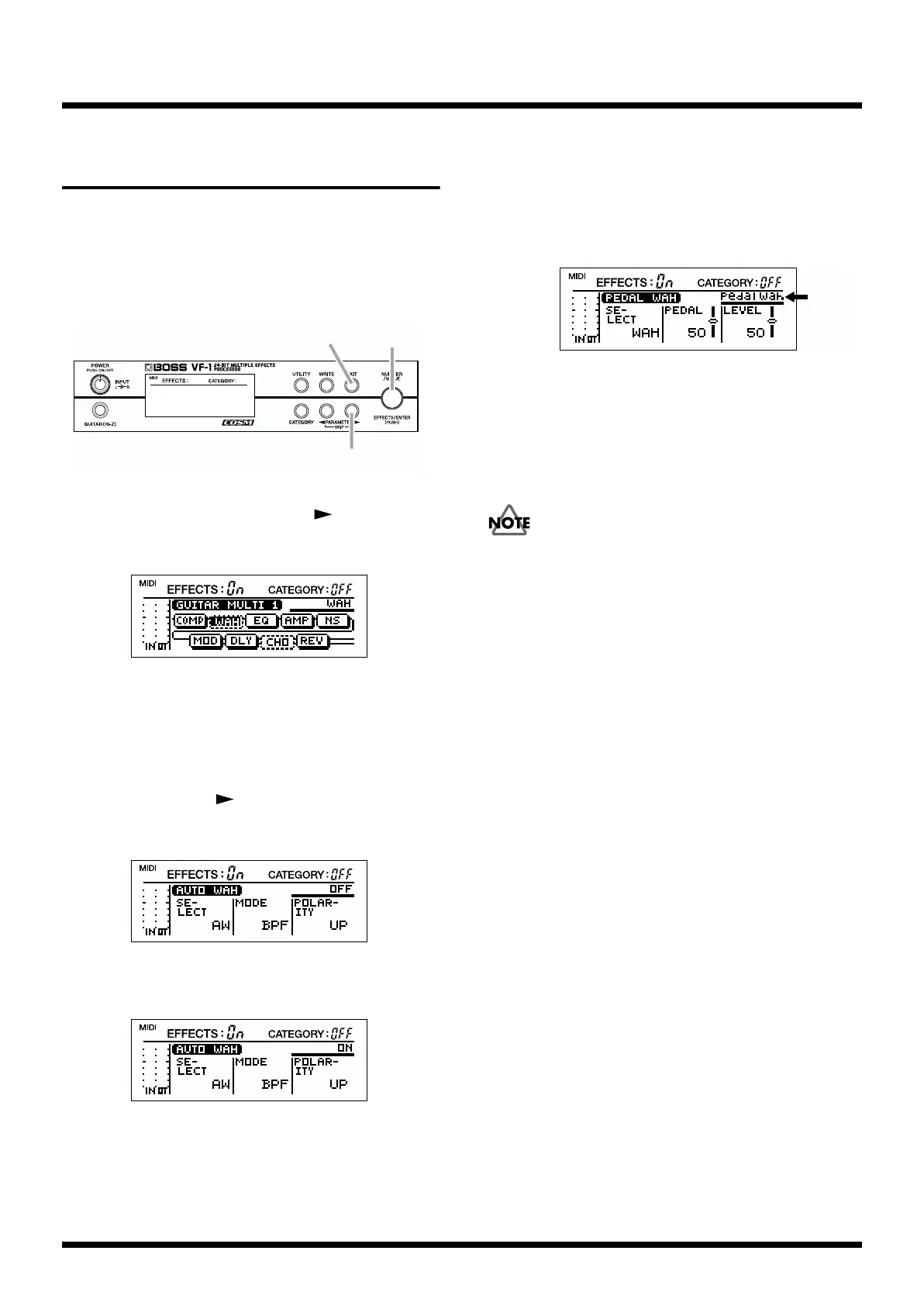
fig.2-04
1. In Play mode, press PARAMETER [ ].
The following algorithm display screen will appear.
fig.2-05
2. Rotate [VALUE] to select the effect for which you wish to
use Quick Setting.
To move more rapidly between effects, hold down
[CATEGORY] and rotate [VALUE].
3. Use PARAMETER [ ] to move the cursor to the effect
on/off display.
fig.2-06
4. Rotate [VALUE] to make the display read “ON.”
fig.2-07
5. In the condition of step 4, continue rotating the [VALUE]
knob to select the desired effect setting.
As you rotate [VALUE], the effect setting will change as
follows.
Listen to the sound, and select the desired setting.
fig.2-08
6. When you are finished making settings, press [EXIT].
7. Rotate [VALUE] to move the another effect.
8. Repeat steps 3–7 as necessary to complete the desired
effect settings.
The patch settings you modify are temporary, and will be
lost if you select a different patch without writing the edited
patch into memory. If you wish to keep the newly created
patch, use the “Write operation (p.38)”.
2,4,5,7
1,3
6



 To Next Page