33
Section 2. Creating Sounds
Section 2
Controlling parameters in
real time (Control Assign)
Here’s how you can make settings so that you can control
parameters from a foot switch or pedal connected to the VF-1
or from an external MIDI device. The controller that will
affect each parameter can be specified independently for
each patch.
Assign on/off
Four types of control assign can be turned on/off. Turn
“ON” only the control assign setting that you wish to use. Be
sure to turn “OFF” any unused control assign settings.
fig.2-51
Parameters that can be controlled
Specify the parameter (target) you wish to control. The
following parameters can be selected as targets.
• TUNER On/Off
• EFFECTS On/Off
• MASTER LEVEL
• MASTER BPM
• FOOT VOLUME (FOOT LEVEL)
• Effect On/Off for each effect
• Effect unit parameters
* You may assign two or more controllers to control the same
target, but in this case, avoid using two of these controllers to
simultaneously modify the target parameter. This can produce
noise.
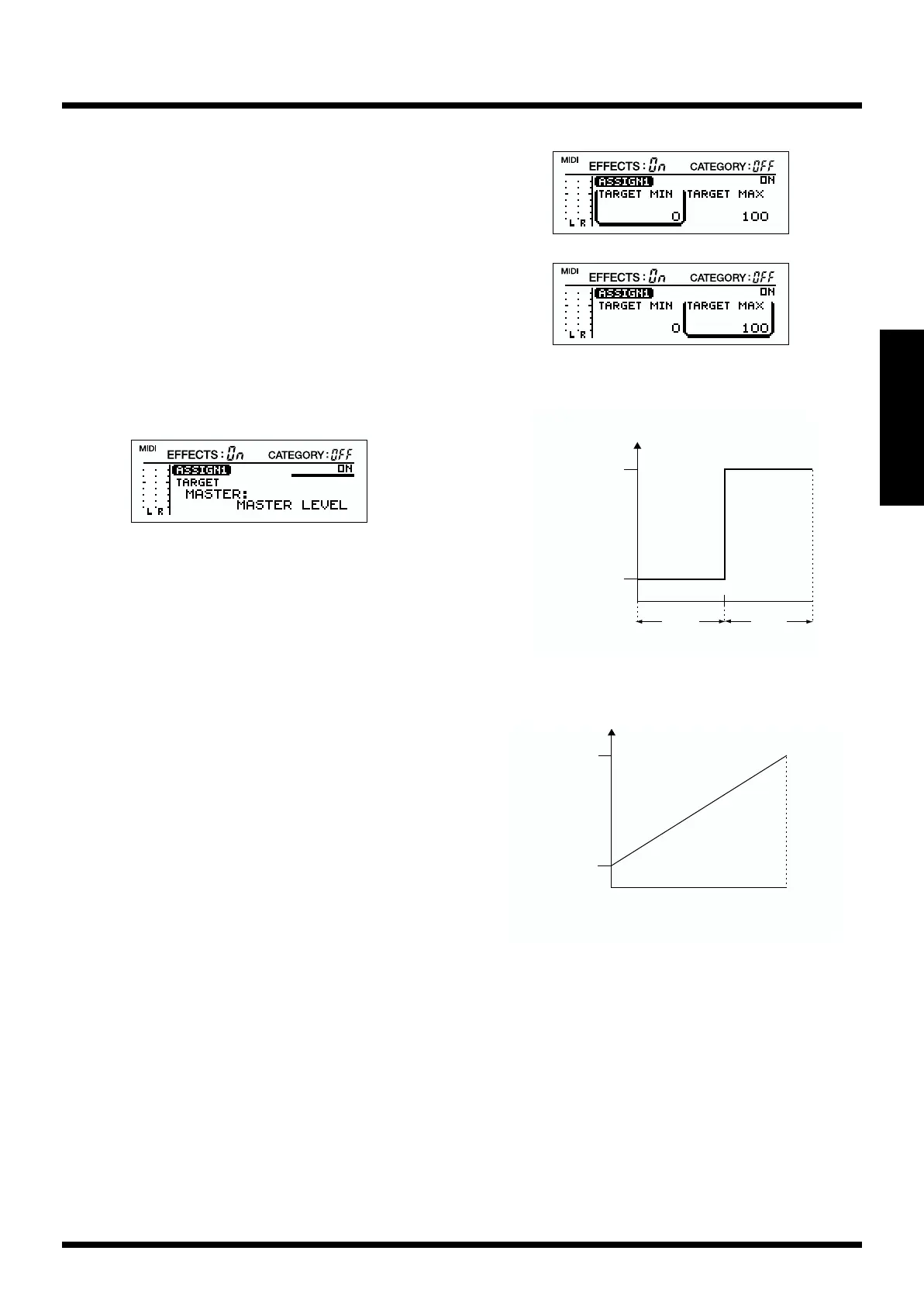
Target value range
Operations on the external device will modify the value of
the target parameter within the range of the “minimum
(TARGET MIN)” and “maximum (TARGET MAX)” values
you specify.
For on/off-type controllers such as foot switches, “Off” will
produce the “minimum value” and “On” will produce the
“maximum value.” For continuous controllers such as
expression pedals, the value will change within the range of
the specified “minimum” and “maximum.” If the target is an
on/off type parameter, it will be switched on or off by values
above or below the central value of the controller.
fig.2-28
fig.2-29
● When using the foot switch
fig.2-30a
● When using the expression pedal
fig.2-30b
Amount of Change
in parameter Value
ON
Foot Switch
OFF
maximum value
TARGET MAX
minimum value
TARGET MIN
maximum value
TARGET MAX
minimum value
TARGET MIN
When the pedal
is fully advanced
When the pedal
is fully raised
Expressionpedal



 To Next Page