20
Section 1. Producing Sound
5. Press [ENTER].
The selected patch will be recalled, and you will return to
Play mode.
At this time, the display will show the symbol of the selected
category, and will indicate “CATEGORY On.”
Now you can rotate [NUMBER] to select other patches of the
same category.
fig.1-20
* If you select “ALL” as the category, no category symbol will
appear, and the display will indicate “CATEGORY OFF.” In
this case, rotating [NUMBER] will select from all patches.
* After you have finished with Category Search, and
wish to select from all patches, press [EXIT] to make
the display read “CATEGORY OFF.”
Selecting Patches with a Foot
Switch
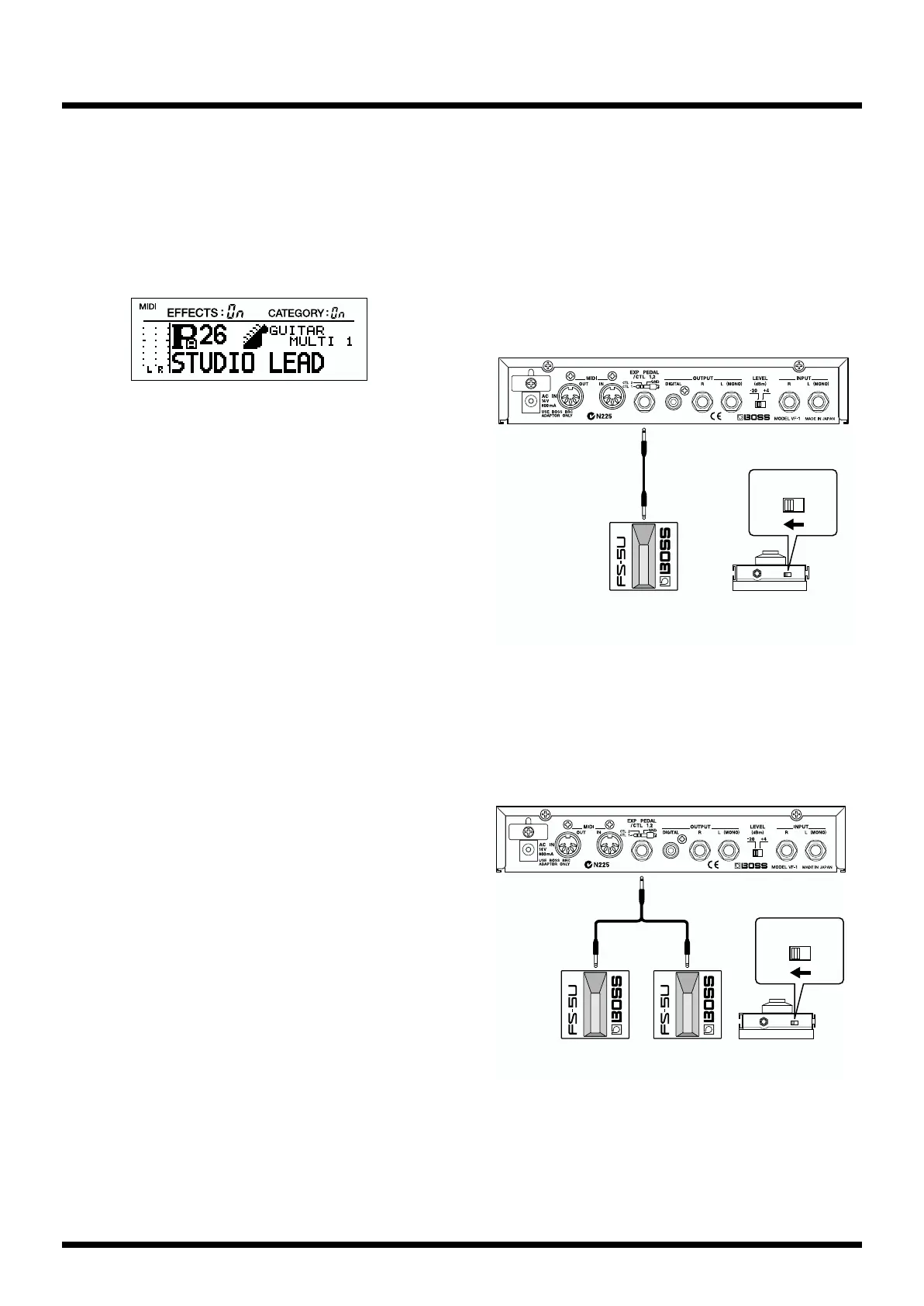
If an FS-5U foot switch (optional) is connected to the CTL 1/2
jack, you can change Patch numbers by operating the foot
switch.
When connecting only one foot switch
If you use only one foot switch, you can use it to move either
up or down (not both) through the Patch numbers.
fig.1-21
When using two foot switches
If you use a special cable (PCS-31; optional) to connect two
foot switches, you can operate the foot switches to select
patches in the same way as when rotating the [NUMBER]
knob.
fig.1-22
CONTROL 1
Foot switch
FS-5U
Polarity switch
CONTROL 1
Foot switch FS-5U
Cord: ROLAND PCS-31
(optional)
redwhite
CONTROL 2
Polarity switch



 To Next Page