Page 96 of 113
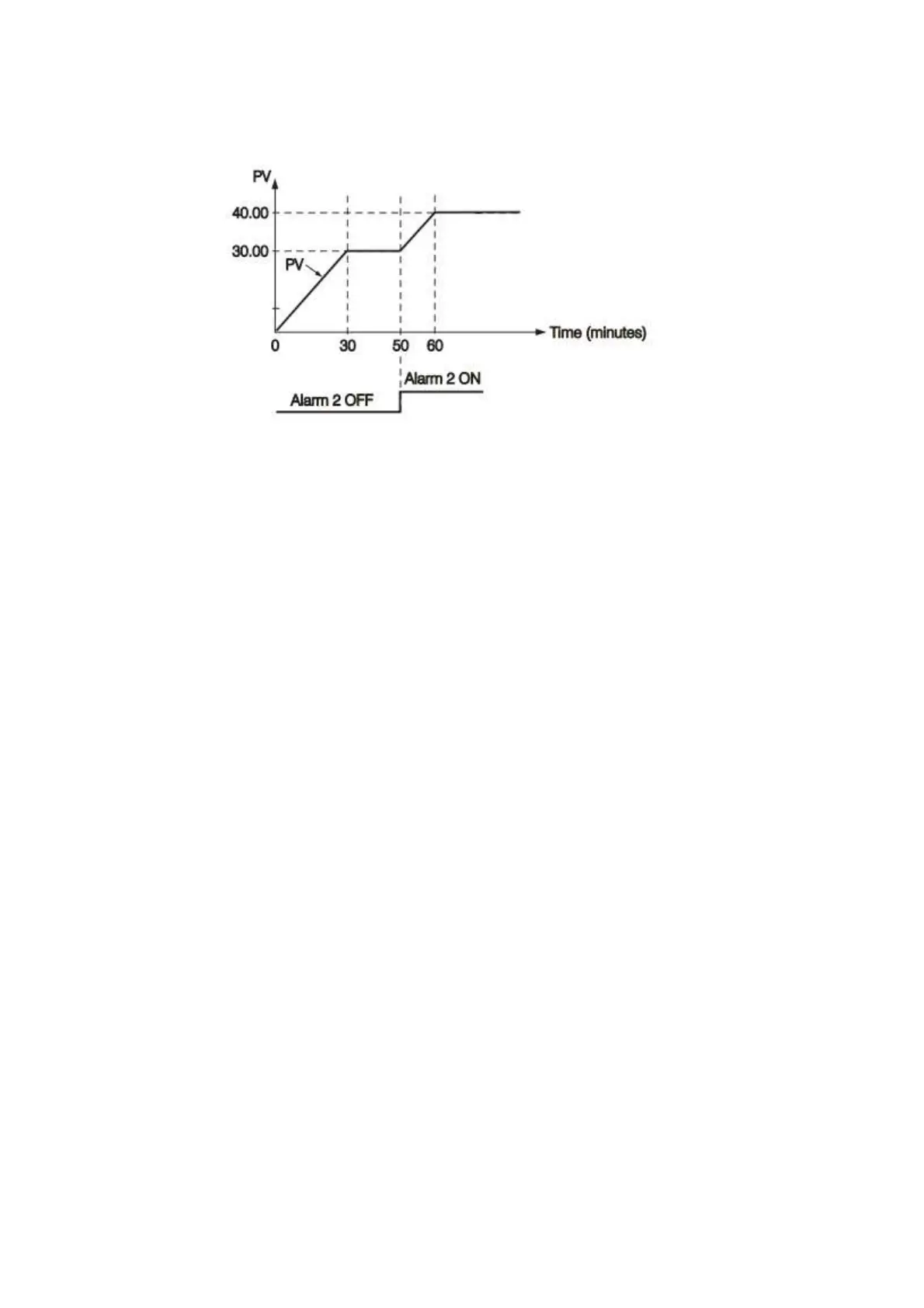
Figure 4-50.Ramp Accompanied with Dwell Timer
4.3.1.1.4.19 Remote Set Point
SPMD selecting PV1 or PV2 will enable the Process Control Card to accept a remote set
point signal. If PV1 is selected for SPMD, the remote set point signal is sent to Input 1, and
Input 2 is used for process signal input. If PV2 is selected for SPMD, the remote set point signal
is sent to Input 2, and Input 1 is used for process signal. To achieve this, set the following
parameters in the Configuration menu.
Case 1: Use Input 2 to accept remote set point
FUNC=FULL
IN2, IN2U, DP2, IN2L, IN2H, are set according to remote signal.
PVMD=PV1
IN1, IN1U, DP1, are set according to the process signal
IN1L, IN1H if available, are set according to the process signal
SPMD= PV2
Case 2: Use Input 1 to accept remote set point
FUNC=FULL
IN1, IN1U, DP1, IN1L, IN1H, are set according to remote signal.
PVMD=PV2
IN2, IN2U, DP2, are set according to the process signal



 To Next Page
 Loading...