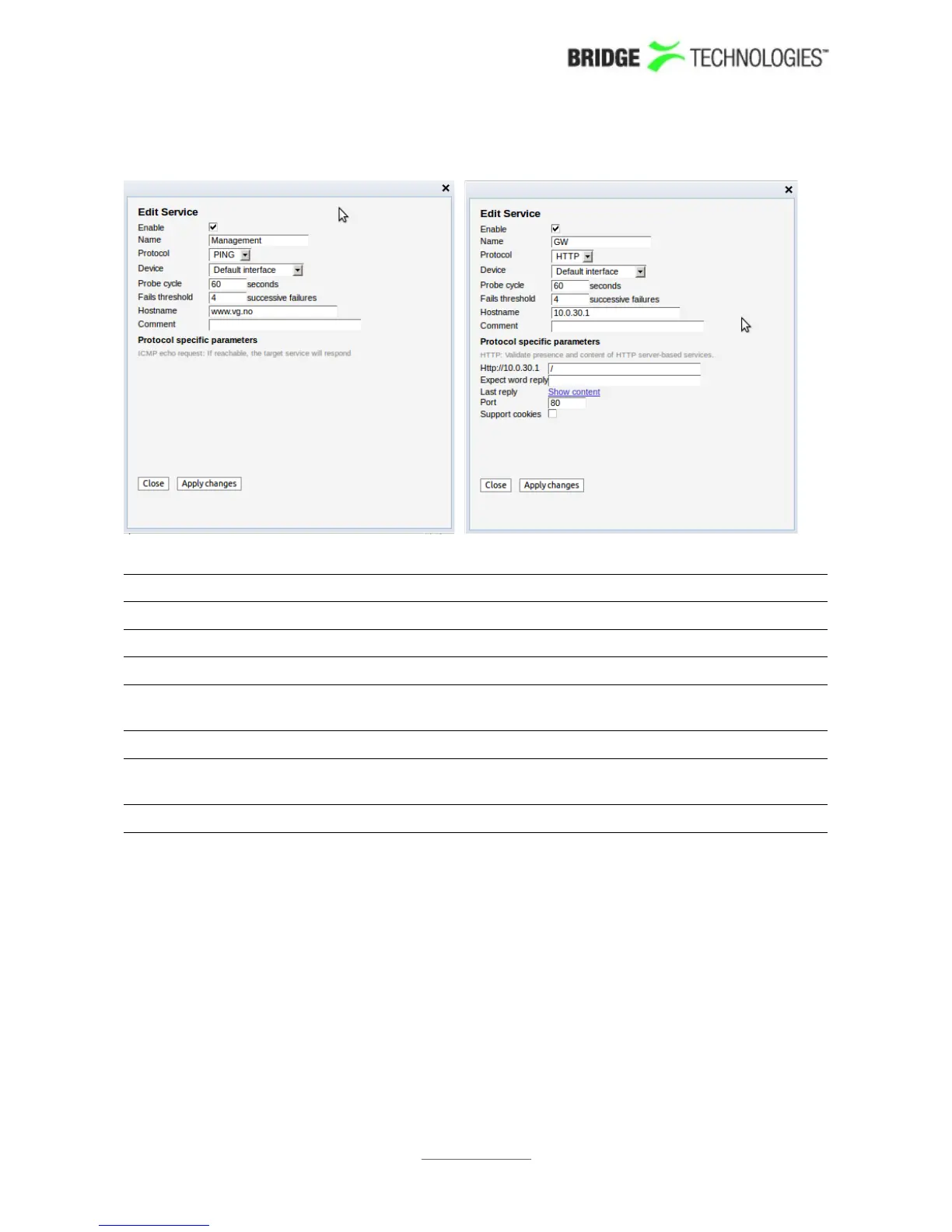
These fields are common for both the ping and the HTTP-Get protocols:
Enable: Enable by checking toggle button.
Name: User-defined name of service
Protocol: Select between ping and HTTP.
Device: Ethernet interface to use for this service.
Probe cycle: Time interval in seconds to wait between each activation. A
value below 30 is not recommended.
Fails threshold: The number of consecutive errors needed to raise an alarm
Hostname: The IP address for the target. Host names are supported for
HTTP.
Comment: Optional comment field – maximum 100 characters
These fields are specific for the HTTP-Get protocol:
PROBE USERS' MANUAL VERSION 5.0
2014 © BRIDGE Technologies Co AS - Bentsebrugata 20 - N-0476 Oslo, Norway - tel: +47 22 38 51 00 -
www.bridgetech.tv
109



 To Next Page