6.4 Mon
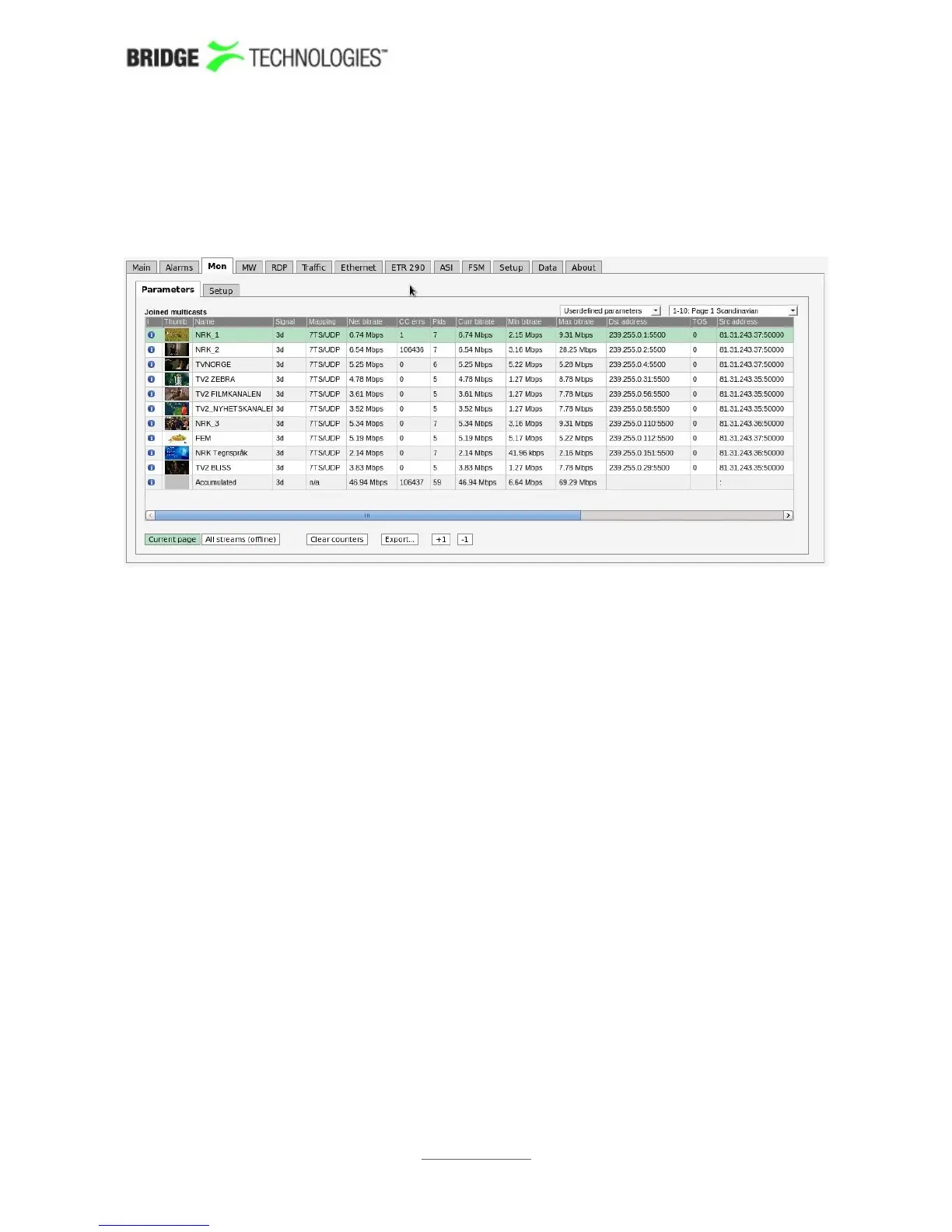
6.4.1 Mon - Parameters
The Mon - Parameters view displays detailed information about each stream.
The user selects which group of measurements should be displayed. Selections are IP
parameters, TS parameters, Ethernet parameters, RTP and FEC parameters,
Userdefined parameters and Statistical parameters. If Userdefined parameters is
selected, the Mon view displays parameters selected by the user in the Mon - Setup
view.
For each page the Accumulated row at the bottom of the multicast list displays
accumulated values for all streams associated with the page. The accumulated Min
bitrate and Max bitrate is the minimum and maximum value of the Accumulated
current bitrate.
When the Current page button is clicked it is possible to select the page from a drop-
down menu. The associated thumbnails are shown in the leftmost column of the list of
measurements. Click one of the small thumbnails to view a larger thumbnail that is
updated more frequently. Note that it is possible to disable probe thumbnail extraction
in the Setup - Params view.
When All streams (offline) is clicked a complete list of measurements for all joined
streams is displayed. A search field allows the user to type a text string and the
multicast list is updated to display only multicasts matching the specified text. Note
that monitoring parameters and thumbs will not be updated in All streams (offline)
mode.
PROBE USERS' MANUAL VERSION 5.0
2014 © BRIDGE Technologies Co AS - Bentsebrugata 20 - N-0476 Oslo, Norway - tel: +47 22 38 51 00 -
www.bridgetech.tv
74



 To Next Page