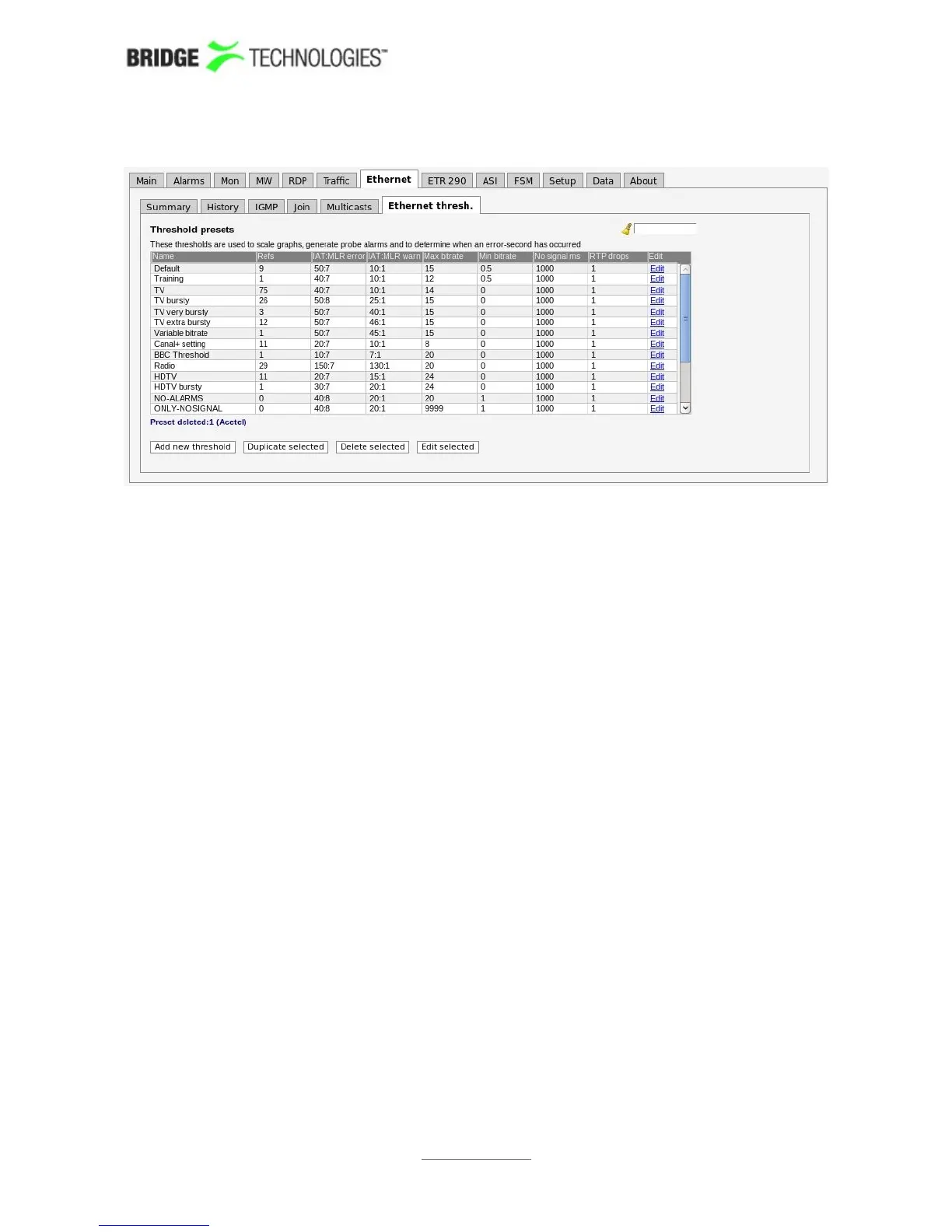
6.8.7 Ethernet - Ethernet thresh.
Thresholds are used to determine when to actually raise an alarm. If the defined
threshold levels are exceeded for a parameter, an alarm will be raised. Ethernet
thresholds are also used to scale some graphs like the MediaWindow graphs. The
alarm level of each of these alarms is set in the Alarms - Alarm setup view. Note
that it is also possible to disable alarms in the Alarms - Alarm setup view.
There are two different ways of creating user-defined thresholds. To create a new
threshold template from scratch the operator should click the Add new threshold
button. A pop-up window will appear allowing the user to define alarm conditions.
Another way of creating a user-defined threshold template is by highlighting one of the
threshold templates already defined and then click the Duplicate highlighted
button.
Deleting a threshold template is done by highlighting the threshold template that
should be removed and clicking Delete selected. It is possible to delete or edit
several entries simultaneously. Several entries are selected by using the regular Ctrl +
click or Shift + click functionality. Click the Edit button to edit one or more selected
threshold templates.
PROBE USERS' MANUAL VERSION 5.0
2014 © BRIDGE Technologies Co AS - Bentsebrugata 20 - N-0476 Oslo, Norway - tel: +47 22 38 51 00 -
www.bridgetech.tv
114



 To Next Page