RX bitrate: The current total received bitrate
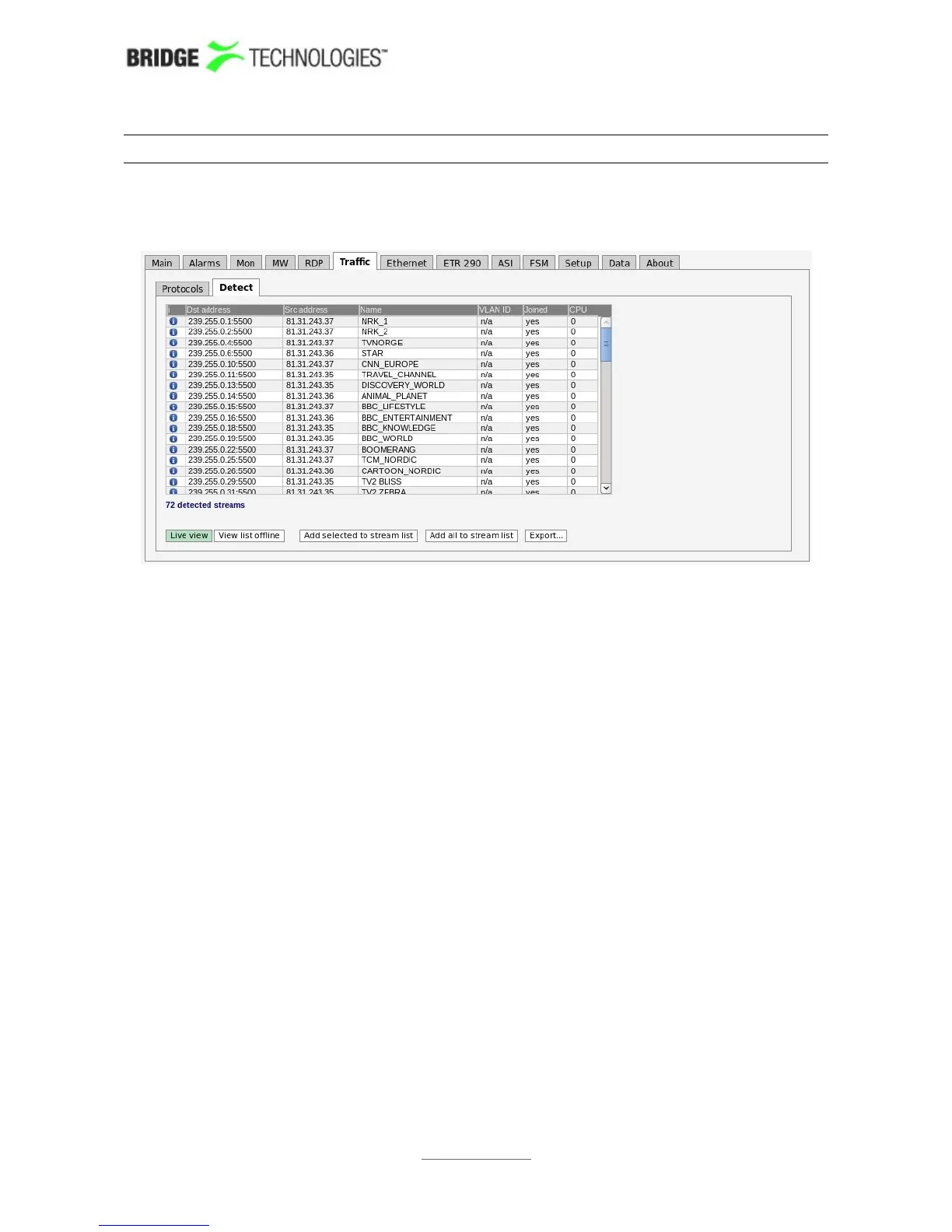
6.7.2 Traffic - Detect
The Traffic Detect page shows all UDP traffic sensed by the probe. Note that
promiscuous network mode should be enabled in the Setup - Params view for the
probe to detect all traffic, and not only multicasts already joined by the probe. Note
that generally the upstream switch or router will not output streams that are not joined
by downstream equipment, i.e. usually only joined streams will be available for
monitoring.
If the unicast/multicast destination address is known to the probe (i.e. listed in the
Ethernet - Multicasts menu) the stream’s Name is looked up, otherwise a generic
name is used.
When the Ethernet - Detect view is entered after probe booting, the probe will perform
a detect operation. For the probe to update the list, click the Refresh button.
The source address makes it possible for the probe to distinguish between multicasts
with the same destination IP address and port, provided that Source specific
multicasts has been enabled in the Setup - Params view.
If the stream is currently joined by the probe (i.e. the probe is currently monitoring the
stream), the Joined field is set to yes.
VLAN ID is only available if the probe has enabled VLAN tagging for eth0 (Ethernet -
Parameters).
Detected streams can be added to the probe’s stream list by selecting streams and
clicking the Add selected to stream list. To add all detected streams the Add all to
stream list button can be pressed. Only streams not already in the probe’s stream list
are considered. Clicking the Export button will generate an XML-file that opens in a
new window.
PROBE USERS' MANUAL VERSION 5.0
2014 © BRIDGE Technologies Co AS - Bentsebrugata 20 - N-0476 Oslo, Norway - tel: +47 22 38 51 00 -
www.bridgetech.tv
100



 To Next Page