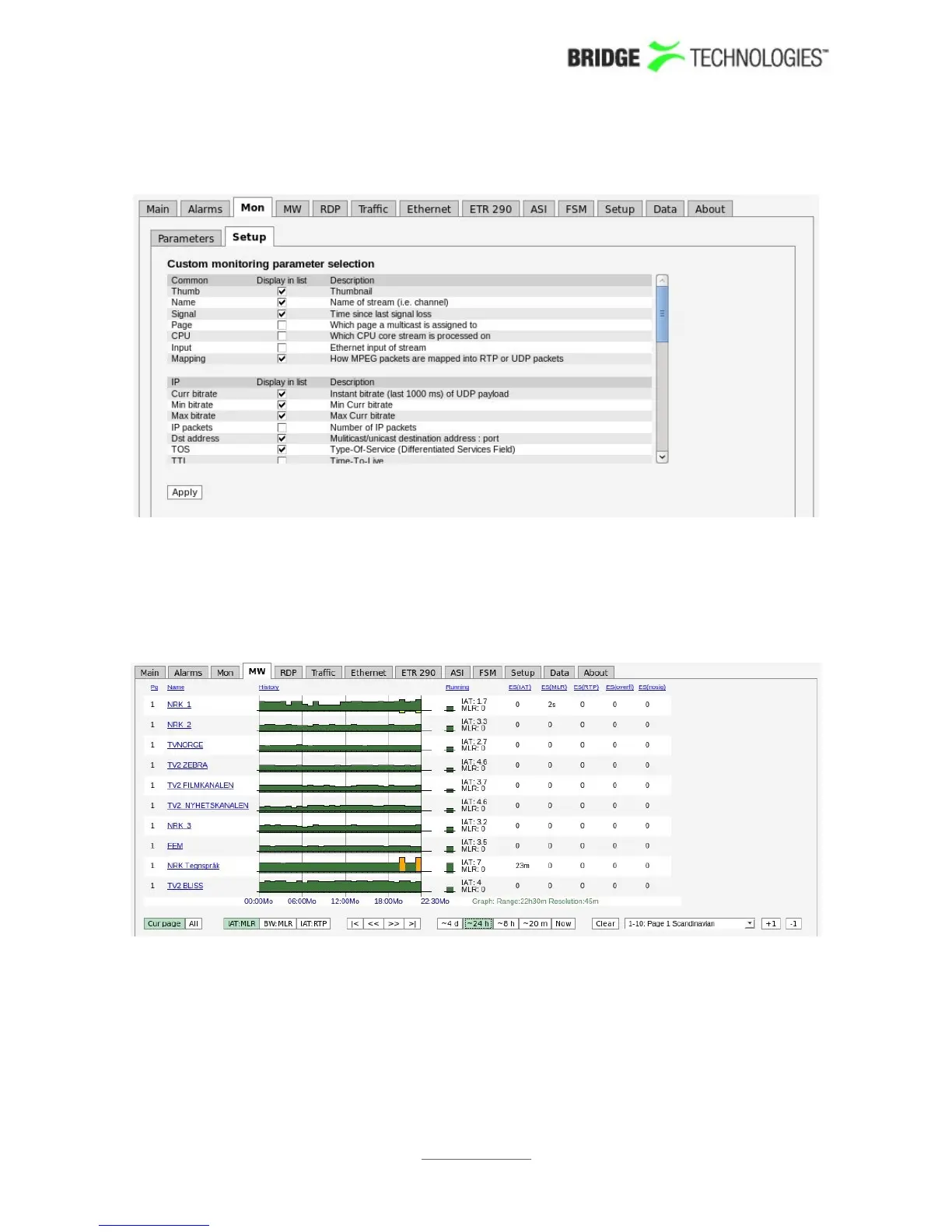
6.4.2 Mon - Setup
The Mon - Setup view enables selection of the parameters to be displayed in the
Mon - Parameters view. Note that thumbnails must also be enabled in the Setup -
Params view for thumbnail availability.
6.5 MW
The MW Media Window view provides an at-a-glance status for each of the
multicasts/unicasts being monitored. From the graphs it is easy to see the jitter
characteristics of the signal and if there is packet loss or CC errors present in the
signal. Periods of no signal are also displayed.
The measurements are always aggregated over a time interval – typically one second.
The IAT(max) is the maximum time measured between two neighbouring IP frames
within the measurement time interval (the peak packet Inter-arrival time). IAT is
PROBE USERS' MANUAL VERSION 5.0
2014 © BRIDGE Technologies Co AS - Bentsebrugata 20 - N-0476 Oslo, Norway - tel: +47 22 38 51 00 -
www.bridgetech.tv
87



 To Next Page