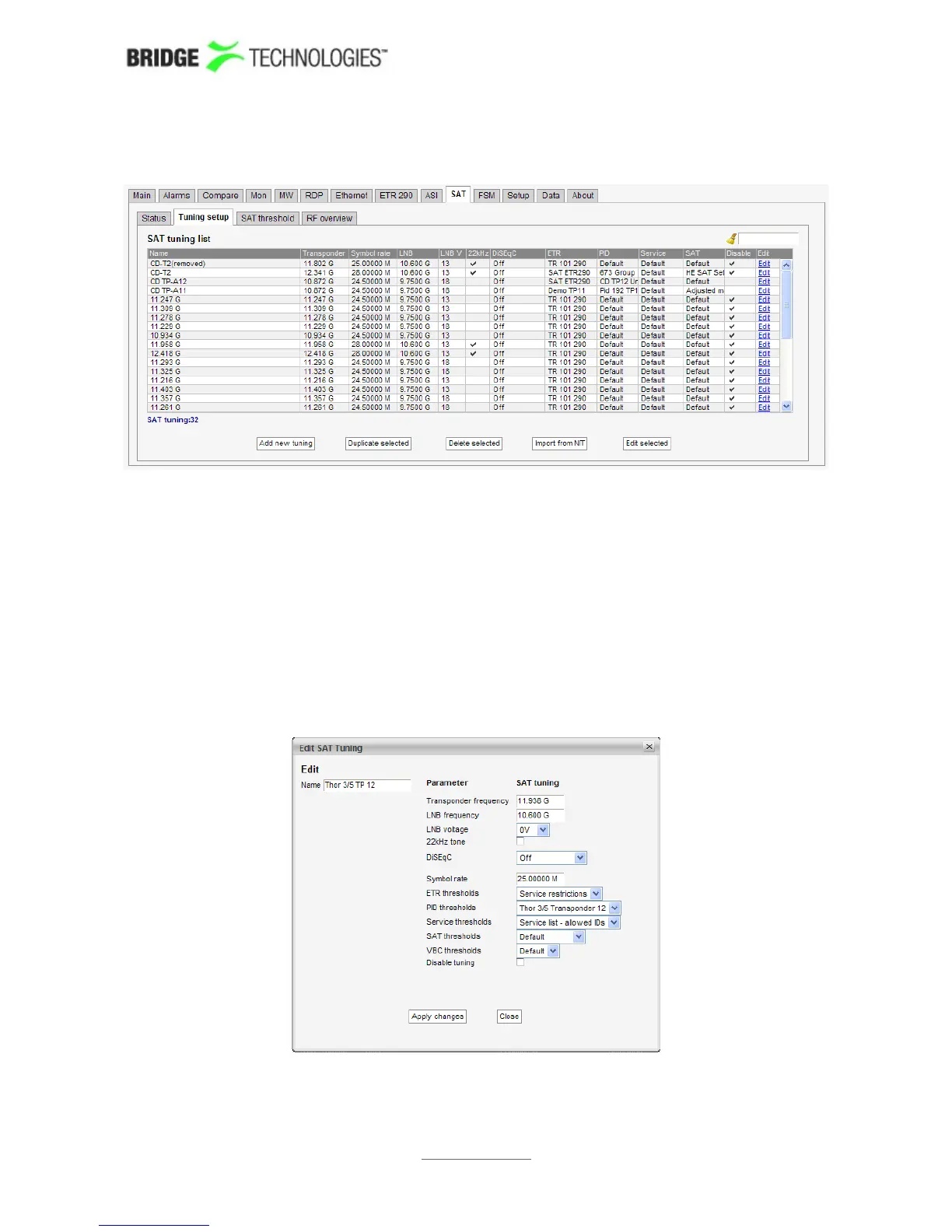
6.15.2 SAT - Tuning setup
In this view the operator can define frequencies that will be used by the SAT
demodulator for tuning. A name is associated with each frequency, and this name will
be used by the probe when referring to the stream. The frequencies and some
associated key parameters are shown in the SAT tuning list. Each entry in the list may
be edited by clicking the Edit field.
To add a new frequency to the list click the Add new tuning button. A pop-up window
will appear allowing the user to enter tuning parameters.
Multi-edit functionality makes it possible to edit selected streams simultaneously.
Highlight the tuning list entries that should be edited and click the Edit selected
button.
When one set of tuning parameters has been defined it is possible to click the button
Import from NIT in order to have the other frequencies automatically added to the
PROBE USERS' MANUAL VERSION 5.0
2014 © BRIDGE Technologies Co AS - Bentsebrugata 20 - N-0476 Oslo, Norway - tel: +47 22 38 51 00 -
www.bridgetech.tv
208



 To Next Page