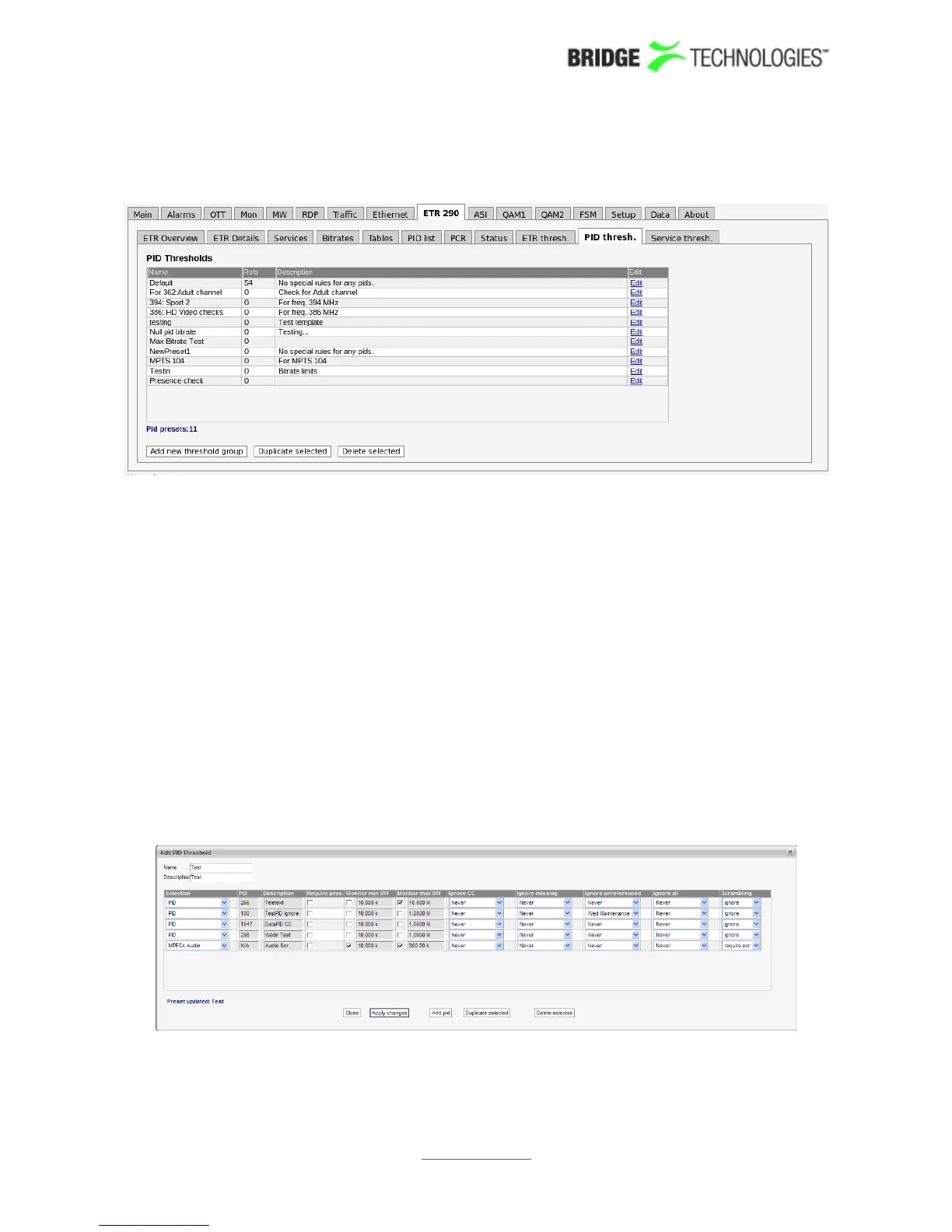
6.9.13 ETR 290 - PID thresh.
The PID thresholds make it possible to define detailed conditions for alarm triggering
on a PID or PID type basis. There is one predefined PID threshold template that cannot
be edited by the operator: 'Default'. The 'Default' PID threshold template contains no
PID definitions and therefore will never trigger any alarms.
By associating scheduling templates to checks it is possible to disable alarming at pre-
selected time intervals. Scheduling templates are defined in the Setup - Scheduling
view and will be available from a selection drop-down menu for some of the checks.
In the 'PID Thresholds' table, the 'Refs' column shows how many streams are
associated with each threshold template.
There are two different ways of creating user-defined thresholds. To create a new
threshold template from scratch the operator should click the Add new threshold
template button. A pop-up window will appear allowing the user to define alarm
conditions. Another way of creating a user-defined threshold template is by
highlighting one of the templates already defined and then click the Duplicate
highlighted button.
Deleting a PID threshold template is done by highlighting the threshold template that
should be removed and clicking Delete highlighted. Note that if the deleted
PROBE USERS' MANUAL VERSION 5.0
2014 © BRIDGE Technologies Co AS - Bentsebrugata 20 - N-0476 Oslo, Norway - tel: +47 22 38 51 00 -
www.bridgetech.tv
155



 To Next Page