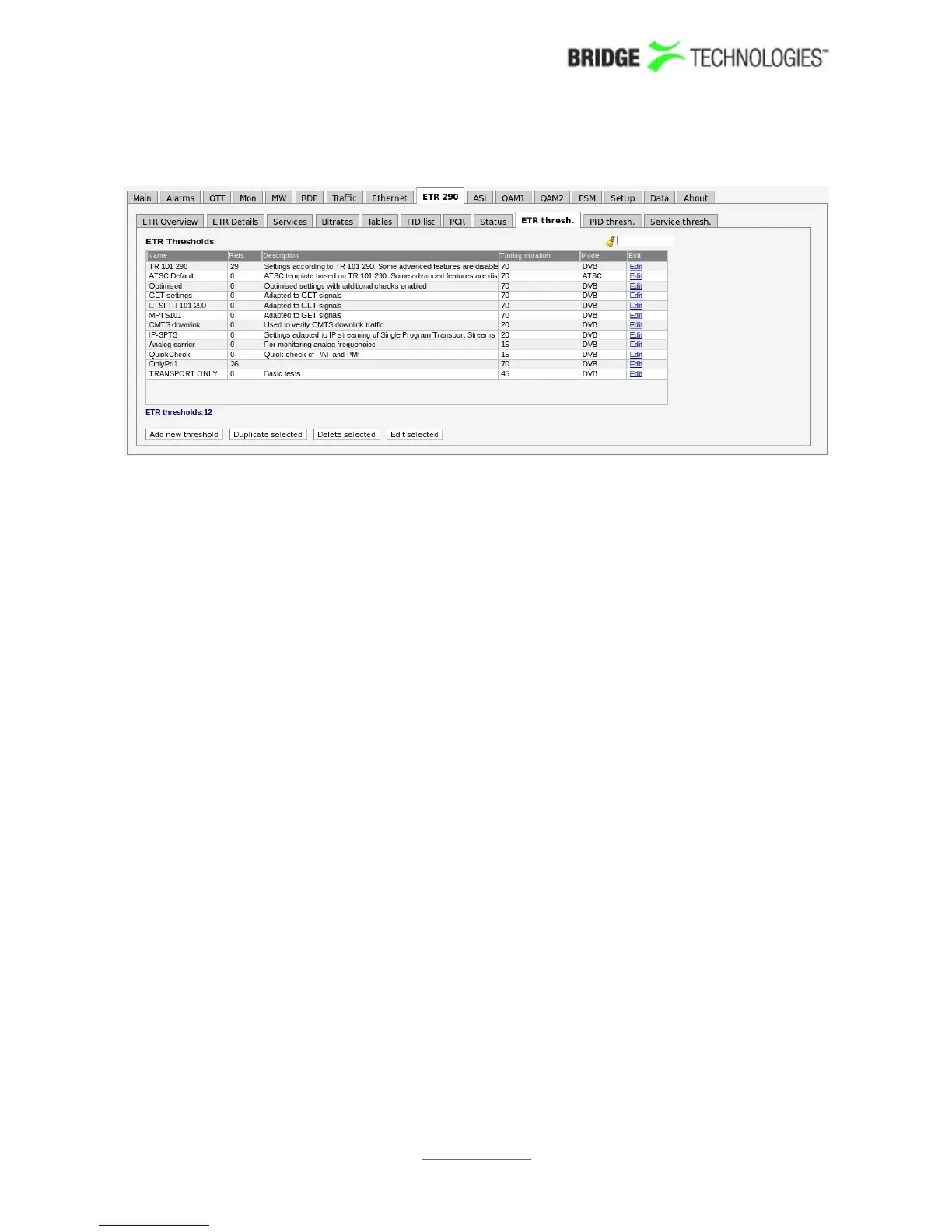
6.9.12 ETR 290 - ETR thresh.
The ETR thresholds make it possible to define detailed conditions for ETR 290 alarm
triggering on a per-stream basis. There are six predefined ETR threshold templates
that are write-protected and cannot be edited by the operator:
• TR 101 290
• ATSC Default
• Optimised
• IP-SPTS
• CMTS downlink
• Analog carrier
These predefined thresholds may be used when defining a monitoring configuration,
but it is a good idea to create editable copies of these threshold templates and use
these copies rather than the originals. Doing so will allow fine-tuning of parameters
later on.
There are two different ways of creating user-defined thresholds. To create a new
threshold template from scratch the operator should click the Add new threshold
button. A pop-up window will appear allowing the user to define alarm conditions and
set the round-robin cycling time. The default values of the different parameters
settings are in accordance with the ETSI TR 101 290 specification. Another way of
creating a user-defined threshold template is by highlighting one of the threshold
templates already defined and then click the Duplicate highlighted button. The copy
created this way may be edited during the fine-tuning phase of system configuration.
Deleting an ETR threshold template is done by highlighting the threshold template
that should be removed and clicking Delete highlighted. Note that if the deleted
threshold template is assigned to a stream currently being monitored, the new
threshold for that stream will default to the predefined TR 101 290 threshold
template.
It is possible to perform multi-editing of existing threshold templates by selecting
several threshold templates (using the regular Ctrl + click or Shift + click functionality)
and clicking Edit selected. Parameters that differ between the threshold templates
PROBE USERS' MANUAL VERSION 5.0
2014 © BRIDGE Technologies Co AS - Bentsebrugata 20 - N-0476 Oslo, Norway - tel: +47 22 38 51 00 -
www.bridgetech.tv
143



 To Next Page