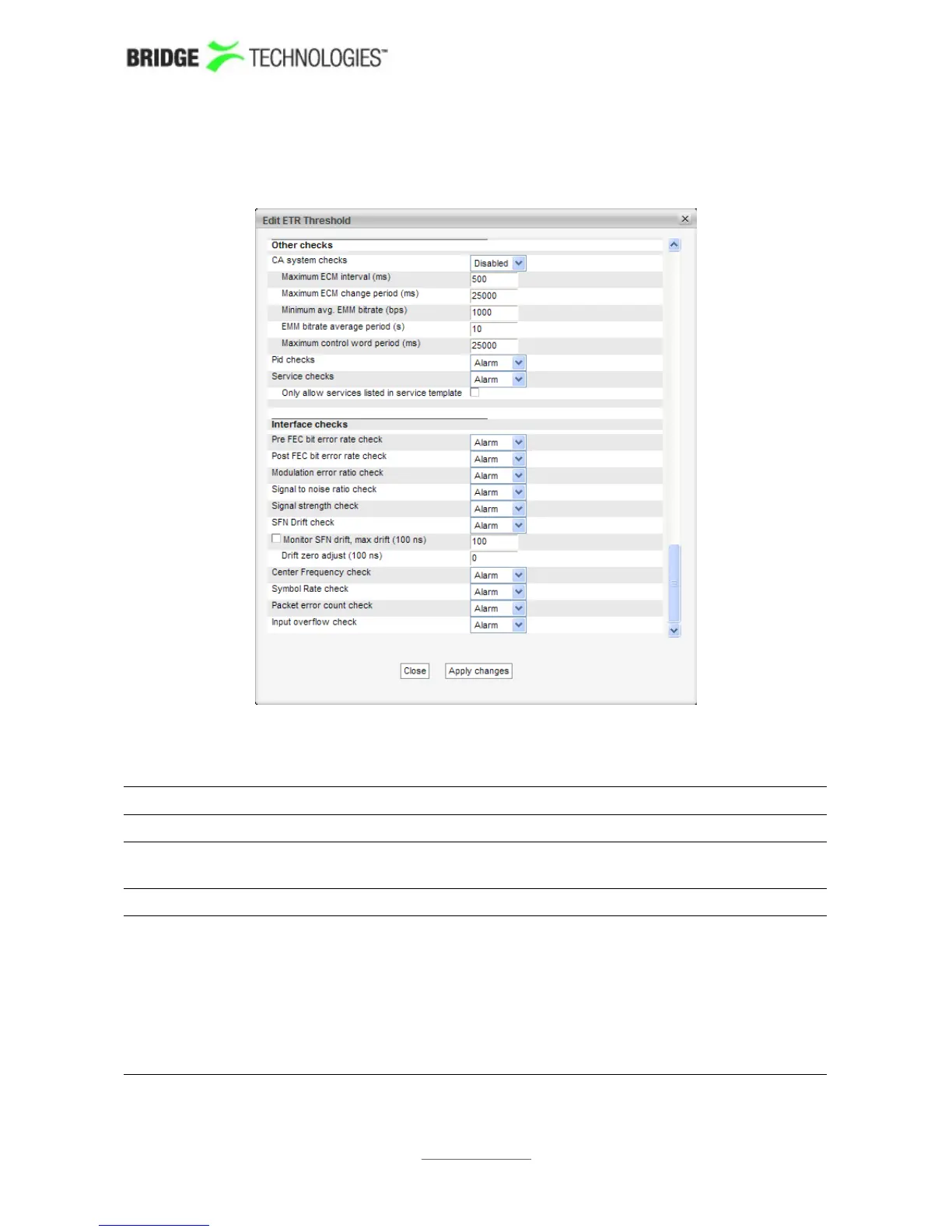
will be represented by an asterisk in the Edit ETR threshold view. Changes made will
affect all selected threshold templates.
The ETR threshold template has the following settings:
ETR Thresholds - Parameters:
Name: A text field with the name of the ETR threshold template
Description: Text field that should contain a meaningful description of the
threshold
Analysing Mode: The mode of table analysis. DVB or ATSC may be selected.
Error timeout (s): The number of seconds after an error has occurred before the
alarm is cleared as long as no new alarms are generated. For
all table related alarms the actual alarm timeout which is used
is the sum of the Error timeout parameter and the maximum
table repetition period. E.g. the TDT with table repetition set
to 30 seconds will have an effective error timeout of 40
seconds. This avoids toggling of alarms for tables that are
sent infrequently. Default value: 10 s
PROBE USERS' MANUAL VERSION 5.0
2014 © BRIDGE Technologies Co AS - Bentsebrugata 20 - N-0476 Oslo, Norway - tel: +47 22 38 51 00 -
www.bridgetech.tv
144



 To Next Page