6.10 ASI
Thumbnails of ASI services are accessed from the ETR 290 - Services view.
6.10.1 ASI Status
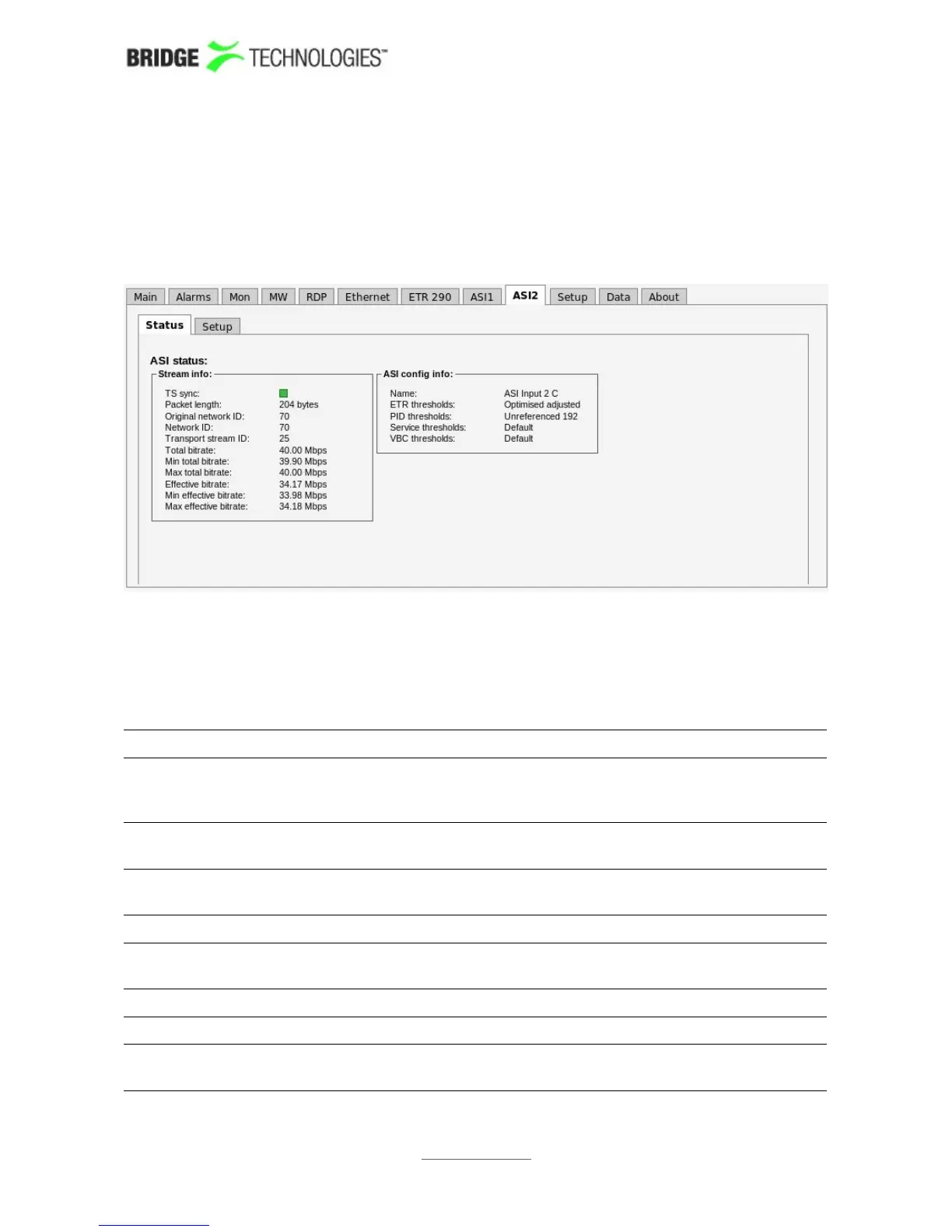
The ASI view displays an overview of the ASI input signal contents, in addition to
listing the threshold templates currently assigned to the ASI signal. Additional ASI
measurements are found in Compare and ETR 290 views. If an optional VB242 ASI
interface module is present in the chassis, the ASI tab will be labelled ASI1 for the built-in
ASI input port on the probe as shown here. If not then the label is ASI.
ASI status - Stream info:
Status: Bulb indicating whether there is ASI sync or not. Green
colour indicates sync whereas red indicates no sync. Grey
colour shows that the ASI input is disabled.
Packet length: Indicates if the transport stream packets are 188 or 204
bytes
Original Network
ID:
The original network ID as specified in the NIT table
Network ID: The network ID as specified in the NIT table
Transport Stream
ID:
The transport stream ID as specified in the PAT table
Total Bitrate: Total transport stream bitrate
Effective Bitrate: Transport stream bitrate excluding null packets (PID 8191)
1 PPS input lock: Bulb indicating whether there is 1 PPM input lock or not.
Green colour indicates lock whereas red indicates no lock.
PROBE USERS' MANUAL VERSION 5.0
2014 © BRIDGE Technologies Co AS - Bentsebrugata 20 - N-0476 Oslo, Norway - tel: +47 22 38 51 00 -
www.bridgetech.tv
160



 To Next Page