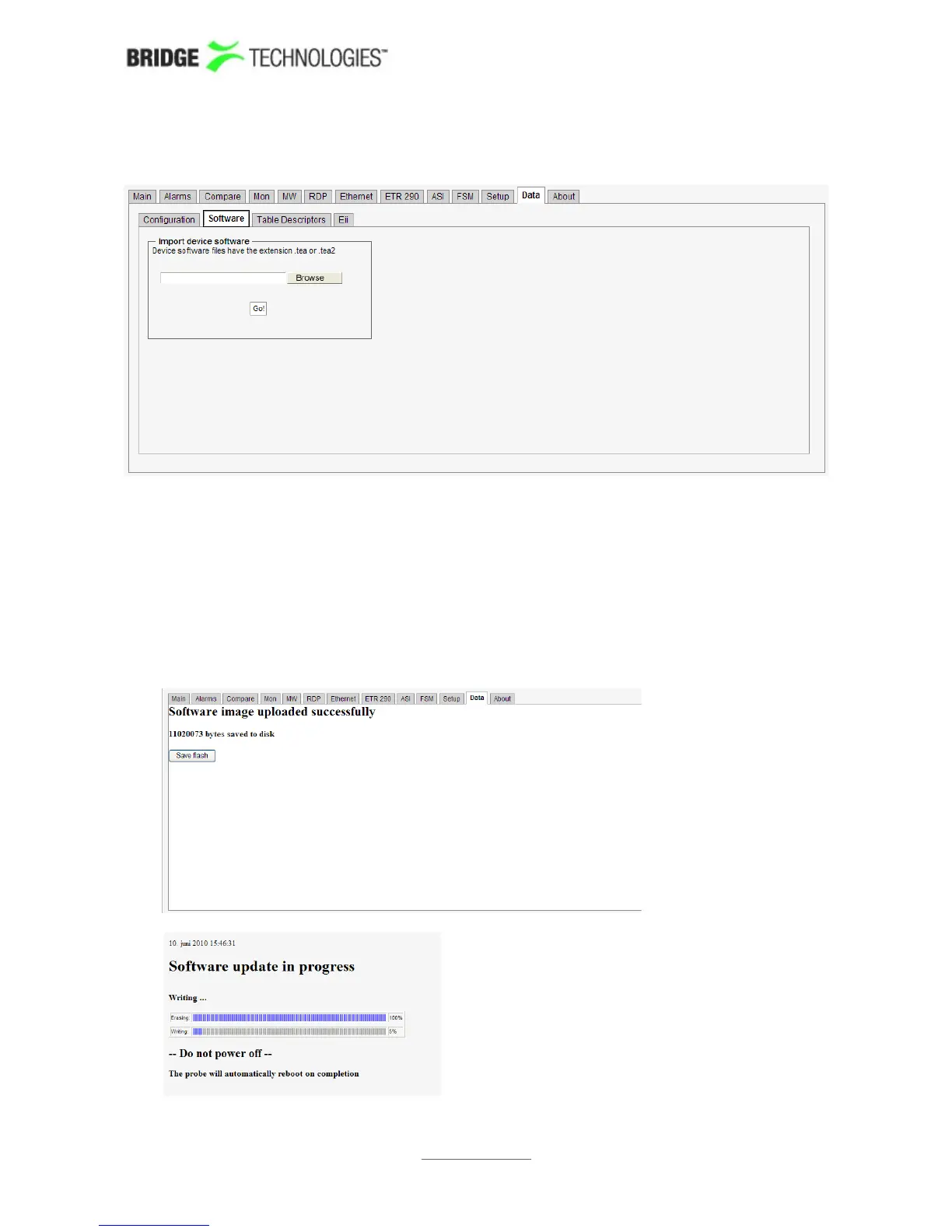
6.18.2 Data - Software
It is possible to software upgrade a probe by importing the new software image file the
same way an XML configuration is imported (from software version 4.5). When clicking
the Go! button the software is copied to the probe, and clicking the Save flash button
will store the new software to flash. Note that the probe must not be powered down
during the flash save process. Flash save progress is indicated by progress bars. Note
that the probe will reboot when the new software has been successfully stored in flash,
and it will be unresponsive until reboot is completed.
PROBE USERS' MANUAL VERSION 5.0
2014 © BRIDGE Technologies Co AS - Bentsebrugata 20 - N-0476 Oslo, Norway - tel: +47 22 38 51 00 -
www.bridgetech.tv
242



 To Next Page