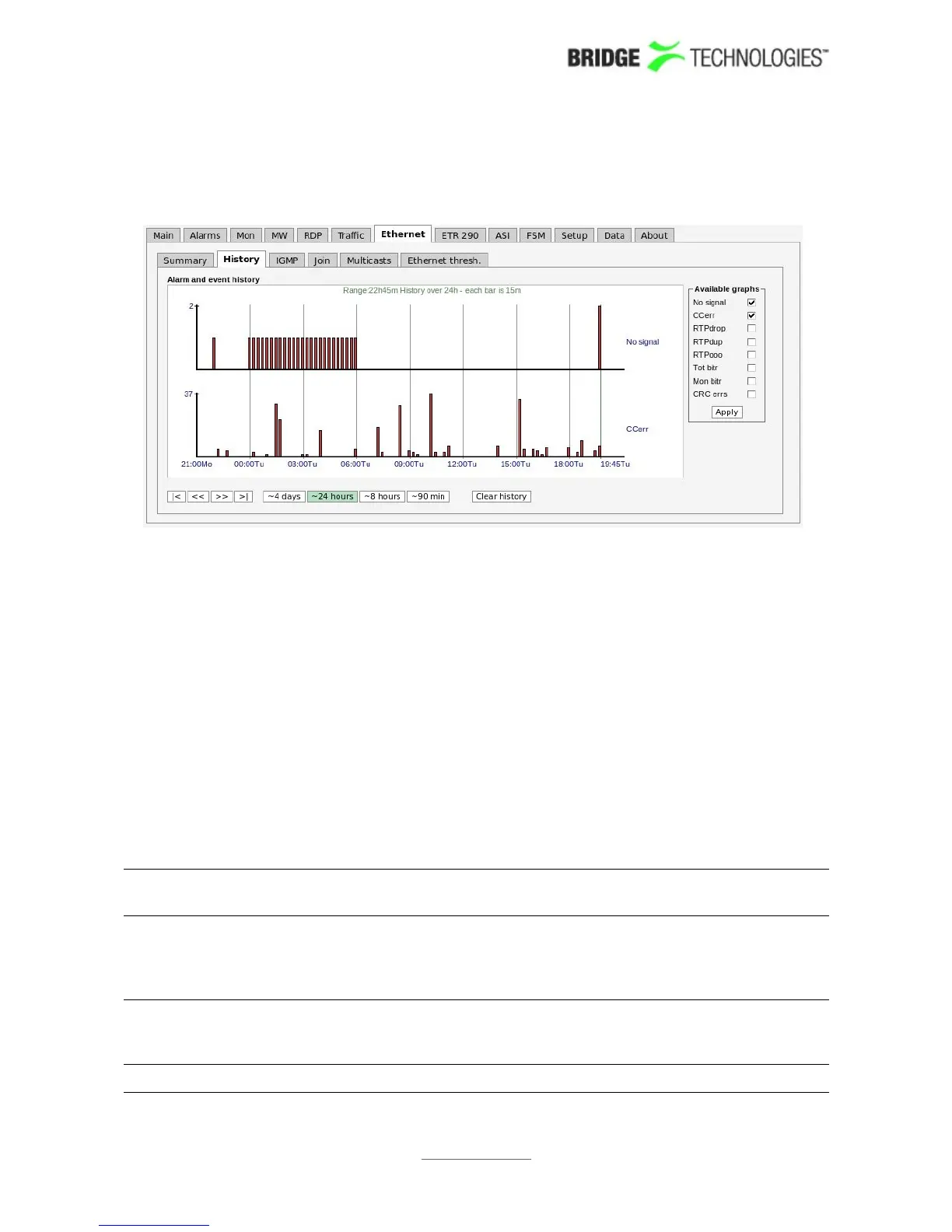
6.8.2 Ethernet - History
The probe keeps statistical Ethernet information for the last 4 days for visual
inspection in the history timeline view.
Each bar in the histogram corresponds to a number of events that occurred within a
certain time interval. The interval that each bar represents depends on the scale, from
1 minute (when 90 min is selected) to 1 hour (when 4 days is selected).
Clicking the Clear history button will reset all history graphs.
Tool-tip information is available for each bar and shows the time-interval for the bar
and its exact value. For example, the tool-tip information “1315-1330:2” means that
within the time interval 13:15 – 13:30 there were 2 occurrences.
The histogram is updated every minute.
Any subset of the following parameters can be selected, click the Apply button for
changes to take effect:
No signal: The number of streams that reported the “No signal” alarm during
the interval represented by the bar.
CCerr: The number of times a discontinuity has been detected for all the
MPEG-2 Transport Stream continuity counters in the interval
represented by the bar. This parameter corresponds to the sum of
CC errs reported by all streams.
RTPdrop: Accumulated number of dropped IP-frames due to network errors in
the interval represented by the bar. This parameter corresponds to
the sum of RTP drops reported by all streams.
RTPdup: Accumulated number of duplicate IP-frames in the interval
PROBE USERS' MANUAL VERSION 5.0
2014 © BRIDGE Technologies Co AS - Bentsebrugata 20 - N-0476 Oslo, Norway - tel: +47 22 38 51 00 -
www.bridgetech.tv
103



 To Next Page