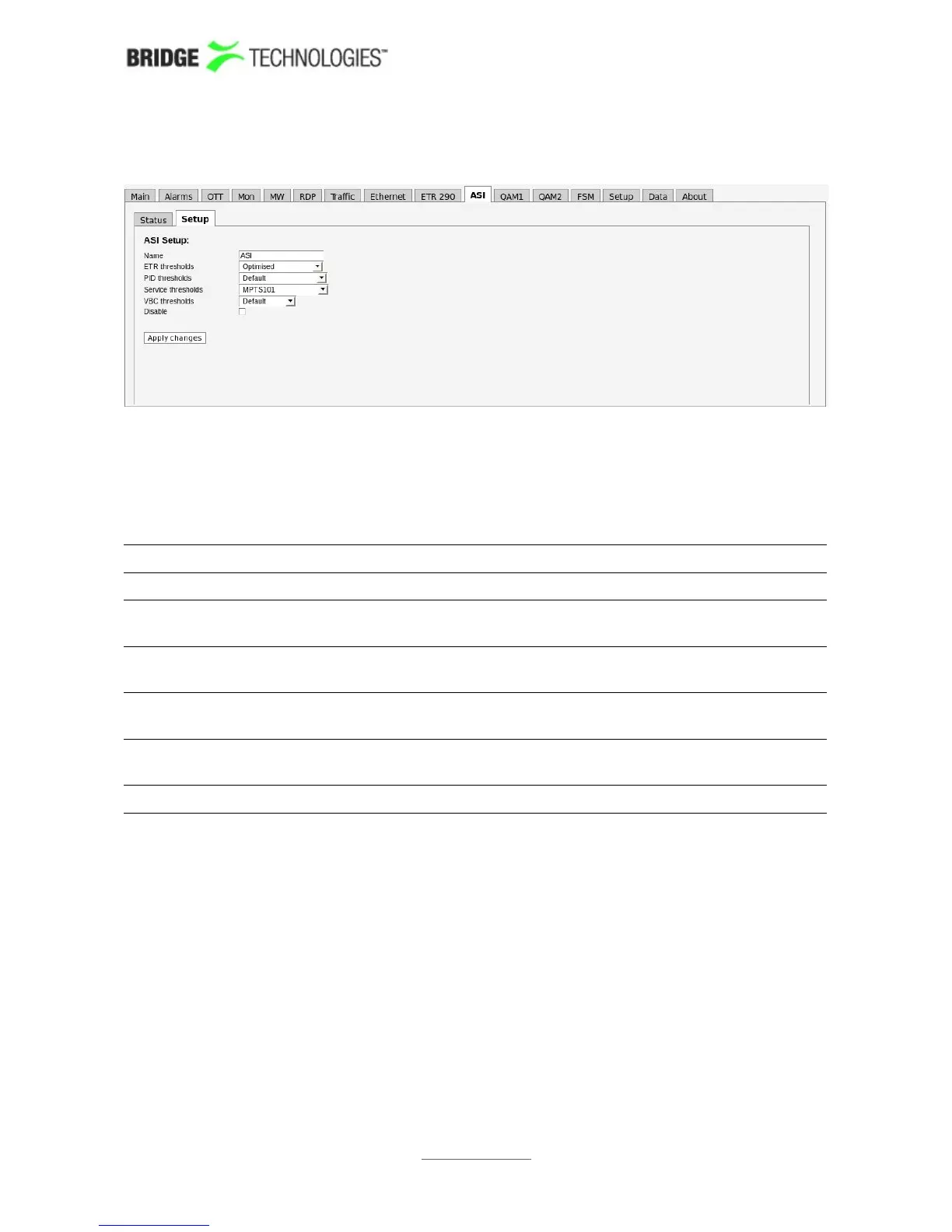
6.10.2 ASI - Setup
This screenshot is of a probe with an additional VB242 ASI blade.
The ASI - Setup view enables selection of thresholds for the ASI input transport
stream. In addition a name is assigned to the ASI stream. When changes have been
made in the ASI - Setup view the Apply changes button should be clicked for the
changes to take effect.
ASI - ASI setup info:
Name: A user specified name for the ASI transport stream
ETR thresholds: The name of the ETR threshold template assigned to the ASI
transport stream
PID thresholds: The name of the PID threshold template assigned to the ASI
transport stream
Service
thresholds:
The name of the Service threshold template assigned to the
ASI transport stream
VBC thresholds: The name of the VBC threshold template assigned to the ASI
transport stream
Disable: Check the box to disable ASI monitoring and alarming.
PROBE USERS' MANUAL VERSION 5.0
2014 © BRIDGE Technologies Co AS - Bentsebrugata 20 - N-0476 Oslo, Norway - tel: +47 22 38 51 00 -
www.bridgetech.tv
162



 To Next Page