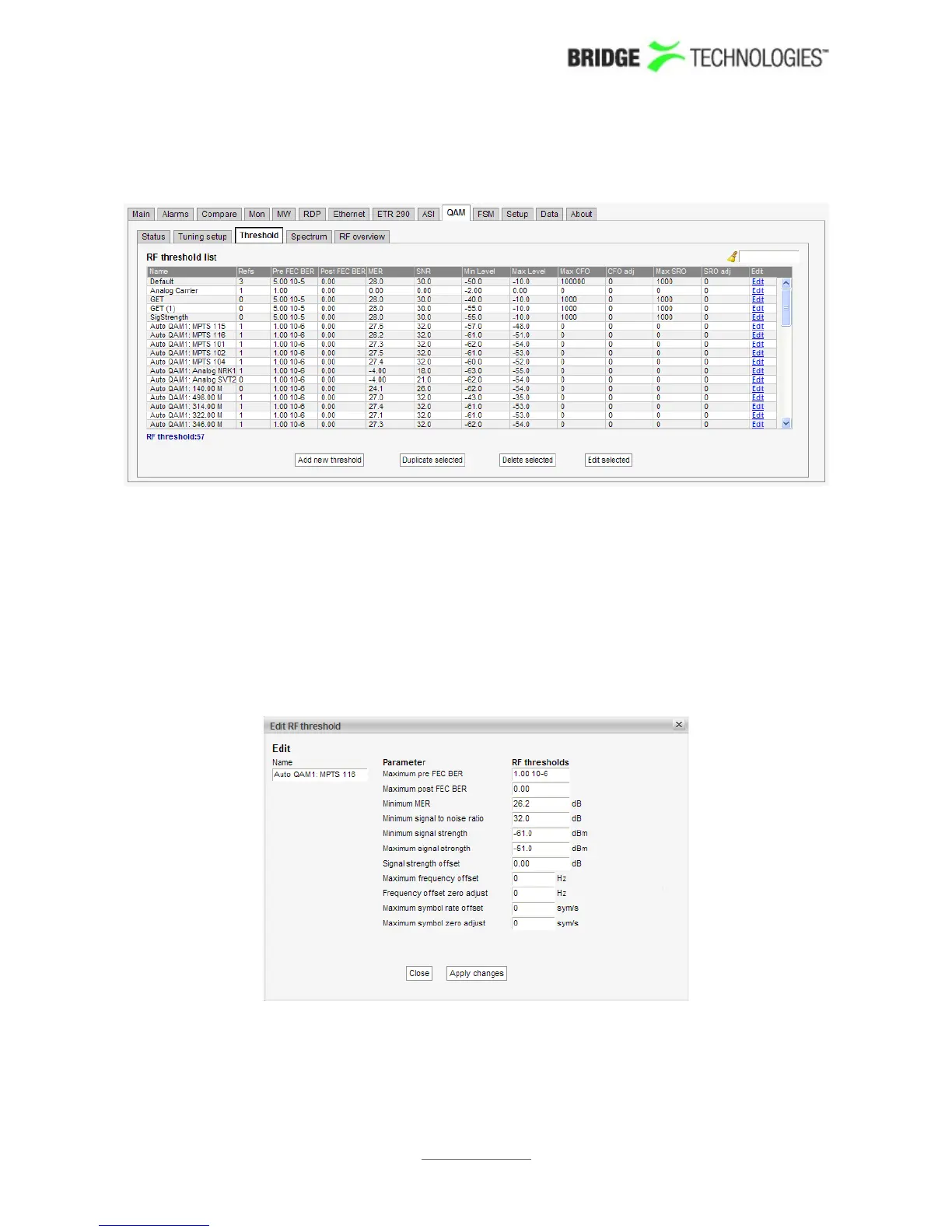
6.14.3 QAM - QAM threshold
If a probe measurement is not in accordance with predefined threshold values, an
alarm will be raised. Note that this alarm may be disabled in the ETR 290 - ETR
thresh. - Edit view (Input interface checks).
In the RF threshold list the 'Refs' column shows how many streams are associated with
each RF threshold template.
To add a new threshold template to the list click the Add new threshold button. A
pop-up window will appear allowing the user to enter parameters.
The predefined threshold templates 'Default' and 'Analog carrier' cannot be edited or
deleted.
PROBE USERS' MANUAL VERSION 5.0
2014 © BRIDGE Technologies Co AS - Bentsebrugata 20 - N-0476 Oslo, Norway - tel: +47 22 38 51 00 -
www.bridgetech.tv
199



 To Next Page