4.10.3 Verifying Correct Initial Setup of the Probe
Once the probe network interfaces have been configured, all further configuration
takes place through HTTP.
1. Launch a WEB-browser application on the management PC.
The following WEB-browsers are tested:
• Internet Explorer 7 or higher in Compatibility View
• Firefox
Opera and Chrome are also known to function.
2. Type the IP-address of the probe in the browser URL field and press
<ENTER>.
The IP-address of the probe is that of the eth0 or eth2 port (the one used for
management) as set in the initial set-up procedure.
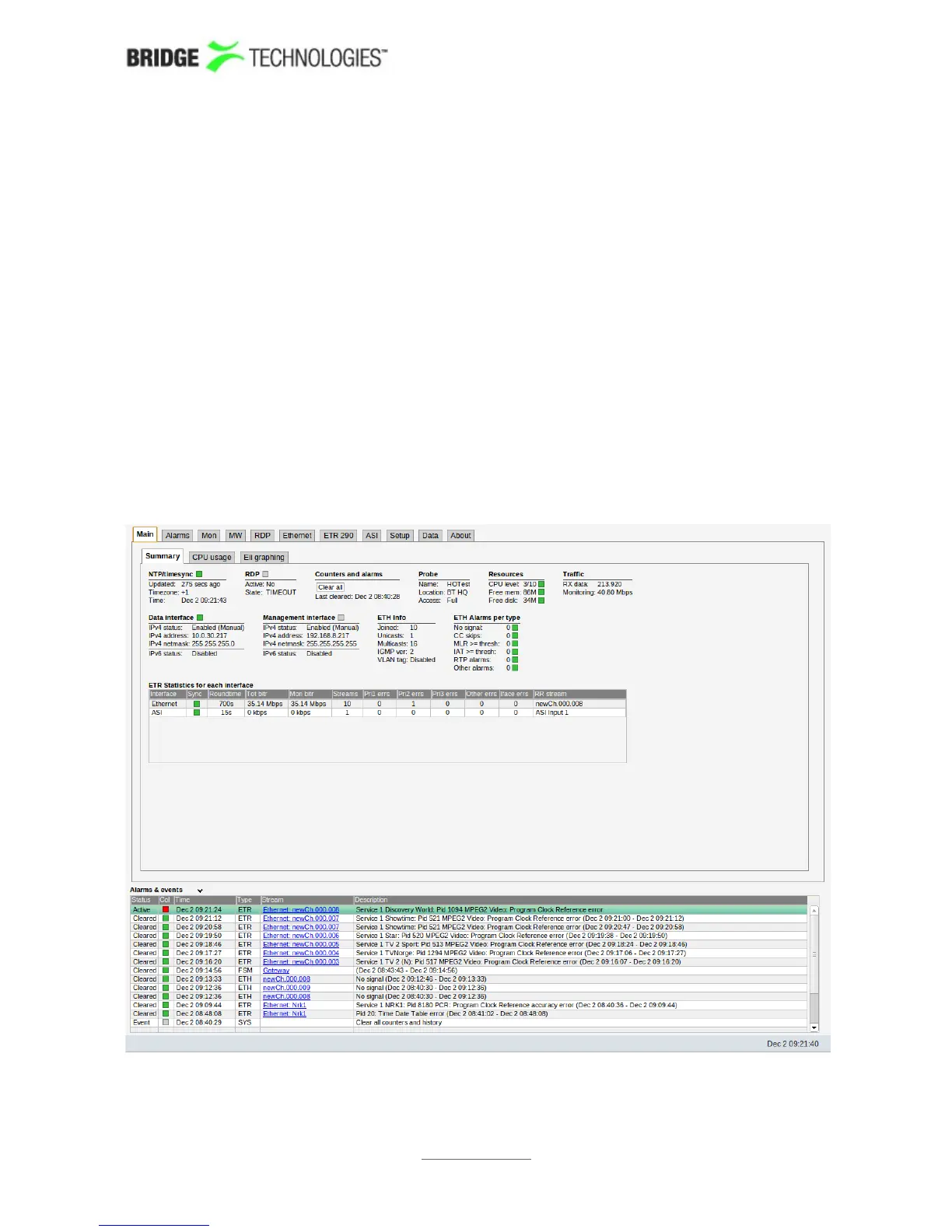
The default management view should be displayed inside the browser. This could look
similar to the screen shot shown below depending on the options and interfaces
installed.
PROBE USERS' MANUAL VERSION 5.0
2014 © BRIDGE Technologies Co AS - Bentsebrugata 20 - N-0476 Oslo, Norway - tel: +47 22 38 51 00 -
www.bridgetech.tv
40



 To Next Page