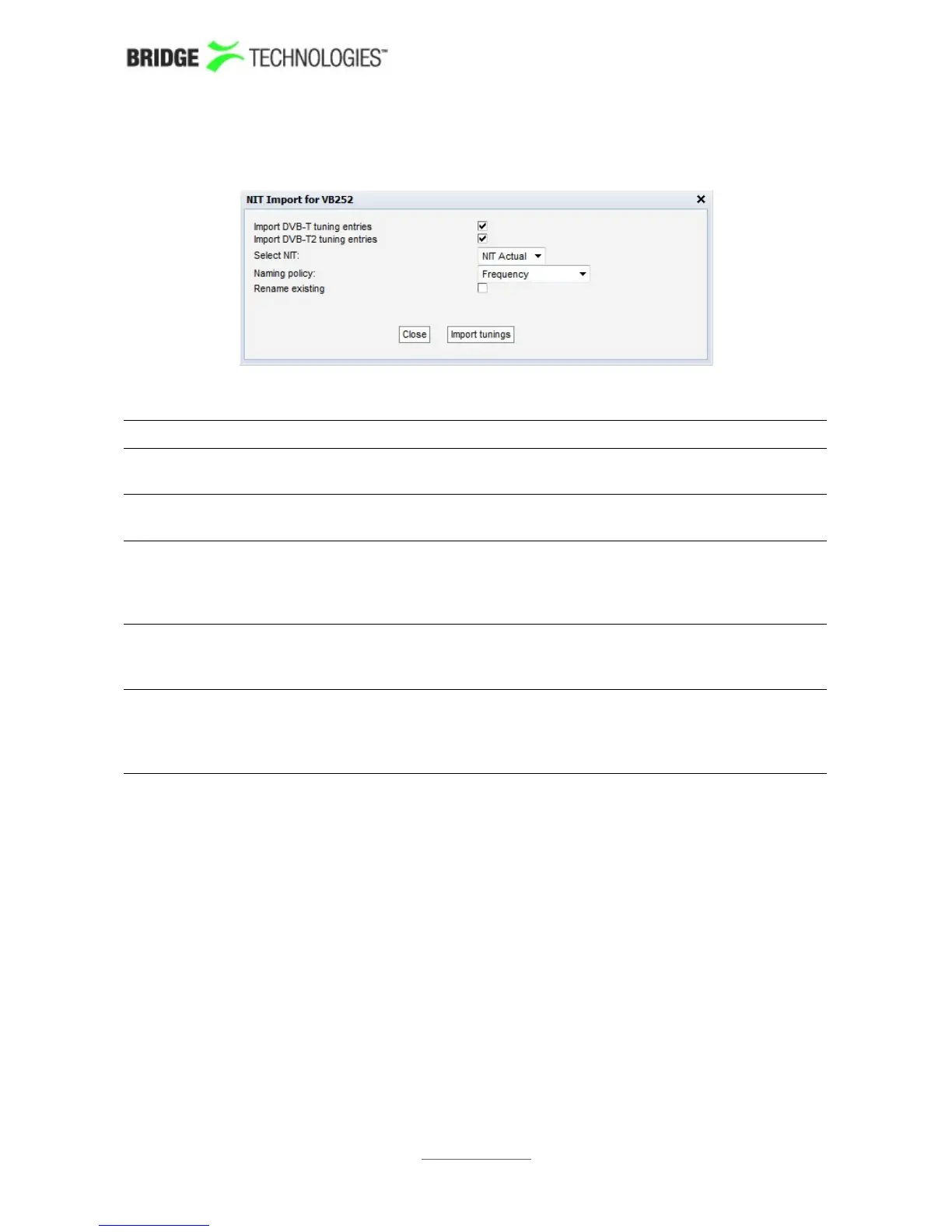
Clicking the Import from NIT button will open the NIT Import popup view.
NIT Import
Import DVB-T
tuning entries:
Mark the check-box if DVB-T if DVB-T tuning entries should
be imported
Import DVB-T2
tuning entries:
Mark the check-box if DVB-T if DVB-T2 tuning entries should
be imported
Select NIT: The 'Select NIT' drop-down menu shows NIT tables available
in the transport stream currently being analysed. Information
in the selected NIT will be used to generate a tuning list
when the Import tunings button is clicked.
Naming policy: The probe will automatically name tunings according to the
naming policy selected by the user: 'Frequency', 'TS ID' or
'TS ID and frequency'.
Rename existing: If the 'Rename existing' checkbox is marked, imported
tunings that are already present in the tuning list will be
renamed in accordance with the naming policy selected by
the user.
PROBE USERS' MANUAL VERSION 5.0
2014 © BRIDGE Technologies Co AS - Bentsebrugata 20 - N-0476 Oslo, Norway - tel: +47 22 38 51 00 -
www.bridgetech.tv
186



 To Next Page