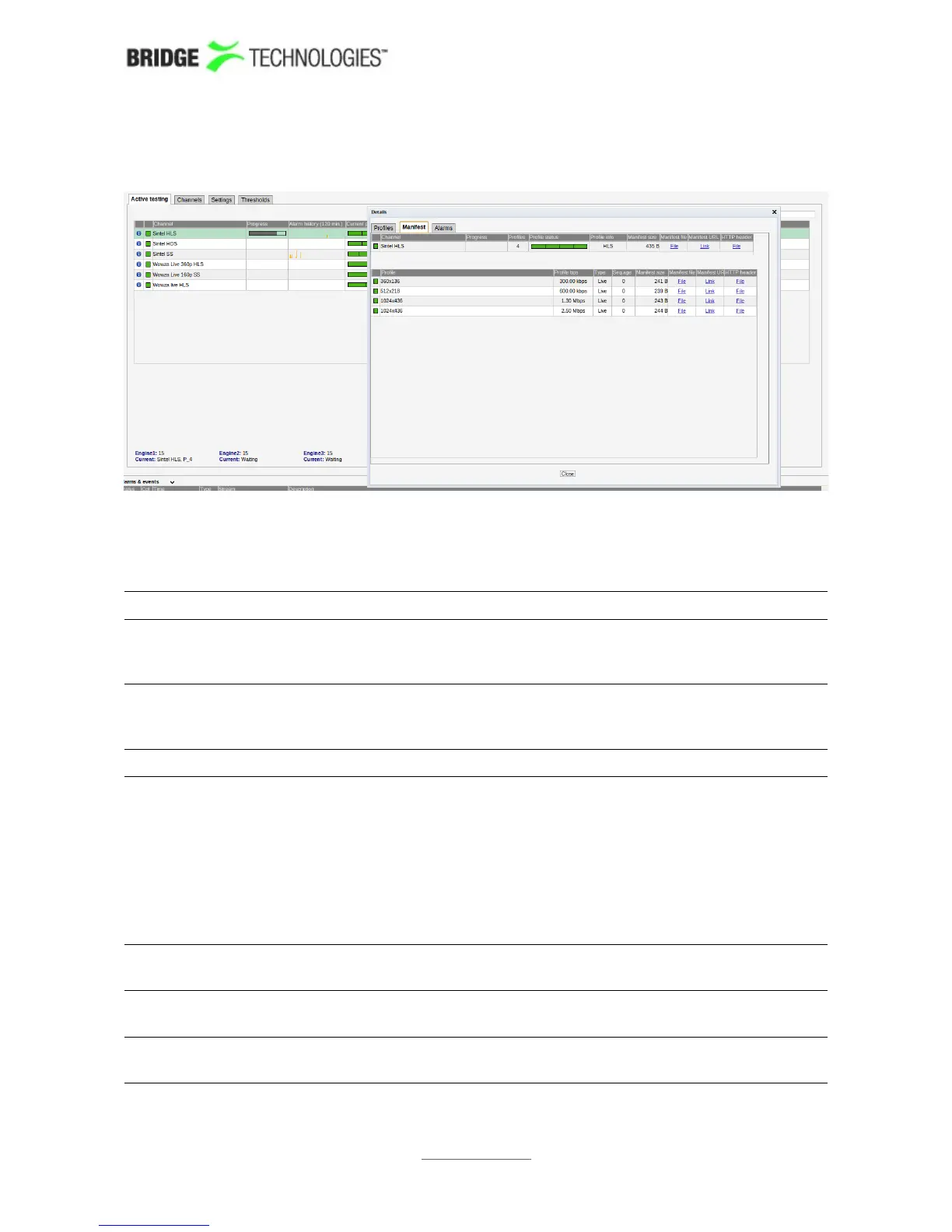
Details - Manifest
The Manifest view shows health information on the overall manifest file for the
channel as well as for the manifest files for the individual profiles.
Active testing - Details - Manifest:
Channel: The channel name defined by the user and linked to a URL in the
OTT – Setup view. A bulb indicates the current status of the
channel, i.e. the most severe profile status.
Progress: Channels will be analysed sequentially, and the progress bar
shows which channel is currently being monitored and how
analysis is progressing.
Profiles: The number of profiles associated with a channel
Profile
status:
The channel health bar displays the current status for individual
channel profiles. Profiles are separated by vertical black lines.
Colours indicate profile alarm status:
Green: OK
Yellow: Warning
Orange: Error
Red: Major
Black: Fatal
Profile info: The type of stream is shown here. Apple HLS, Microsoft
Smoothstream, Adobe HDS, or MPEG DASH.
Manifest size: The size in bytes of the main/top manifest file for the overall
channel.
Manifest URL: A clickable link to the current main/top manifest file for the overall
channel.
PROBE USERS' MANUAL VERSION 5.0
2014 © BRIDGE Technologies Co AS - Bentsebrugata 20 - N-0476 Oslo, Norway - tel: +47 22 38 51 00 -
www.bridgetech.tv
66



 To Next Page