3. PANEL OPERATION
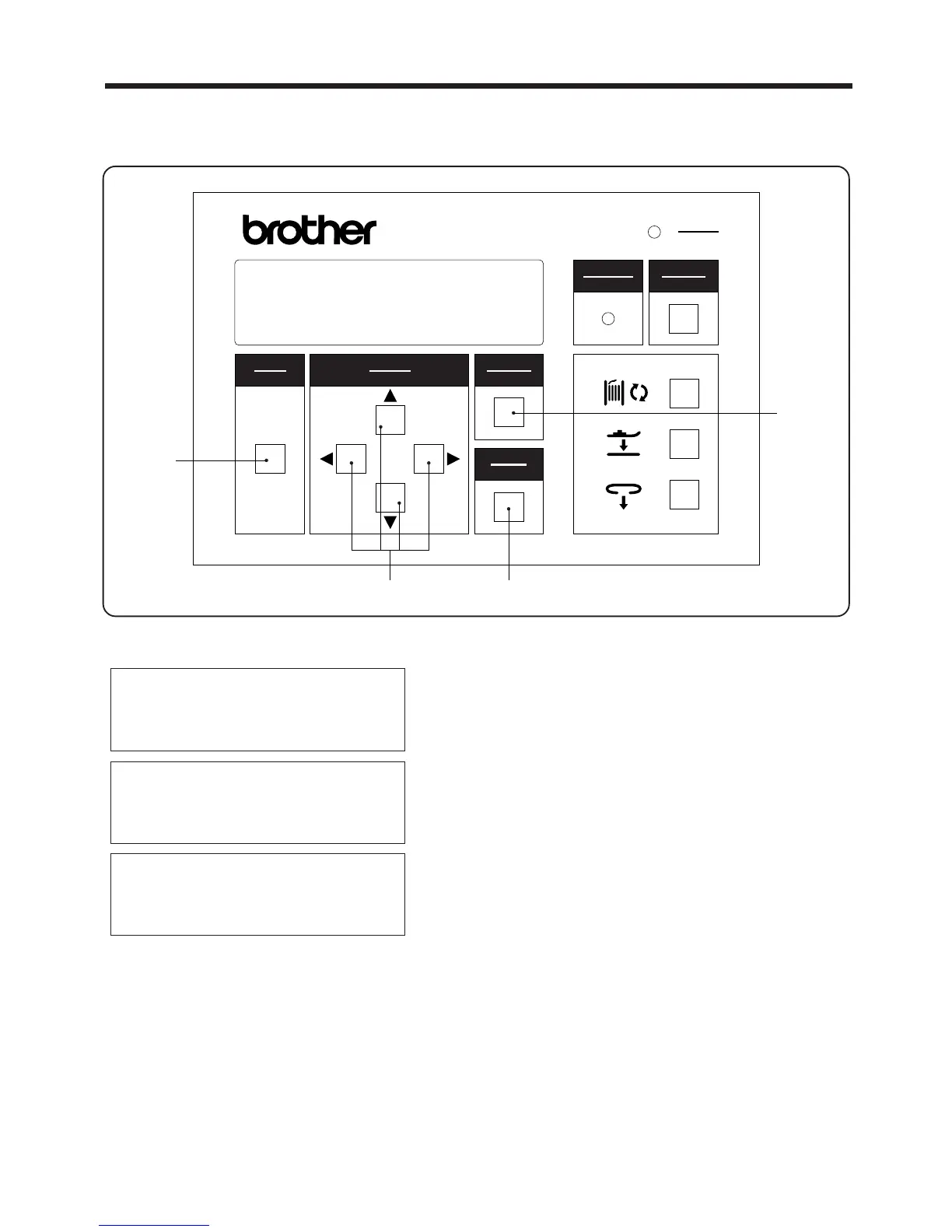
3-2-3 .Clearing production counter
1. Press the MODE switch w to select PROGRAM
mode.
2. Use the ▲ and ▼SELECT switches e to move the
pointer
"
◆
"
so that "PRODUCTION COUNTER" is
selected.
3.
Press the SELECT switch e to change the display to "0".
* If the CANCEL switch r is pressed, the old
production counter setting will appear again on
the display.
4. Press the ENTER switch t.
* The production counter setting will now be
cleared.
・ The production counter increases by one each time a single belt loop is sewn.
・ The production counter can count up to a maximum of 9999.
▲
PROGRAM MODE
Production counter
1st bobbin counter
◆ 2nd bobbin counter
― 15 ―
BAS-705
選択
SELECT
モード
MODE
確定
ENTER
リセット
RESET
電源
POWER
取り消し
CANCEL
警告
WARNING
BAS-705
r
te
w
PROGRAM MODE
◆ Production counter ,,,,
1st bobbin counter
2nd bobbin counter
PROGRAM MODE
◆ Production counter /
1st bobbin counter
2nd bobbin counter



 To Next Page