6. STANDARD ADJUSTMENT (MECHANISMS)
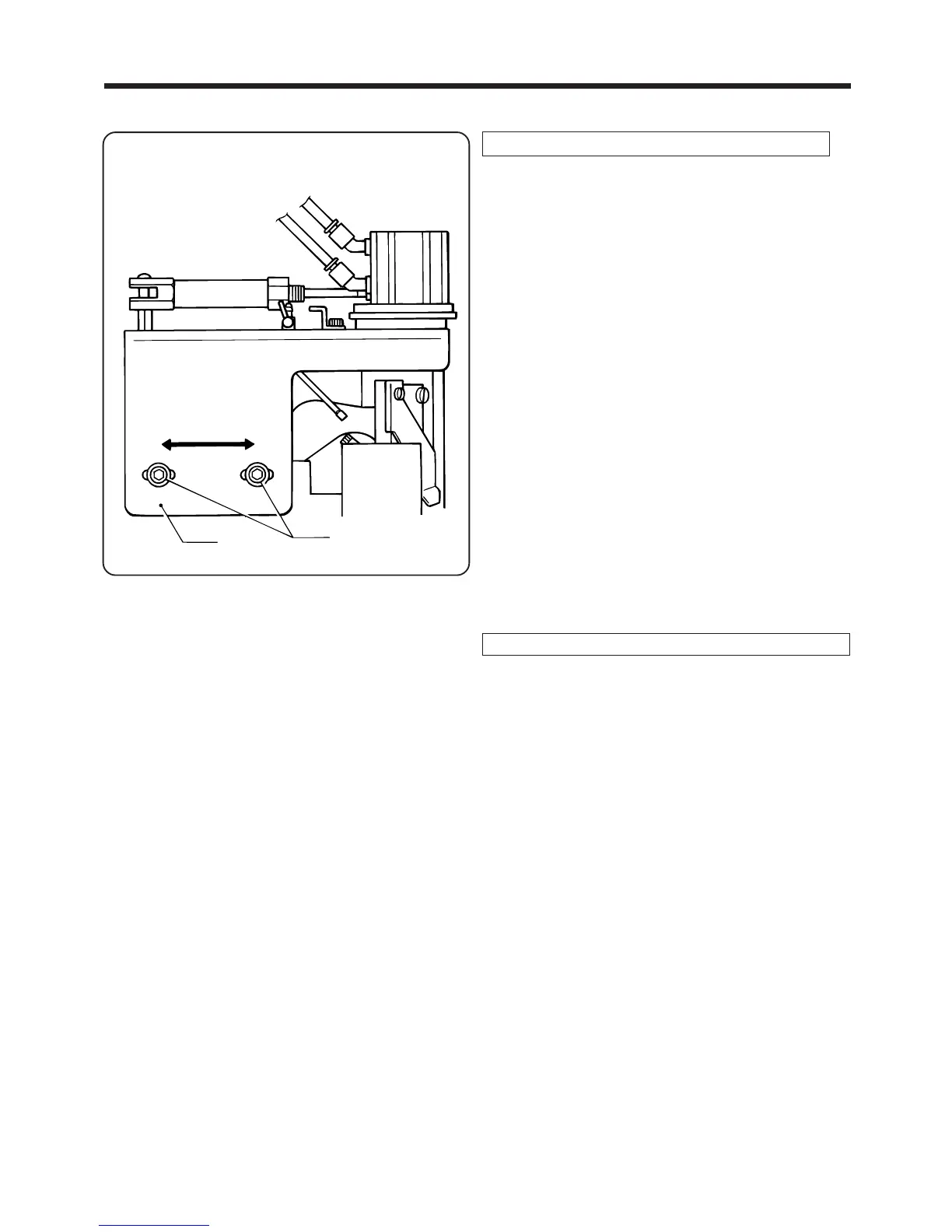
6-5. Adjusting the folding margin
Adjusting the folding margin at the first bar tacking
1. Loosen the two bolts q ,and then move the cut
ter unit base w in the direction of the arrows to
adjust the folding margin.
* To shorten the folding margin: Move the cutter
unit base w in the direction of A.
* To lengthen the folding margin: Move the cutter
unit base w in the direction of B.
2. After adjusting, tighten the two bolts q of the cutter
unit base w.
NOTE: Check that the cutter and the presser foot
unit (presser block,etc.) do not interfere with
each other.
Adjusting the folding margin at the second bar tacking
Change the feeding-out length setting for the belt
loops using the operating panel.
* Refer to "3-2-1 Setting the belt loop feeding-out
length" on page 13.
―62―
BAS-705
w
q
AB



 To Next Page