3. PANEL OPERATION
3-2-5. Loop feeding
・
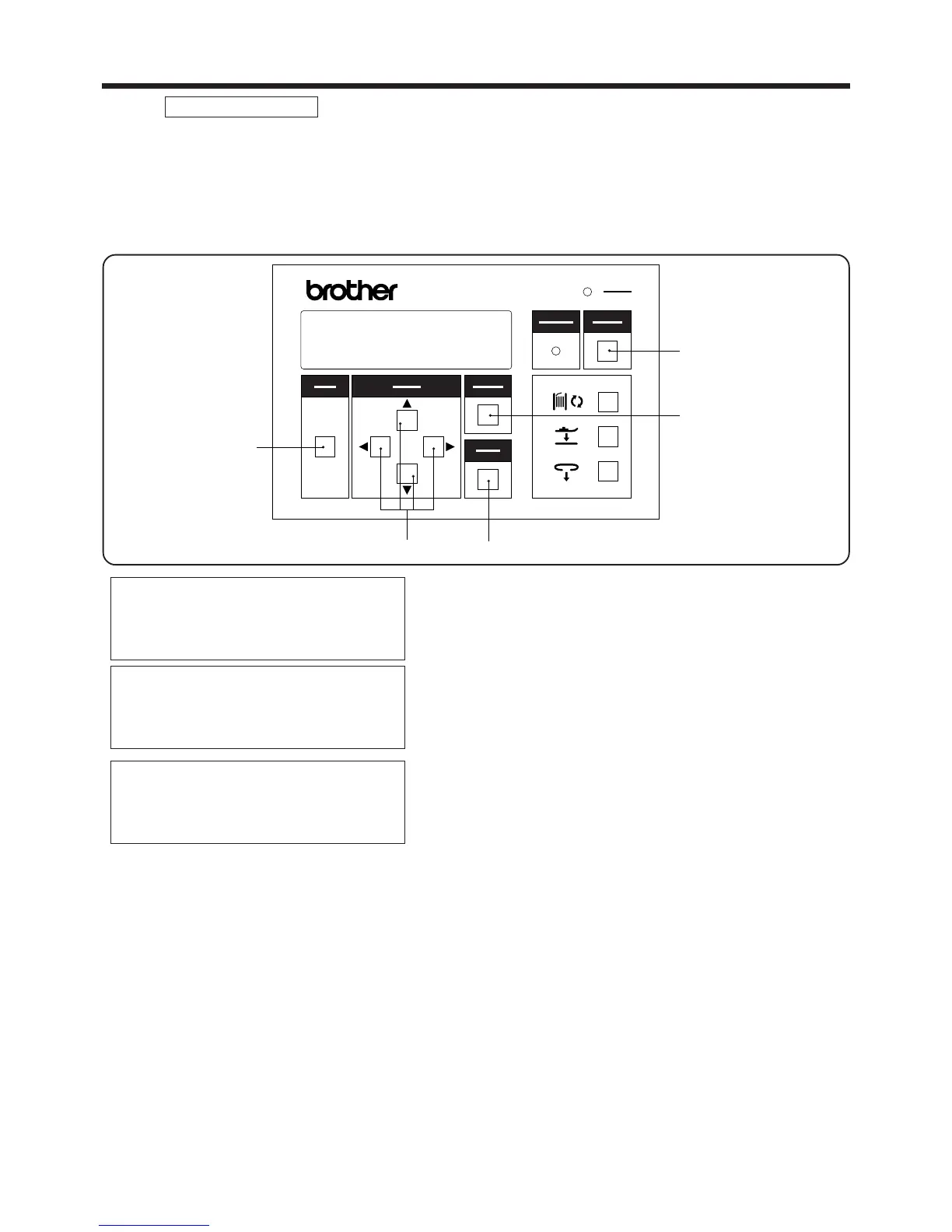
Adjustment of the belt loop feeder and of the X-Y feed for the machine head are carried out in this mode.
・ If the MODE switch w is pressed in ADJUSTMENT mode, the mode will switch to SEWING mode.
・ Continuous operations are carried out one step at a time.
・ This is useful to use for checking adjustment and operation.
ADJUSTMENT mode
1. Press the MODE switch w to select AUTO mode.
2. While pressing the SELECT switch e, press the
MODE switch w.
* This will change the mode to ADJUSTMENT
mode.
3. Use the ▲ and▼SELECT switches e to move the
pointer "◆" so that "Loop/feed" is selected, and then
press the ENTER switch t.
4. Press the▲ or ▼SELECT switch e.
* If the▲ SELECT switch e is pressed, the
machine will operate step by step in the forward
direction.
* If the▼SELECT switch e is pressed, the
machine will operate step by step in the backward
direction.
* Press the CANCEL switch r to resume normal
operation.
▲
AUTO MODE
◆ 2nd bobbin counter
Speed
Loop length
ADJUSTMENT(/)
◆ Loop/feed
X-Y/program
X-Y/test feed
LOOP/FEED/(ADJ)
▲SW Forward step
▼SW Backward step
NOTE:・During step operation, one of the steps is taken up with determining the home position for the upper
shaft and lower shaft.
・Note that actual sewing is also included in step operation. (Warning beeps will sound when sewing
starts.)
<To return to ADJUSTMENT mode during step operation>
* Press the CANCEL switch r.
<If the upper thread breakage codes (E-181, E-182) are displayed during step operation>
・ Thread the upper thread properly.
・ Press the CANCEL switch r. The mode will then switch to ADJUSTMENT mode.
― 17 ―
BAS-705
選択
SELECT
モード
MODE
確定
ENTER
リセット
RESET
電源
POWER
取り消し
CANCEL
警告
WARNING
BAS-705
r
y
t
e
w



 To Next Page