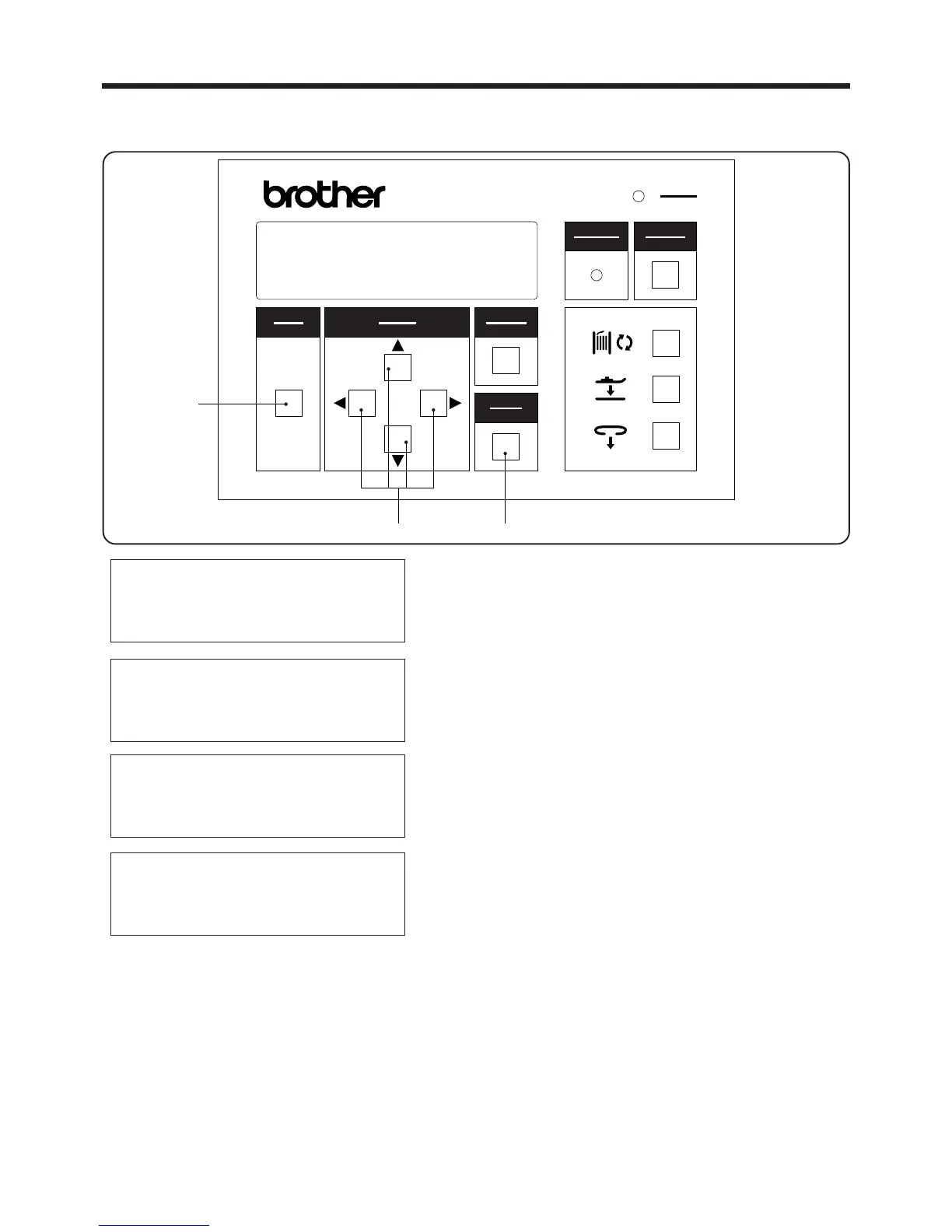
3. PANEL OPERATION
3-2-8. X and Y step feed
1. Press the MODE switch w to select AUTO mode.
2. While pressing the SELECT switch
e, press the
MODE switch
w.
* This will change the mode to ADJUSTMENT
mode.
3. Use the ▲and ▼SELECT switches
e to move the
pointer "◆ " so that "X-Y/test feed" is selected, and
then press the ENTER switch t.
4. Use the ▲and ▼SELECT switches
e again to
move the pointer " ◆ " so that "X-Y step feed" is se
lected, and then press the ENTER switch t.
5. Press the ▲ or ▼SELECT switch
e.
* If the ▲SELECT switch
e is pressed, the machine
will operate step by step in the forward direc-
tion.
* If the SELECT switch
e is pressed while the
machine is sewing in the forward direction, the
opera tion will switch to backward step oper-
ation.
* If the ▲SELECT switch e is pressed while the
SELECT switch
e is being pressed, the opera-
tion will switch to high-speed forward step op-
eration.
* If the SELECT switch
e is pressed while the
SELECT switch
e is being pressed, the op-
eration will switch to high-speed backward step
operation.
・ The sewing pattern can be checked by carrying out step operation.
▲
▲
▲
▲
▲
AUTO MODE
◆ 2nd bobbin counter
Speed
Loop length
ADJUSTMENT(/)
Loop/feed
X-Y/program
◆ X-Y/test feed
STEP FEED/(ADJ)
▲ SW Forward step
▼SW Backward step
( SW fast)
▲
― 21 ―
BAS-705
選択
SELECT
モード
MODE
確定
ENTER
リセット
RESET
電源
POWER
取り消し
CANCEL
警告
WARNING
BAS-705



 To Next Page