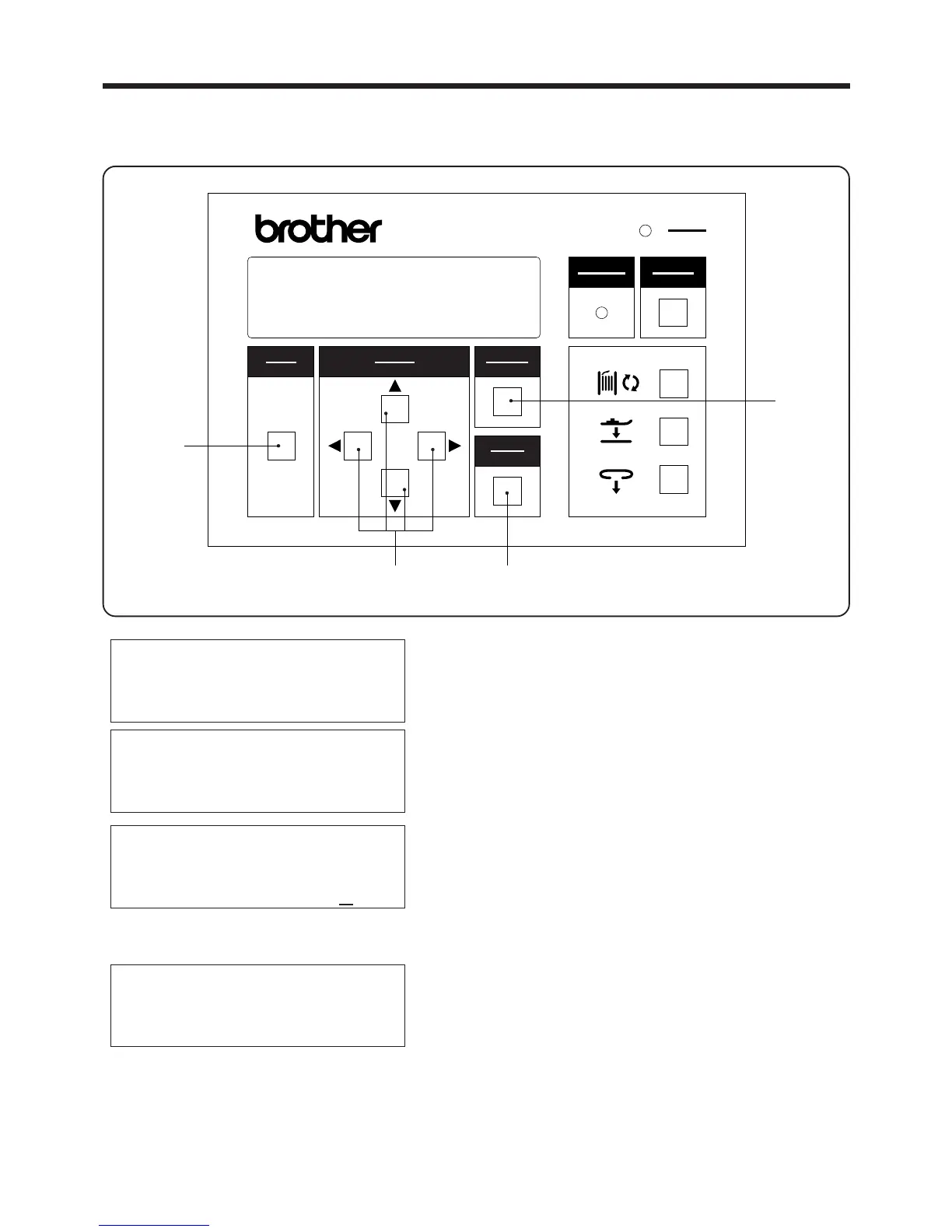
3. PANEL OPERATION
3-2-4.Setting the machine sewing speed
1. Press the MODE switch w select PROGRAM mode.
2. Use the ▲ and ▼SELECT switches e to move the
pointer "◆" so that "SEWING SPEED" is selected.
3. While using the SELECT switch e to move the
cursor "-", press the ▲ and▼SELECT switches e
to set the desired machine sewing speed.
* If the CANCEL switch
r
is pressed, the old sewing
speed counter setting will appear again on the
display.
4. Press the ENTER switch t
* The new sewing speed setting will appear on the
display.
・ Set the machine sewing speed to the maximum sewing speed.
・ The sewing speed can be set to between 1,900 - 2,100 spm in units of 100 spm.
▲
PROGRAM MODE
◆ 1nd bobbin counter
2nd bobbin counter
Speed
PROGRAM MODE
1nd bobbin counter
2nd bobbin counter
◆ Speed z.//
PROGRAM MODE
1nd bobbin counter
2nd bobbin counter
◆ Speed x///
― 16 ―
BAS-705
選択
SELECT
モード
MODE
確定
ENTER
リセット
RESET
電源
POWER
取り消し
CANCEL
警告
WARNING
BAS-705
r
te
w
PROGRAM MODE
1nd bobbin counter
2nd bobbin counter
◆ Speed



 To Next Page