5. STANDARD ADJUSTMENT (MACHINE HEAD)
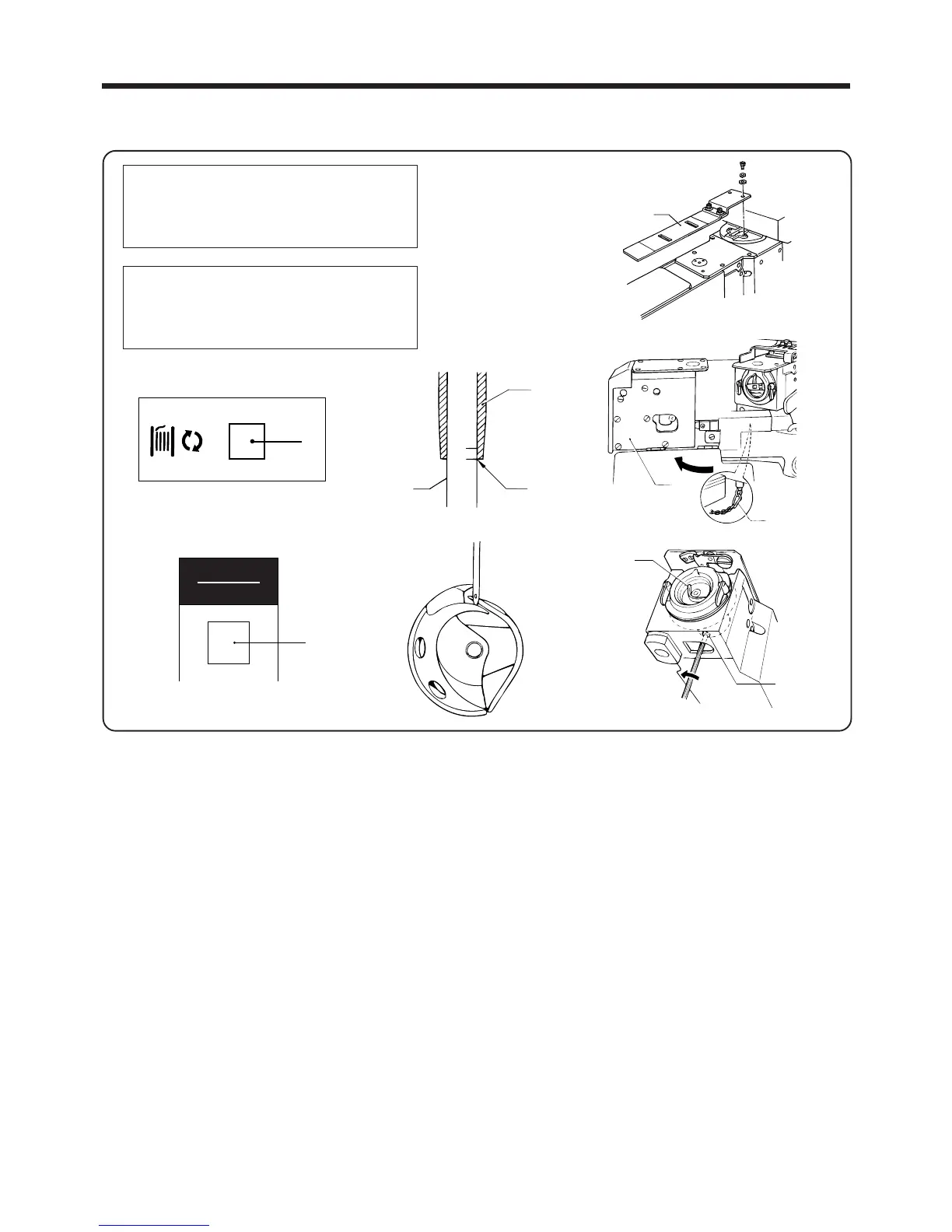
5-3. Needle bar lift stroke adjustment
1. Remove the needle for the second bar tacking.
2. Remove the feed plate q and then turn on the power switch.
3. Remove the release stopper chain w of the lower shaft module e.
4. When "AUTO mode" or "HEAD mode" appears on the panel screen, press the BOBBIN switch r.
5. Gently turn the lower shaft module e approximately 90°clockwise.
NOTE:
・ Turn the air off at this point. (An error code will be displayed, but this can be ignored.)
Lower the presser foot by hand so that the presser foot and needle bar guide will not obstruct each
other.
6. Turn the machine pulley to lower the needle bar t to its lowest point, and then loosen the screw u and use
a driver i to adjust so that the point of the shuttle hook is aligned with the center of the needle when the
lowest reference line B on the needle bar t is aligned with the bottom edge of the needle bar bracket y.
7. After adjusting, turn on the air, press the RESET switch o, close return the lower shaft module r to its
original position and then press the RESET switch o again.
NOTE:
・ Never carry out this adjustment while the machine head is tilted.
AUTO MODE
◆ Loop length
1st bobbin counter
2nd bobbin counter
HEAD MODE
◆ 1st bobbin counter
2nd bobbin counter
―37―
BAS-705
First bar tacking
q
y
t
B
リセット
RESET
o
r
e
w



 To Next Page