102 - 8630
OPERATING THE PROCESS CONTROLLER
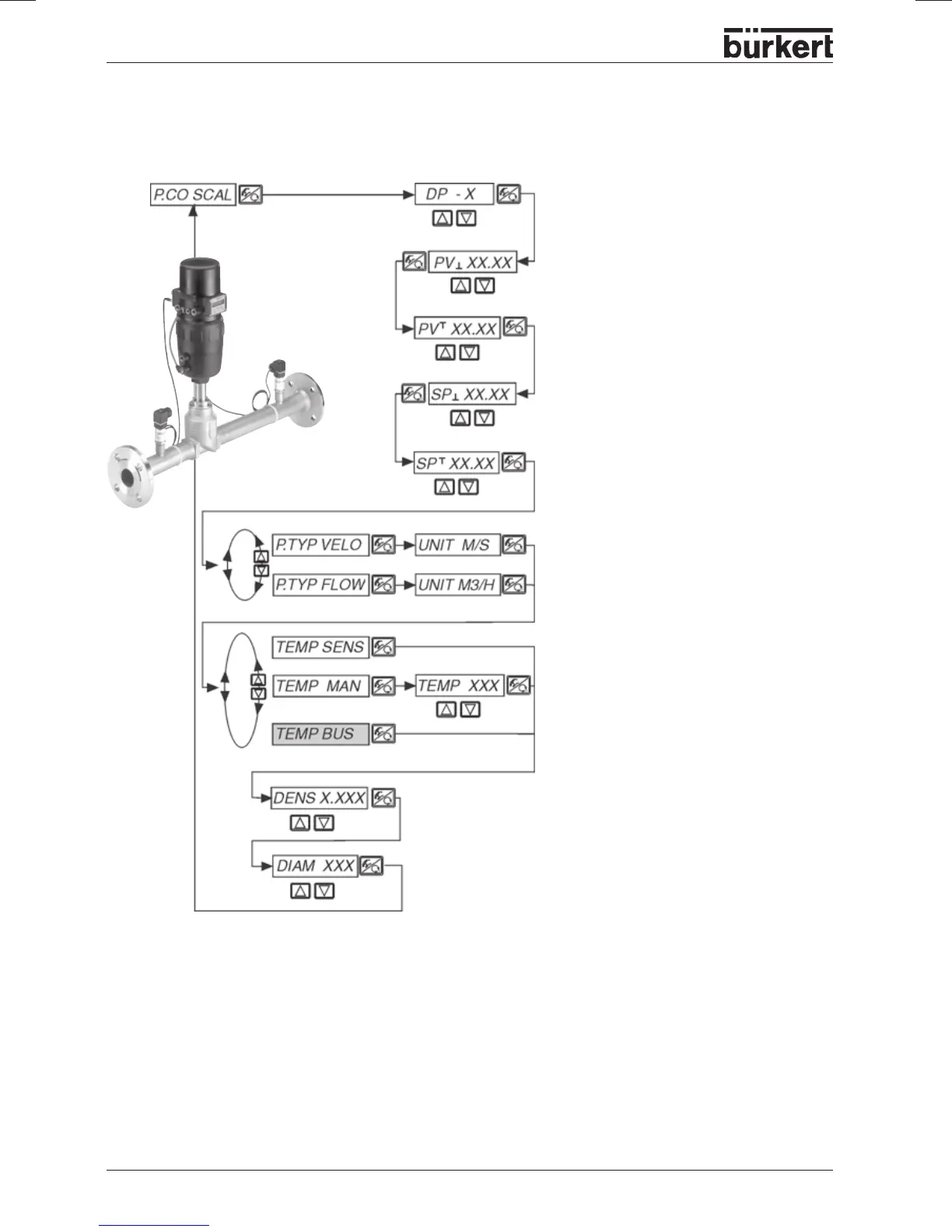
P.CO SCAL
Scaling the process controller on selection of the p
1
/p
2
input
(P.CO INP P1’P2)
Position of the decimal point
(Setting range: 0 ... 3)
Lower scaling value for external
process setpoint
-
The value is assigned
to the minimum current or voltage value of
the standard signal.
(**)
Upper scaling value for process
setpoint -
The value is assigned to the
maximum current or voltage value of the
standard signal.
(**)
Lower scaling value for process value
-
The value is entered in the unit that is
subsequently selected for the flow rate.
(*)
Upper scaling value for process value -
The value is entered in the unit that is
subsequently selected for the flow rate.
(*)
Display of the flow rate
-
As a transport
velocity in m/s
(e.g. with bulk goods) or as a volumetric
flow rate in m³
N
/h
Medium density
(kg/m³) under standard
conditions
Diameter of piping in the pumping
section
(mm)
A dialog appears only when transport
velocity
(Velocity)
has been selected as a
process parameter.
(**)
This setting is active only when
P.CO SETP/SETP EXT
has been selected.
(*)
This setting specifies the reference range for the deadband of the process controller and for the
analog display of the process value (option).
Temperature of the medium
– Activate
the temperature transmitter (optional) or
enter the temperature value.
Temperature default value from the Master
as process data output (for PROFIBUS DP
or DeviceNet).



 To Next Page