8630 - 103
OPERATING THE PROCESS CONTROLLER
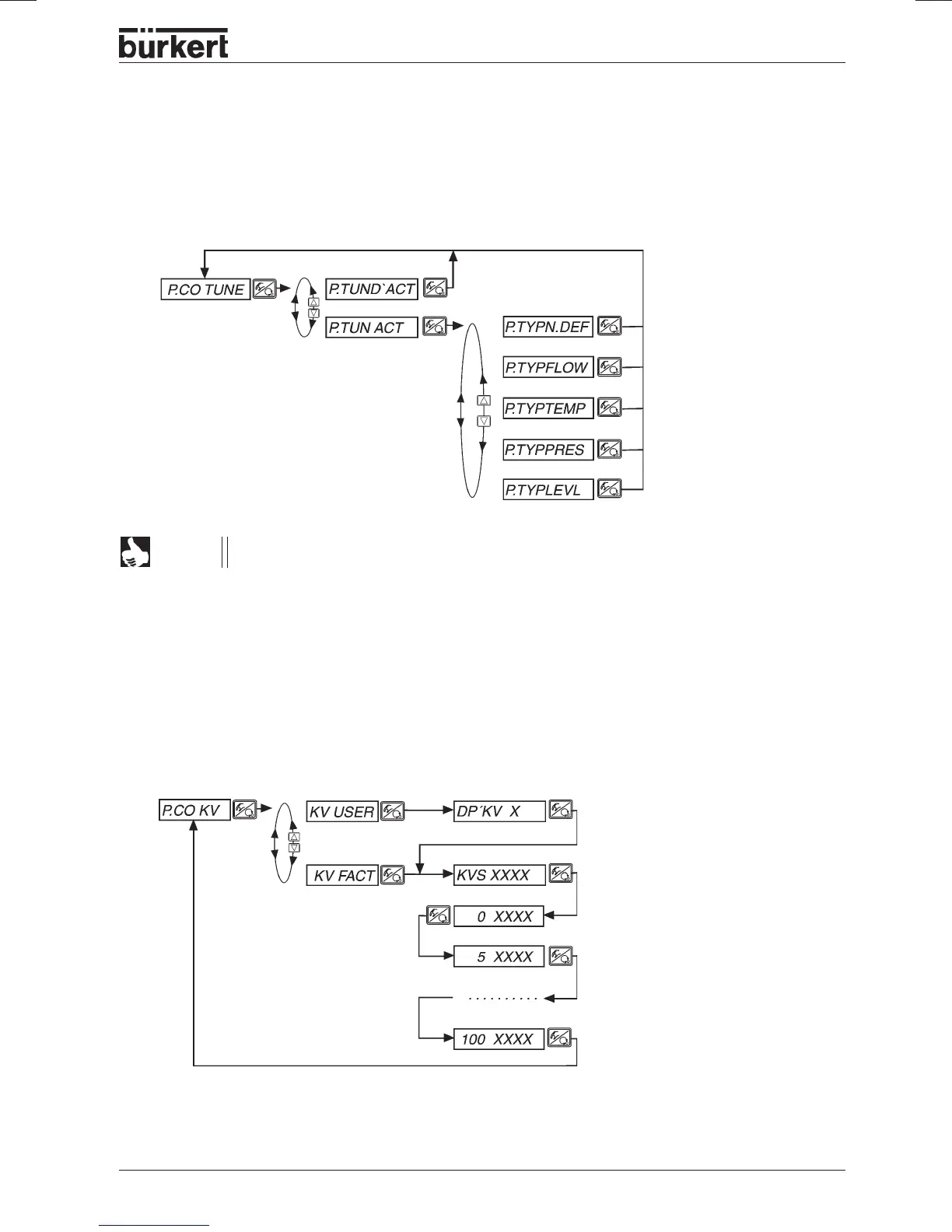
P.CO TUNE
Activating the self-optimization of the process controller (process tune)
Process tune is started in the operating mode AUTOMATIC.
NOTE
Activate
process tune
Select controlled
member
Controlled member
unknown
Flow rate control
Temperature control
Pressure control
Filling level control
P.CO KV
Display or enter kv characteristic curve of the process valve
(option flow rate controller)
Enter user-defined
kv curve
Display factory-
set kv curve
No. of places after the decimal point for
entry of kv curve.
Display/enter kvs value in m
3
/h
Display/enter kv curve in %, referred to the
kvs value



 To Next Page