GasAlertMicroClip
User Manual
10
Activating the Detector
a Caution
Only activate the detector in a fresh air environment and in a
safe area.
To activate the detector, press
C.
Self-Test
The following startup tests are written as startup performance is
intended. If an error occurs, refer to Startup Troubleshooting
.
When the detector is activated, it performs several startup tests. Confirm
the following tests occur.
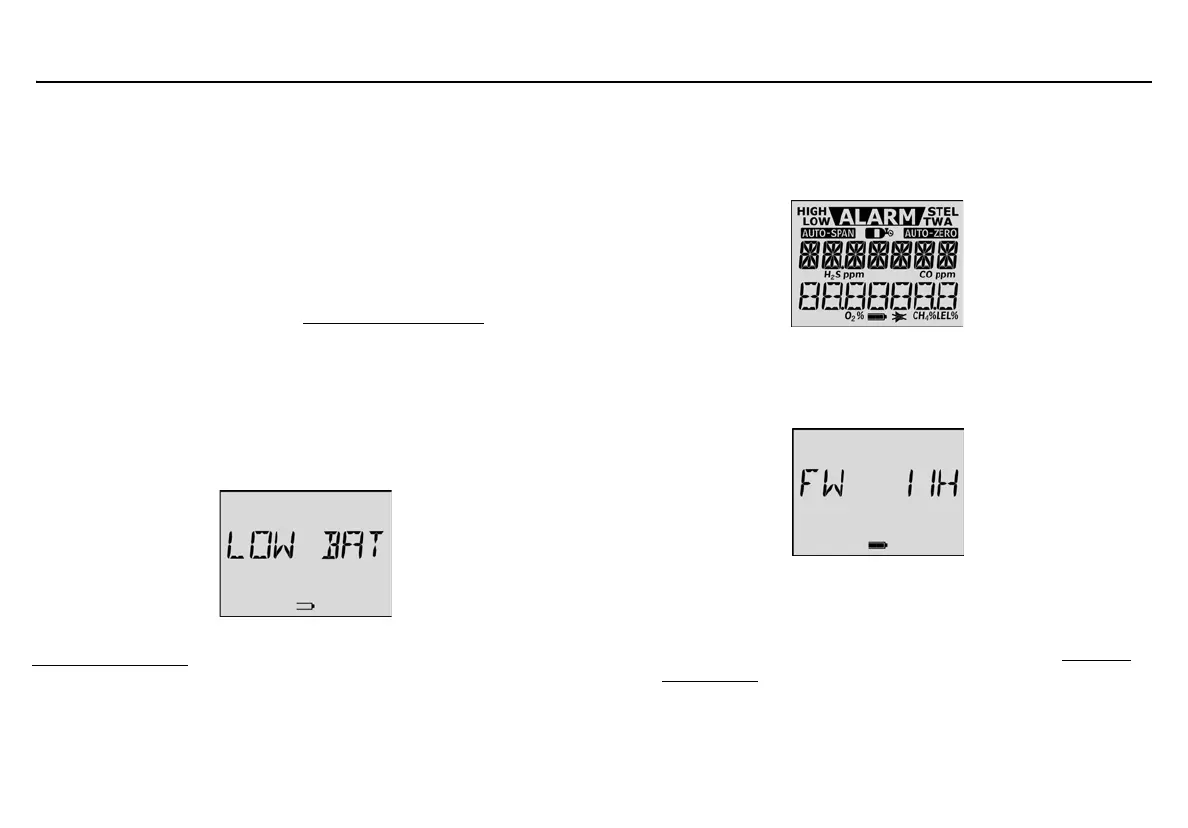
Battery Test
The detector performs a battery test during startup. If the battery has
insufficient power to operate, the following screen displays.
Charge the battery for 2-3 hours before restarting the detector. Refer to
Charging the Battery
.
Audible/Visual Test
1. All of the LCD elements display simultaneously as the detector
beeps, flashes, vibrates, and activates the backlight.
Detector Version
2. The current firmware version of the detector then displays on the
LCD.
Startup Message
3. If data is entered in the Startup Message option (25 characters
maximum) of Fleet Manager II, that data will display during the
startup self-test. To enter a startup message, refer to Detector
Identification or the Fleet Manager II Operator’s Manual.



 To Next Page