GasAlertMicroClip
User Manual
34
Sensor Alarm
The detector tests for missing or defective sensors during the startup
self-test and continuously thereafter.
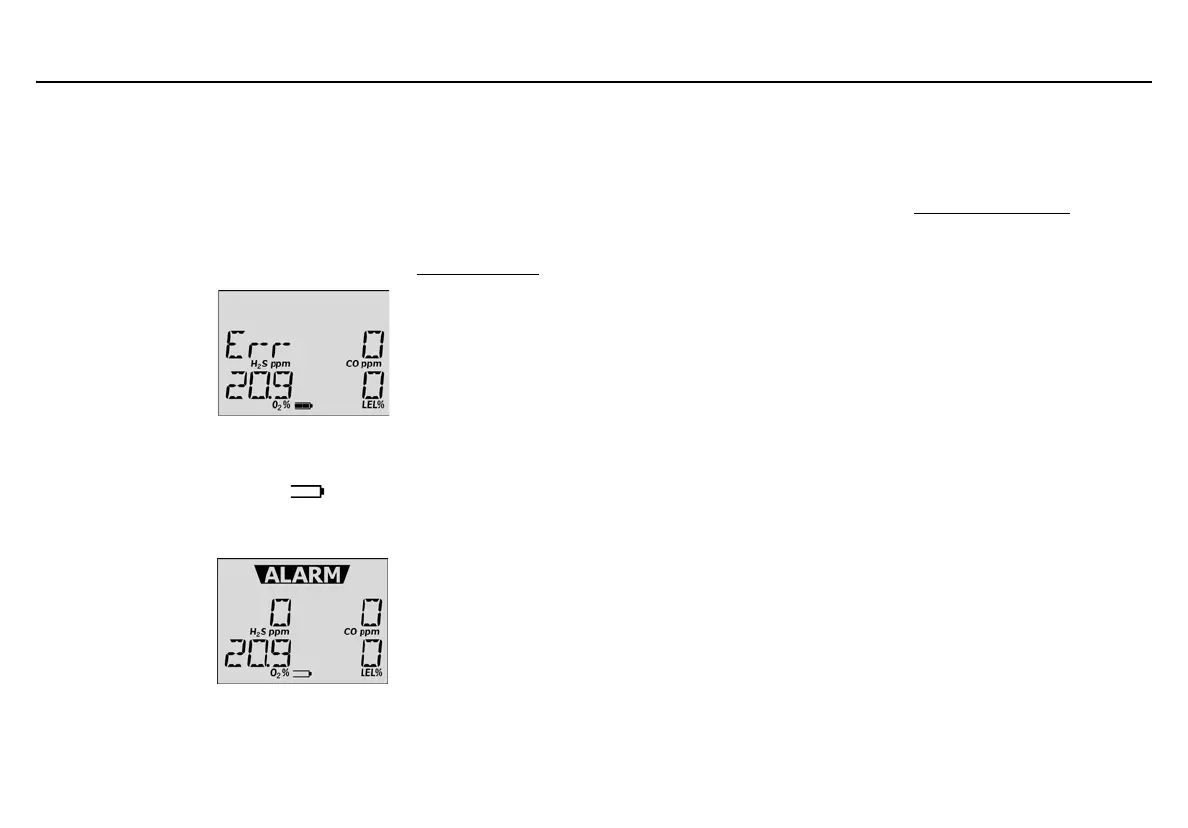
• During start-up if a sensor fails, Error and the sensor name displays.
• If a sensor fails the self-test, Err displays above the gas type of the
failed sensor. The detector will enter alarm. Press
C to acknowledge
the sensor alarm and stoop the alarm. Refer to Troubleshooting
.
Low Battery Alarm
• Battery power is continually displayed during normal operation. If
battery power is low,
L and flashes. The detector performs a
sequence of 10 rapid sirens and alternating flashes with 7 seconds
of silence in between (continues for 15 minutes).
• If battery power becomes critically low,
L and LOW BAT display.
The detector performs a sequence of 10 rapid sirens with 1 second
of silence in between (sequence reactivates seven times). The
detector then displays
OFF and the detector deactivates.
Charge the battery immediately. Refer to Charging the Battery
.
Note
Confidence Beep automatically disables during a low battery
alarm.
Automatic Deactivation Alarm
An automatic deactivation alarm will occur if
• the battery voltage is too low to operate the detector,
• calibration is due but not performed (when the Force Calibration
option is enabled),
• bump test is due but not performed (when the Force Bump options
is enabled) and
• all sensors fail during the startup self-test.
The detector performs a sequence of 10 rapid sirens with alternating
flashes with 1 second of silence in between (sequence reactivates seven
times). OFF then displays and the detector deactivates.



 To Next Page