GasAlertMicroClip
User Manual
48
Replacing the Sensor Filter
1. Note the placement of the PCB to ensure it is replaced correctly.
Remove the two screws on the PCB. Remove the PCB carefully.
a Caution
Ensure no damage occurs to the battery.
2. Remove the old sensor filter. It may be stuck to the sensors.
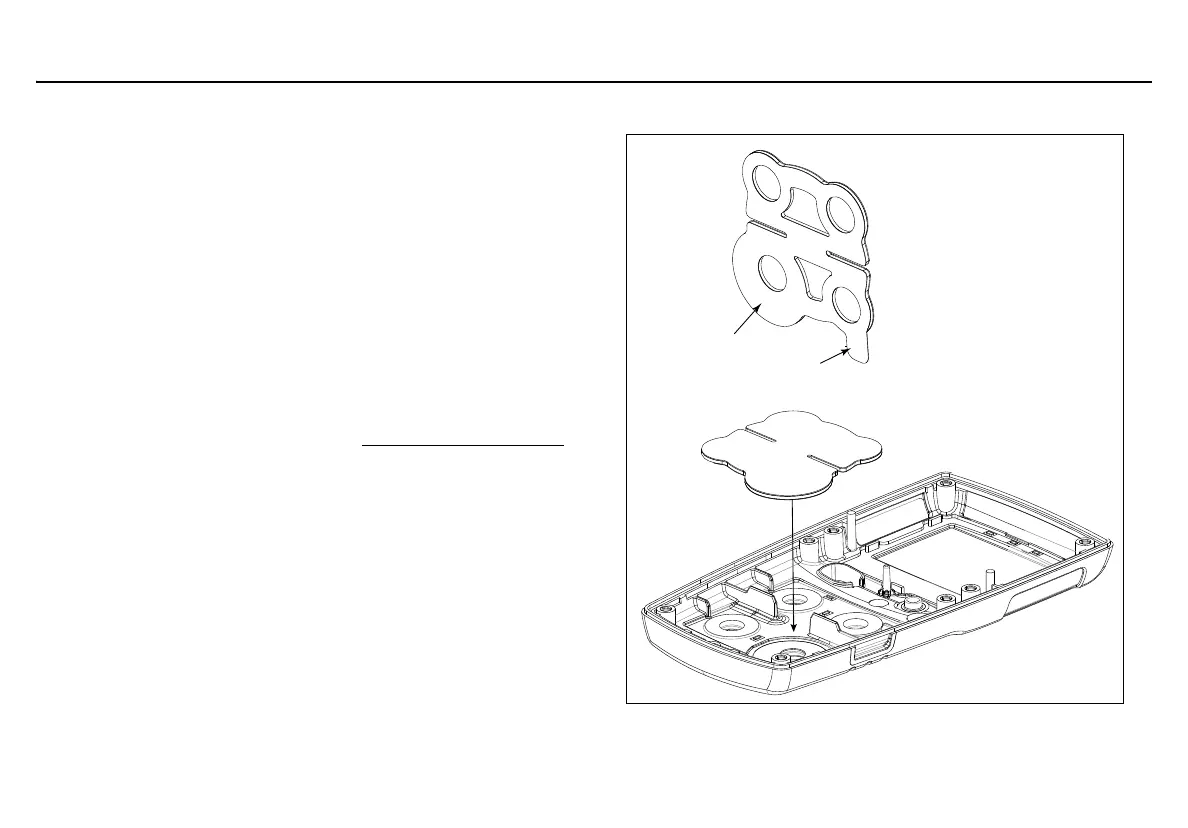
3. Pull the liner tab,if present, to remove the liner from the sensor
filter. Do not fold the sensor filter.
4. Verify that the black gasket is facing the front shell and the large
diameter circle on the gasket is aligned with the large circle on
the front shell.
5. Place the gasket as shown, and then use your fingers to apply
even pressure to the entire gasket.
6. To reassemble the detector, refer to Reassembling the detector
.
Figure 10. Liner Tab
Liner tab
Large diameter circle



 To Next Page